

Trade on Kraken from your terminal, or let your AI agent trade for you. One
install covers crypto, tokenized U.S. stocks and ETFs (for non-U.S. customers),
forex, and futures. Every command can answer in JSON. A built-in MCP server
connects the CLI to Claude, Cursor, Codex and other agents, and paper trading
runs on live prices with no account.
curl --proto '=https' --tlsv1.2 -LsSf https://github.com/krakenfx/kraken-cli/releases/latest/download/kraken-cli-installer.sh | sh
source "$HOME/.cargo/env"   # puts kraken on your PATH in this terminal
kraken ticker BTCUSD        # live price, no account needed
Tip
New: sign in with OAuth. You no longer have to fumble around for API
keys. kraken auth login opens Kraken in your browser, you approve, and the
CLI saves a restricted Spot API key for you. The key can't withdraw funds,
and it expires on its own. See how it works.
With kraken-cli you can:
- Trade 1,400+ crypto pairs, 170+ tokenized U.S. stocks and ETFs (xStocks), 12
forex pairs and 200+ futures contracts.
What you can trade
- Practice on paper first. Paper orders fill at live prices and need no Kraken
account, and the basic order commands are the same as live.
Paper trading
- Connect Claude, Cursor, Codex, Gemini and other MCP clients through
kraken-mcp, which serves up to 152 MCP tools. On clients that support MCP
elicitation, calls that move money ask you first; the kraken CLI itself
places orders without a prompt. MCP server
- Script it: every command takes
-o json, and a failure comes back as JSON
with a stable error field and a non-zero exit code.
For AI agents
- Record live market data and replay it into paper sessions, then score a
strategy against pass criteria you fixed before the first run.
Workspaces, sessions, and research
- Start from 59 agent skills for DCA, grid trading, rebalancing, futures risk
and more. Agent skills
| You are |
Start here |
| A person at a terminal |
Install, then follow the Quick start from sign-in to your first order. |
| An AI agent, or building one |
Read For AI agents and AGENTS.md. Ask your human to open a new terminal and run kraken auth login there, then call kraken <command> -o json 2>/dev/null. Orders trade real money with no confirmation prompt, so follow the rules for trading real money. |
| Just looking around |
Market data and paper trading need no account. Try steps 1 and 2 of the Quick start. |
Paste one of these prompts into Claude Code, Codex, Cursor, or another AI coding
agent. No agent yet? Install Claude Code
first.
Install kraken-cli (https://github.com/krakenfx/kraken-cli) and tell me how to sign in with OAuth.
Install kraken-cli (https://github.com/krakenfx/kraken-cli) and build me a morning market brief.
With kraken-cli, watch ETH, SOL, and BTC for 30 seconds. What are the pros and cons of buying each right now?
With kraken-cli, look up AAPLx, TSLAx, and SPYx on xStocks. Summarize how each is performing today.
You are a Wall Street veteran with 20 years of experience. You have 1 minute. Paper trade BTC with kraken-cli and show me your P&L.
With kraken-cli futures paper trading, open a 10x leveraged long on BTC with $5,000 collateral. Set a trailing stop at 3%.
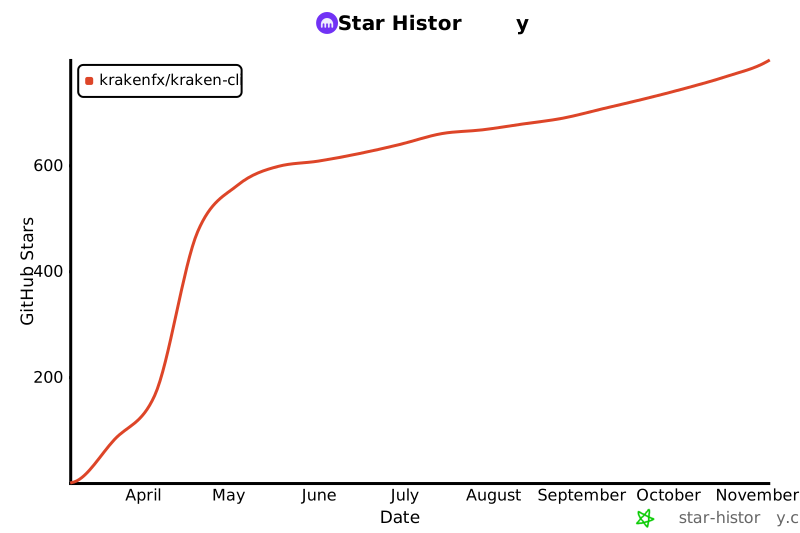
If kraken-cli is useful to you,
star the repo so other traders and
agent builders can find it. To hear about new releases, choose Watch >
Custom > Releases on the repo page.
Caution
Experimental software. It interacts with the live Kraken exchange and can
execute real financial transactions. Read DISCLAIMER.md
before using it with real funds or AI agents.
One install, no runtime dependencies. It puts three binaries on your PATH:
kraken, kraken-mcp (the MCP server) and kraken-shell (an interactive
shell).
curl --proto '=https' --tlsv1.2 -LsSf https://github.com/krakenfx/kraken-cli/releases/latest/download/kraken-cli-installer.sh | sh
The installer detects your OS and architecture, downloads the right build, and
installs it. macOS (Apple Silicon and Intel) and Linux (x86_64 and ARM64) are
supported. On Windows, use WSL. AI agents: ask your human before you run the
installer on their machine.
Open a new terminal (or run source "$HOME/.cargo/env"), then check that it
works:
kraken status && kraken ticker BTCUSD
Note
command not found: kraken right after install? The installer puts the
binaries in ~/.cargo/bin (or $CARGO_HOME/bin if you set it) and adds that
folder to your PATH for new terminals only.
- AI agent in the middle of a task: call
~/.cargo/bin/kraken (or
$CARGO_HOME/bin/kraken) by its full path for the rest of the session.
- Terminal: open a new window, or run
source "$HOME/.cargo/env"
($CARGO_HOME/env if you set it, env.fish for fish).
- Claude Code, Codex, or another agent you start in a terminal: quit it, open
a new terminal window, and start it there. The old window keeps the old
PATH.
- Cursor, VS Code, Claude Desktop, or another desktop app: quit it and open
it again. If it still can't find
kraken, use the full path that
command -v kraken prints in a new terminal.
Pre-built binaries are also on the
GitHub Releases page.
Releases are signed with minisign. Every
release archive, its .sha256 file, the installer script and SHA256SUMS.txt
on the Releases page has a
matching .minisig signature file.
Download the archive and its .minisig into the same folder, then check it
against the public key:
minisign -Vm kraken-cli-aarch64-apple-darwin.tar.gz -P RWQJue8SwPzZBZO8Up5ppAUqm0wM/gK5yjnam+Dbf7KbY0utkiO+7XCd
Public key:
RWQJue8SwPzZBZO8Up5ppAUqm0wM/gK5yjnam+Dbf7KbY0utkiO+7XCd
Install minisign with brew install minisign (macOS) or apt install minisign
(Linux). To check the installer before you run it:
curl -LO https://github.com/krakenfx/kraken-cli/releases/latest/download/kraken-cli-installer.sh
curl -LO https://github.com/krakenfx/kraken-cli/releases/latest/download/kraken-cli-installer.sh.minisig
minisign -Vm kraken-cli-installer.sh -P RWQJue8SwPzZBZO8Up5ppAUqm0wM/gK5yjnam+Dbf7KbY0utkiO+7XCd && sh kraken-cli-installer.sh
Build from source
Requires Rust 1.97 or later. If cargo says a newer rustc
is required, run rustup update. A clone pins its toolchain in
rust-toolchain.toml, so rustup may download that version on the first build.
A source build is DuckDB-free by default, because the bundled DuckDB C++ build
dominates compile time and only DuckDB tapes need it: writing one
(kraken record --to duckdb) or reading one, such as a 0.4.x tape. Pass
--features record-duckdb to any command below to include it; the released
binaries already carry it.
Both commands install all three binaries: kraken, kraken-mcp and
kraken-shell.
cargo install --locked --git https://github.com/krakenfx/kraken-cli kraken-cli
Or clone and build:
git clone https://github.com/krakenfx/kraken-cli.git
cd kraken-cli
cargo install --locked --path crates/kraken-cli
If an earlier source install added kraken-mcp or kraken-shell, cargo stops
with "binary already exists". Run cargo uninstall kraken-mcp kraken-shell
first, or add --force.
Steps 1 and 2 need no account. To trade real money you need a verified Kraken
account with funds in it; you can
create one on kraken.com.
Public market data needs no credentials, so nothing here can touch an account.
kraken ticker BTCUSD
kraken orderbook BTCUSD --count 10
kraken ohlc BTCUSD --interval 60
Output is a table. Add -o json to any command for JSON. REST commands accept
BTCUSD, BTC/USD or XBTUSD; the examples for streaming commands (ws,
record, session) use BTC/USD.
2. Practice with paper trading
kraken workspace create sandbox --capital 10000 --mode paper
export KRAKEN_WORKSPACE=sandbox
kraken paper buy BTCUSD 0.01
kraken workspace status
unset KRAKEN_WORKSPACE
Paper orders fill at live prices with simulated money. paper buy may log a
warning that no session is recording; you can ignore it here.
While KRAKEN_WORKSPACE names a paper workspace, kraken order buy and
kraken balance act on the simulated account as well. The last line unsets it
so the next steps reach your real account. Paper trading
covers the rest.
kraken auth login
kraken auth test
kraken auth login opens Kraken's sign-in page in your browser. Sign in,
approve access, and the CLI saves a Spot API key for you. The key covers spot
crypto, xStocks and forex, can't withdraw funds, and expires after 90 days. Run
it yourself in an interactive terminal: it refuses to run from a script, a CI
job or an AI agent's shell. kraken auth test checks the saved key against your
account. Sign in with OAuth covers each step.
- Trading futures? The sign-in key is Spot only. Create a Futures key and set
KRAKEN_FUTURES_API_KEY and KRAKEN_FUTURES_API_SECRET, or add it to
config.toml (see API keys & configuration).
- Prefer a key you created yourself? Run
kraken setup in a terminal, or store
it with kraken auth set.
- Using an AI agent? Sign in in your own terminal, and the agent uses the stored
key. Never paste an API key into an AI chat.
kraken balance
kraken open-orders
Balance empty? Fund the account on kraken.com, or list your deposit options with
kraken deposit methods USD.
kraken ticker BTCUSD                                                # check the price
kraken order buy BTCUSD 20 --type market --oflags viqc --validate  # $20 of BTC, checked only
--validate asks Kraken to check the order without placing it, so nothing
trades. --oflags viqc makes the volume a quote-currency amount, here 20 USD.
Leave the flag off and 20 means 20 BTC. Kraken accepts viqc on market buys
only. For a limit order, give the volume in BTC and a price:
kraken order buy BTCUSD 0.0005 --type limit --price 75000 --validate
kraken order buy defaults to --type limit, which needs --price. To see the
smallest order a pair accepts, run kraken pairs --pair BTCUSD -o json and read
ordermin (volume) and costmin (cost in the quote currency).
6. Place your first order
Drop --validate. This places a real order with real money, and there is no
confirmation prompt: it goes to Kraken when you press Enter. Check that
echo $KRAKEN_WORKSPACE prints nothing first, so the order reaches your real
account:
kraken order buy BTCUSD 20 --type market --oflags viqc
The receipt starts with Mode [LIVE] Real Money and shows the order ID, which
is Kraken's transaction ID. With -o json, check that mode is "live" and
read order_id. Then check it:
kraken query-orders <ORDER_ID>     # status "closed" means it filled
kraken balance
A limit order that hasn't filled stays open; cancel it with
kraken order cancel <ORDER_ID>.
Futures orders use kraken futures order buy and sell with your Futures key.
They have no --validate, so rehearse them with
futures paper trading first. Sizes are in contracts:
one PF_XBTUSD contract is 1 BTC.
kraken auth login signs you in with OAuth. You approve access on Kraken's own
sign-in page, and the CLI creates and saves a restricted Spot API key for you.
You skip the API settings page and the copy and paste.
- It can query balances, place, amend and cancel orders, read trades and ledger
entries, use deposits and Earn, request exports, and open authenticated
WebSocket streams.
- It has no withdrawal rights.
- It covers Spot only: spot crypto, xStocks and forex. Futures commands still
use their own key (see API keys & configuration).
- It expires after 90 days.
--valid-for sets a shorter life, from 1 minute up
to 90 days.
| Option |
What it does |
--read-only |
Creates a key that can read balances, orders, trades, and ledger entries, but cannot trade. |
--valid-for <DURATION> |
Sets how long the key stays valid, for example 30d or 12h. The default and the maximum are 90d. |
--no-browser |
Prints the sign-in URL without opening a browser. |
kraken auth login --read-only --valid-for 30d
You have 5 minutes to approve in the browser. After that the command stops with
a timeout error, and you run it again.
What happens when you sign in
- You run
kraken auth login in a terminal. It refuses to run without one.
- The CLI starts a listener on your own machine, on the first free port from
27461 to 27463, and opens Kraken's sign-in page in your browser. If all three
ports are busy, sign-in fails.
- You sign in on Kraken and approve access.
- Kraken sends your browser back to
http://localhost:<port>/callback with a
one-time code.
- The CLI exchanges the code for permission to create a key. This is a standard
OAuth authorization-code flow with PKCE (S256). The CLI is a public OAuth
client, so there is no client secret.
- The CLI creates a restricted Spot API key and saves it to
config.toml,
which is created with 0600 permissions.
- If you already had a sign-in key, the new one replaces it and the CLI deletes
the old one. Anything still signing with the old key stops working. If the
delete fails, the old key stays on your account until it expires.
Forward the three callback ports, then ask the CLI to print the sign-in URL and
open it on your own machine. The listener takes the first free port of the
three, so forward all of them.
# On your own machine: connect with the callback ports forwarded.
ssh -L 27461:localhost:27461 -L 27462:localhost:27462 -L 27463:localhost:27463 <host>

# On the remote machine: print the sign-in URL, then open it on your own machine.
kraken auth login --no-browser
Checking, switching, and removing keys
kraken auth show              # which key is in use, and whether a flag or env var overrides it (alias: auth status)
kraken auth test              # checks the key in use against your account
kraken auth switch sign-in    # signs requests with the OAuth sign-in key
kraken auth switch api-key    # signs requests with the key from `kraken auth set` or `kraken setup`
kraken auth reset             # deletes every stored key from config.toml; revokes nothing on Kraken
Your config can hold a sign-in key and an API key at the same time.
Credential resolution explains which one signs.
auth reset deletes every stored key from config.toml: the API key, the
sign-in key, and the Futures key. It revokes nothing on Kraken, so the sign-in
key keeps working until it expires. To revoke it at once, delete it where you
manage API keys on kraken.com. An older release ignores the sign-in key and can
drop it from config.toml, so delete the key in the Kraken UI before you
downgrade.
Using OAuth with AI agents
OAuth sign-in is for a person at a terminal. kraken auth login refuses to run
without one, the catalog marks it dangerous, and the MCP server does not serve
it. An agent can't start it and should never try.
A person signs in once, and the agent reuses the key:
- A person runs
kraken auth login once, in their own terminal.
- The agent calls commands as usual, for example
kraken balance -o json 2>/dev/null. The CLI signs with the stored OAuth
key.
- A key from a flag or an environment variable wins over the stored key.
- When the sign-in key expires, calls that need a key return an
auth error
envelope. The CLI does not fall back to another stored key. Tell the person
to run kraken auth login again.
Authenticated commands (trading, balances, order management) need a Kraken API
key pair. Public market data and paper trading work without credentials.
The easiest way to get a key is OAuth sign-in. Create one
by hand when you need a Futures key, specific permissions, or credentials for
automation.
Spot (covers trading, balances, funding, earn, subaccounts): Settings >
API on kraken.com. Step-by-step guide:
How to create a spot API key.
Futures (only for kraken futures commands):
sign in to Kraken Futures, then go to
Settings > Create Key. Full guide:
How to create a Futures API key.
Grant the minimum permissions your workflow needs:
- Read-only monitoring: "Query Funds" and "Query Open Orders & Trades" cover
balances and open orders. Add "Query Closed Orders & Trades" for trade history
and "Query Ledger Entries" for ledgers.
- Trading: add the permissions to create, modify, cancel and close orders.
- Leave withdrawal permission off unless a script needs to withdraw.
kraken setup is an interactive wizard. It asks for your Spot key and,
optionally, a Futures key. Run it in a normal terminal, because it reads your
input.
kraken auth set stores a key without asking you to type it. It always needs a
Spot key and its secret. Pass the secret on stdin or from a file so it stays out
of your shell history and process list, and add the Futures flags to store a
Futures key in the same call:
kraken auth set --api-key <YOUR_KEY> --api-secret-stdin
kraken auth set --api-key <YOUR_KEY> --api-secret-file ~/kraken-secret.txt \
  --futures-api-key <FUTURES_KEY> --futures-api-secret-file ~/kraken-futures-secret.txt
Delete the secret files once the keys are stored. kraken setup and
kraken auth set write the same API key slot. If a working sign-in key is
already active, the CLI asks which key to use in a terminal and keeps the active
key in a script. To add only a Futures key and keep your sign-in key, use the
Futures environment variables or the config.toml fields below.
Environment variables (recommended for agents and automation)
export KRAKEN_API_KEY="your-key"
export KRAKEN_API_SECRET="your-secret"
export KRAKEN_FUTURES_API_KEY="your-futures-key"       # optional
export KRAKEN_FUTURES_API_SECRET="your-futures-secret"  # optional
Set them in the environment that the agent or script starts from. A secrets
manager keeps the secret out of your shell history, for example
export KRAKEN_API_SECRET="$(op read 'op://Private/Kraken/secret')" with the
1Password CLI. An agent that is already running won't see variables you export
afterwards. Never paste API keys into an AI chat.
Credentials live in ~/.config/kraken/config.toml (Linux) or
~/Library/Application Support/kraken/config.toml (macOS):
[auth]
api_key = "your-api-key"
api_secret = "your-api-secret"
futures_api_key = "your-futures-key"         # optional
futures_api_secret = "your-futures-secret"   # optional
Highest precedence first:
- Command-line flags (
--api-key, --api-secret). Spot and Futures commands
share this pair.
- Environment variables:
KRAKEN_API_KEY and KRAKEN_API_SECRET for Spot,
KRAKEN_FUTURES_API_KEY and KRAKEN_FUTURES_API_SECRET for Futures.
- The stored key in
config.toml. For Spot that is the active one of the API
key (from kraken auth set or kraken setup) and the OAuth sign-in key
(from kraken auth login).
Which stored Spot key is active:
| Situation |
Active key |
| Only one key is stored |
That key |
| Both are stored and you never chose |
The API key |
| You store a new key while another key is active and working |
In a terminal the CLI asks you; in a script it keeps the active key |
| The active key has expired or is missing when you store a new one |
The new key, without a prompt |
You run kraken auth switch api-key or kraken auth switch sign-in |
The key you chose |
The CLI changes the active key only when you choose one, or when you store a new
key while the active one is expired or missing. It never falls back to the other
key: an expired sign-in key stays active and fails with an auth error until
you sign in again or run kraken auth switch api-key. kraken auth show tells
you which key is in use.
- The config file is created with
0600 permissions (owner read/write only).
- Secrets are never logged, printed, or included in error messages.
- Use
--api-secret-stdin or --api-secret-file instead of --api-secret to
keep secrets out of process listings.
- For automation, prefer environment variables over command-line flags.
Advanced: API endpoint overrides
| Variable |
Default |
Description |
KRAKEN_SPOT_URL |
https://api.kraken.com |
Spot REST API base URL |
KRAKEN_FUTURES_URL |
https://futures.kraken.com/derivatives/api/v3 |
Futures REST API base URL |
KRAKEN_WS_PUBLIC_URL |
wss://ws.kraken.com/v2 |
Public WebSocket endpoint |
KRAKEN_WS_AUTH_URL |
wss://ws-auth.kraken.com/v2 |
Authenticated Spot WebSocket endpoint |
KRAKEN_WS_L3_URL |
wss://ws-l3.kraken.com/v2 |
Level 3 order book WebSocket endpoint |
KRAKEN_FUTURES_WS_URL |
wss://futures.kraken.com/ws/v1 |
Futures WebSocket endpoint |
KRAKEN_FEEDBACK_ENDPOINT |
https://cli-feedback.kraken.com/v1/feedback |
Product feedback ingest URL |
Resolution: CLI flag (--api-url, --futures-url, --ws-public-url,
--ws-auth-url, --ws-l3-url, --ws-futures-url) > environment variable >
default. KRAKEN_FEEDBACK_ENDPOINT has no flag. Every override must use
https:// or wss:// and point at a Kraken host.
KRAKEN_DANGER_ALLOW_ANY_URL_HOST=1 (--danger-allow-any-url-host) lifts the
host check, and for KRAKEN_FEEDBACK_ENDPOINT it also allows http://. Use it
for local testing only.
Spot crypto, xStocks and forex share kraken order (add
--asset-class tokenized_asset for xStocks; forex pairs such as EURUSD need
no asset class to trade). Futures use kraken futures order with a separate
Futures API key, and Earn has its own kraken earn commands. The spot and
xStocks examples below use --validate, so Kraken checks them without placing
them.
| Asset class |
Instruments |
Margin |
Commands |
Example |
| Crypto spot |
1,400+ pairs (BTC, ETH, SOL, and hundreds more) |
Up to 10x on major pairs |
kraken order |
kraken order buy BTCUSD 0.001 --type limit --price 50000 --validate |
| Tokenized U.S. stocks & ETFs (xStocks) |
170+ xStocks: AAPL, NVDA, TSLA, GOOGL, AMZN, MSFT, SPY, QQQ, and more |
Up to 3x on select xStocks |
kraken order --asset-class tokenized_asset |
kraken order buy AAPLx/USD 0.1 --type limit --price 200 --asset-class tokenized_asset --validate |
| Forex |
12 fiat pairs: EUR/USD, GBP/USD, USD/JPY, AUD/USD, and more |
None |
kraken order |
kraken ticker EURUSD --asset-class forex |
| Perpetual futures |
200+ contracts: crypto, 3 forex perps (EUR, GBP, CHF), stock, ETF and index perps (AAPL, NVDA, TSLA, SPY, QQQ, US 100), commodities, and pre-IPO |
Up to 100x (BTC, ETH, SOL); 10x to 50x on most others; lower in some regions |
kraken futures order |
kraken futures ticker PF_XBTUSD |
| Inverse & fixed-date futures |
22 contracts on BTC, ETH, SOL, LTC, XRP: inverse perpetuals (PI_), inverse fixed-date (FI_), and fixed-date (FF_) |
Varies |
kraken futures order |
kraken futures instruments |
| Earn / staking |
Flexible, bonded, timed and instant strategies across multiple assets |
n/a |
kraken earn |
kraken earn strategies --asset ETH |
Futures sizes are in contracts: one PF_XBTUSD contract is 1 BTC, and FI_
contracts are 1 USD each. Fixed-date symbols end in their expiry date
(YYMMDD). kraken futures instruments lists the contracts that are trading
now. Futures orders have no --validate, so rehearse them with
futures paper trading.
xStocks are not available in the USA. Availability for all products varies by
jurisdiction.
Paper trading tests trading logic against live Kraken prices with simulated
money. It needs no API key and no Kraken account. Spot and futures each have
their own paper engine.
There are two ways to place a spot paper order:
kraken paper buy and kraken paper sell always simulate.- Inside a paper workspace (
KRAKEN_WORKSPACE or --workspace), the live verbs
kraken order buy, balance, open-orders and trades-history act on the
simulated account too. A strategy that sticks to these verbs, with --type
and --price, runs unchanged once you promote it to live (see Strategy
workspaces in the full command reference). Inside a workspace,
order buy and sell refuse --cl-ord-id, --oflags and most other
advanced flags.
paper buy defaults to a market order and order buy to a limit order, so pass
--type when you switch. Paper supports market and limit orders, a
configurable flat slippage model, and no partial fills.
Agent pattern:
kraken workspace create sandbox --capital 10000 --mode paper -o json
export KRAKEN_WORKSPACE=sandbox
kraken paper buy BTCUSD 0.01 -o json
kraken paper sell BTCUSD 0.005 --type limit --price 90000 -o json
kraken workspace status -o json
kraken workspace reset --yes -o json   # dangerous: only when your human asks for a reset
unset KRAKEN_WORKSPACE
Human pattern:
kraken workspace create sandbox-eur --capital 5000 --currency EUR --mode paper
export KRAKEN_WORKSPACE=sandbox-eur
kraken paper buy BTCEUR 0.01
kraken paper balance
kraken paper status
kraken paper orders
kraken paper history
kraken workspace reset
unset KRAKEN_WORKSPACE
| Command |
Description |
kraken paper init [NAME] [--capital 10000] [--currency USD] [--fee-rate 0.0026] [--slippage-rate 0] |
Older shortcut for workspace create --mode paper. With no workspace selected it creates one named global |
kraken paper reset [NAME] [--capital N] [--currency C] [--fee-rate R] [--slippage-rate S] [--yes] |
Shortcut for workspace reset: starts a new capital epoch. Open orders are dropped unfilled; paper orders and paper history start empty |
kraken paper balance |
All balances (total, reserved, available) |
kraken paper buy <PAIR> <VOL> [--type limit --price P] |
Paper buy (market or limit) |
kraken paper sell <PAIR> <VOL> [--type limit --price P] |
Paper sell (market or limit) |
kraken paper orders |
Open limit orders |
kraken paper cancel <ORDER_ID> |
Cancel a limit order |
kraken paper cancel-all |
Cancel all limit orders |
kraken paper history |
Filled trade history |
kraken paper status |
Portfolio value, unrealized P&L, trade count |
Prices come from the public Kraken Ticker API (no auth needed). By default a
0.26% taker fee applies to every fill; set another rate with --fee-rate.
Optional slippage simulation applies a flat rate to market orders: buys fill at
ask * (1 + slippage_rate), sells at bid * (1 - slippage_rate). Default
slippage is 0.0 (no simulation). A limit order always rests when placed, even
when the market is already through its price. The next paper buy, sell,
orders, cancel, cancel-all, history or status checks it against the
live price, and once the market has crossed the limit it fills at the limit
price, not at the better market price.
In table mode, paper buy, sell, cancel, cancel-all and status lead
with a [PAPER] Simulated Trading row, and paper orders and history put
[PAPER] in their first column header. Their JSON carries "mode": "paper", as
does the JSON of paper balance and paper init. paper init shows a plain
Mode row; the paper balance table and all paper reset output carry no
marker.
Near-parity with live kraken futures order commands. Supports all 8 order
types (market, limit, post, stop, take-profit, ioc, trailing-stop, fok),
leverage and margin tracking, position aggregation/netting, liquidation
simulation, and funding rate accrual. --type defaults to limit, and the fee
rate to 0.05% (--fee-rate 0.0005). Known differences: order-status accepts a
single ID (live accepts multiple), post-only orders are cancelled rather than
simulating maker queue priority, and fills use the bid/ask snapshot with no
depth-based slippage. Only IOC orders fill partially: they take the book depth
available at the limit price and cancel the rest.
The live commands differ in more than the prefix. futures paper buy/sell
become futures order buy/sell, which take no --leverage (set it with
futures set-leverage), and futures paper orders becomes
futures open-orders. edit-order, cancel, cancel-all, batch-order,
order-status, positions, fills, leverage and set-leverage keep their
names under futures. init, reset, balance and status are paper-only;
futures accounts shows the live wallet. Live futures history is public trade
history; your own past orders and fills are in futures history-orders and
futures history-executions.
Futures paper state is global, not per workspace. Run it with no workspace
selected (unset KRAKEN_WORKSPACE if an earlier example exported it): inside a
workspace only balance, status, orders, order-status, positions and
fills run; history, leverage and every mutation are refused.
Successful JSON responses include "mode": "futures_paper". Most table views
are labeled [FUTURES PAPER] or [FP].
Agent pattern:
kraken futures paper init --balance 10000 -o json
kraken futures paper buy PF_XBTUSD 1 --leverage 10 --type market -o json
kraken futures paper sell PF_ETHUSD 5 --leverage 20 --type market -o json
kraken futures paper positions -o json
kraken futures paper status -o json
kraken futures paper reset -o json
Human pattern:
kraken futures paper init --balance 10000 --currency USD
kraken futures paper buy PF_XBTUSD 1 --leverage 10 --type market
kraken futures paper sell PF_XBTUSD 1 --leverage 10 --type limit --price 70000
kraken futures paper positions
kraken futures paper balance
kraken futures paper fills
kraken futures paper history
kraken futures paper reset
| Command |
Description |
kraken futures paper init [--balance B] [--currency C] [--fee-rate R] |
Initialize futures paper account |
kraken futures paper reset [--balance B] [--currency C] [--fee-rate R] |
Reset account (clear positions, orders, fills) |
kraken futures paper balance |
Collateral, used margin, available margin, unrealized P&L |
kraken futures paper status |
Equity, P&L since start, unrealized P&L, position/order counts |
kraken futures paper buy <SYM> <SIZE> [--leverage L] [--type TYPE] ... |
Paper long (all 8 order types) |
kraken futures paper sell <SYM> <SIZE> [--leverage L] [--type TYPE] ... |
Paper short (all 8 order types) |
kraken futures paper orders |
Open resting orders |
kraken futures paper order-status <ID> |
Query specific order |
kraken futures paper edit-order --order-id <ID> [--size S] [--price P] [--stop-price SP] |
Edit |
| |
| |
| |
| |
| |
| |
| |
| |