





A production-ready asynchronous REST API built with FastAPI, featuring secure user authentication and advanced notes management. The application uses modern patterns like native SQLAlchemy 2.0 Async, Pydantic 2 settings, and is fully containerized.
- 🚀 Asynchronous API - Built with FastAPI 0.135.3 and async/await patterns
- 🔐 Secure Authentication - JWT-based OAuth2 Password Grant flow
- 🐘 PostgreSQL Database - Native SQLAlchemy 2.0 Async with asyncpg
- 📦 Database Migrations - Managed by Alembic
- 🔍 Search & Filter - Support for text search, completion status, and tags
- 🏷️ Tags Support - Organize notes with flexible tagging
- 🗑️ Soft Deletes - Recoverable data management
- 🐳 Docker Support - Fully containerized backend and frontend
- 🧪 Testing - Comprehensive test suite with pytest and mock dependencies
- 🎨 Vue 3 Frontend - Modern frontend with Vite and Pinia state management
🚀 Quick Start with Docker
The fastest way to get started is using Docker Compose:
-
Clone the repository
git clone https://github.com/KenMwaura1/Fast-Api-example.git
cd Fast-Api-example
-
Start the application
docker-compose up -d --build
-
Access the Application
- Python 3.13+
- PostgreSQL 14+
- Node.js 18+
-
Clone the repository
git clone https://github.com/KenMwaura1/Fast-Api-example.git
cd Fast-Api-example
-
Backend Setup
python3 -m venv venv
source venv/bin/activate
cd src
pip install -r requirements.txt
Build Docker image (manual)
If you prefer to build the backend image directly (the Dockerfile lives in src), run from the repository root:
# build using the `src` folder as the build context
docker build -f src/Dockerfile -t fast-api-example:local src

# run the built image
docker run --rm -p 8000:8000 --env-file src/.env fast-api-example:local
This docker build command sets the build context to src so the COPY requirements.txt in the Dockerfile resolves correctly.
-
Database Configuration
Configure your DATABASE_URL in src/.env (copy from src/app/.env-example):
DATABASE_URL=postgresql+asyncpg://user:password@localhost/dbname
SECRET_KEY=your-secret-key
-
Run Migrations
cd src
alembic upgrade head
-
Run the Application
A modern Vue 3 frontend built with Vite and Pinia is included.
-
Navigate to frontend directory
cd vue-client
npm install
-
Start development server
-
Access the frontend at http://localhost:5173
| Method |
Endpoint |
Description |
| POST |
/auth/register |
Register a new user |
| POST |
/auth/token |
Login to get access token |
| Method |
Endpoint |
Description |
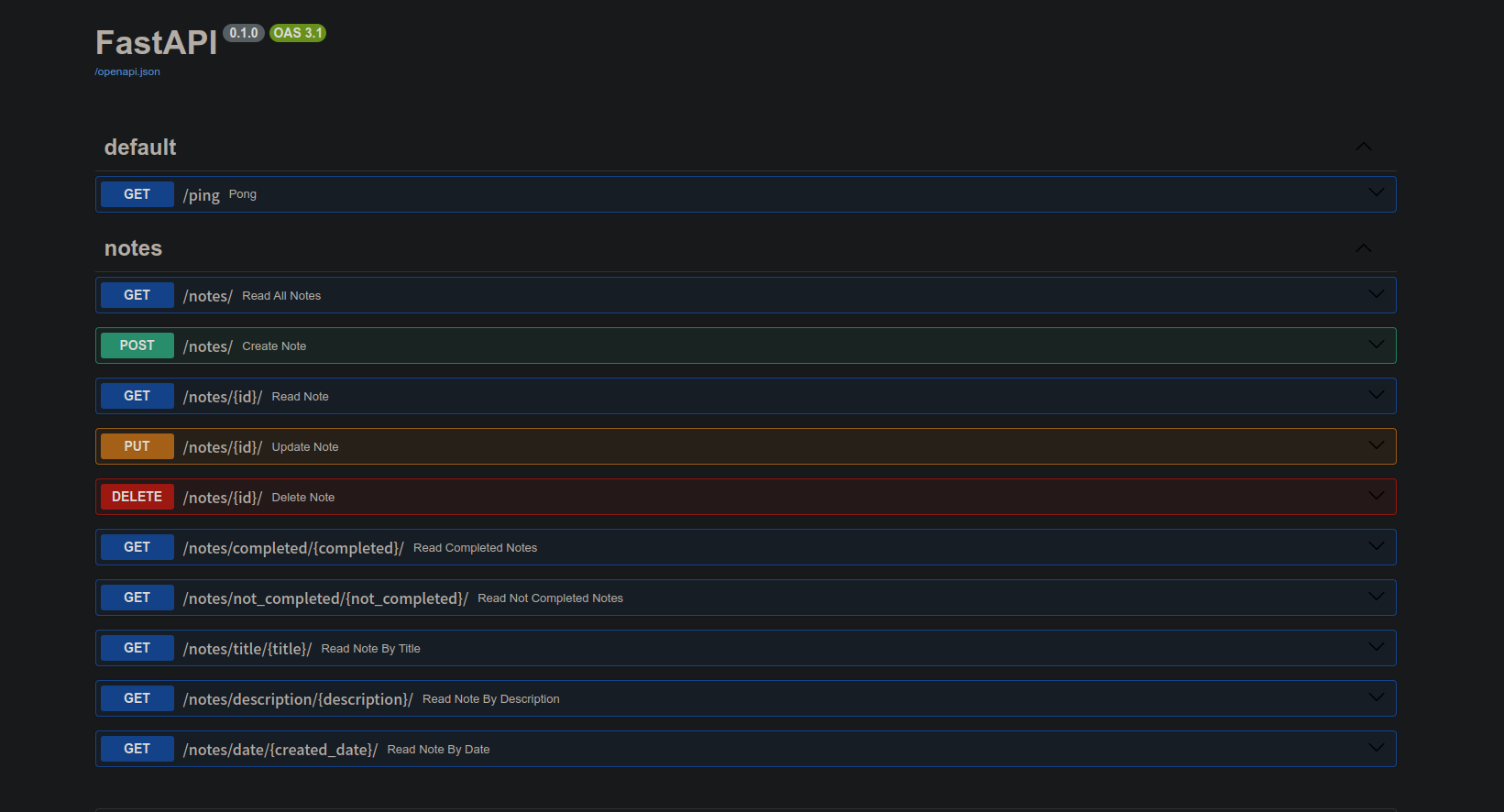
| GET |
/notes/ |
List notes (owned by user) |
| POST |
/notes/ |
Create a note |
| GET |
/notes/{id} |
Get specific note |
| PUT |
/notes/{id} |
Update note |
| DELETE |
/notes/{id} |
Soft delete note |
The project includes a comprehensive test suite using pytest with mocked database dependencies.
# From the project root
export PYTHONPATH=$PYTHONPATH:$(pwd)/src
pytest src -v
Fast-Api-example/
├── src/
│   ├── app/
│   │   ├── api/          # API routes & logic
│   │   │   ├── auth.py   # Auth endpoints
│   │   │   ├── notes.py  # Notes endpoints
│   │   │   ├── crud.py   # DB operations
│   │   │   └── models.py # Pydantic models
│   │   ├── config.py     # Pydantic Settings
│   │   ├── db.py         # SQLAlchemy Setup
│   │   └── main.py       # FastAPI Entry
│   ├── migrations/       # Alembic migrations
│   └── tests/            # Test suite
├── vue-client/           # Vue 3 frontend
└── docker-compose.yml    # Docker orchestration
If you see "relation 'notes' already exists", ensure you have run alembic upgrade head rather than relying on create_all.
If the backend can't connect to the DB in Docker, verify the DATABASE_URL uses db as the hostname: postgresql+asyncpg://user:pass@db/dbname.
Ensure VITE_API_URL in vue-client/.env.development points to the correct backend port (8002 for Docker, 8000 for local).
This project is licensed under the MIT License.
Kennedy Mwaura
Built with ❤️ using FastAPI and Vue.js


