🙌 RealWorld example app 🍰 Feature-Sliced Design
A modern implementation of the RealWorld app built with React, TypeScript, React Router, React Query, and Zod.

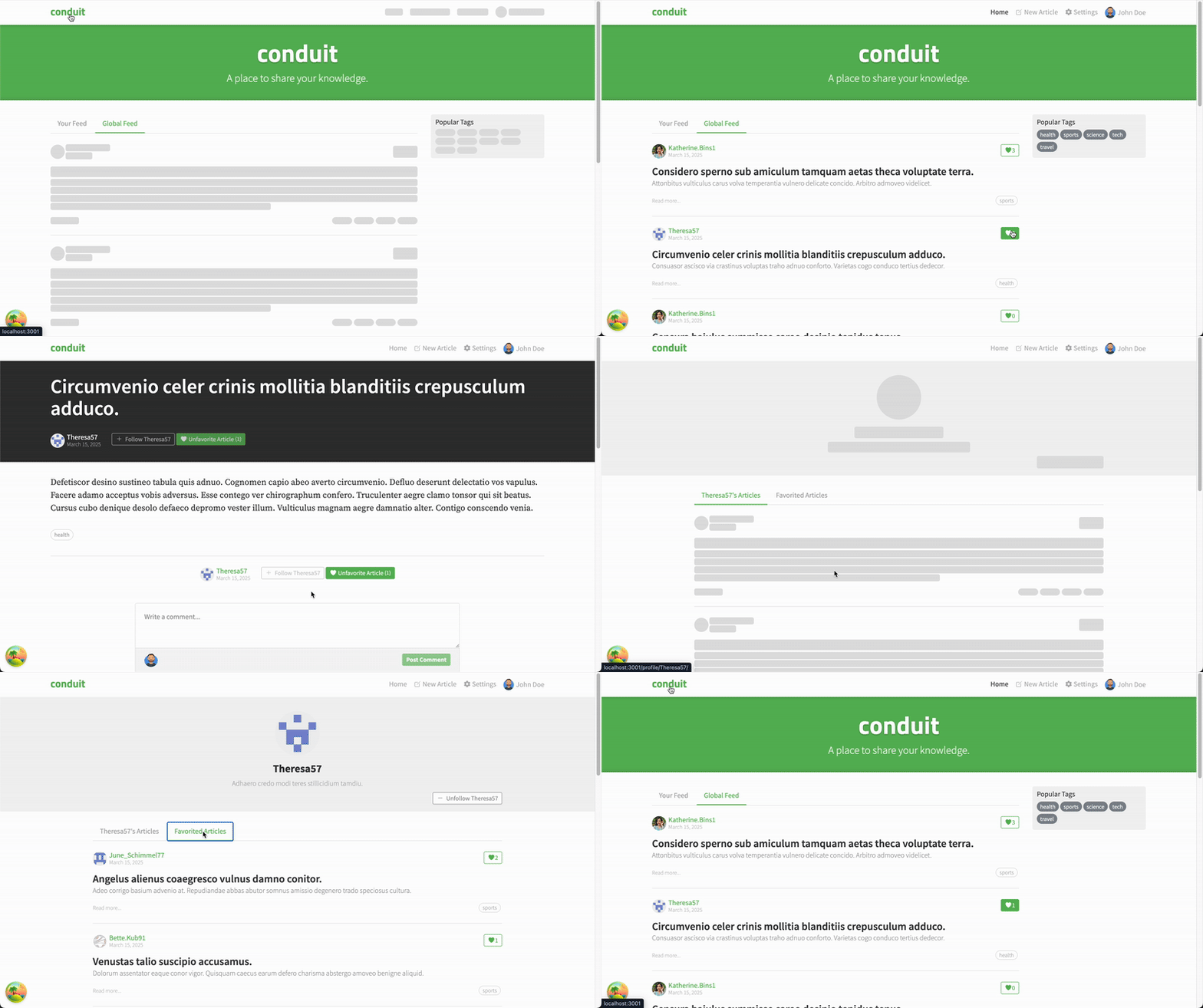
This project is an educational and demonstration Medium-clone built with the Feature-Sliced Design (FSD) architectural approach and modern frontend tools. It is suitable for learning, experimentation, and as a template for large-scale applications.
- React 19
- TypeScript
- React Router 7
- TanStack React Query 5
- Zod 4
- Webpack 5
- Jest
- Testing Library
- MSW
- ESLint
- Prettier
- Sass
- Orval
src/app — application shell, root router, layout, providers, root error handlingsrc/pages — page-scoped route modules and page UIsrc/shared — reusable API layer, utilities, router helpers, and shared UI
The codebase uses a page-scoped structure rather than a full multi-layer FSD tree.
- The root router is defined in
src/app/browser-router.tsx.
- Pages expose route objects from
src/pages/*/*.route.ts.
- Route modules are lazy-loaded to keep the initial bundle smaller.
- Data fetching is handled in route loaders with React Query.
- Mutations are handled in route actions and usually validate
formData with Zod before calling the API.
- Shared routing helpers, API utilities, and common UI live in
src/shared.
- Lazy route modules: page components, loaders, and actions are loaded on demand.
- Route loaders: async page data is prepared through React Router loaders backed by React Query.
- Route actions: form submissions and mutations are handled declaratively through React Router actions.
- Auth middleware: route middleware restores the current user and protects auth-only flows.
- Validation before API calls: form data is validated with Zod-based helpers before mutations run.
- Optimistic UI: interactive actions such as follow and favorite use fetcher-driven optimistic state.
- Error boundaries: the root router renders a dedicated fallback for route and auth failures.
- Webpack Dev Server is used for local development.
- Husky hooks are configured for pre-commit and pre-push checks.
- Generated API code is produced from OpenAPI through Orval and then normalized with a local Zod conversion step.
- Root
Dockerfile and nginx.conf are used for the containerized frontend build.
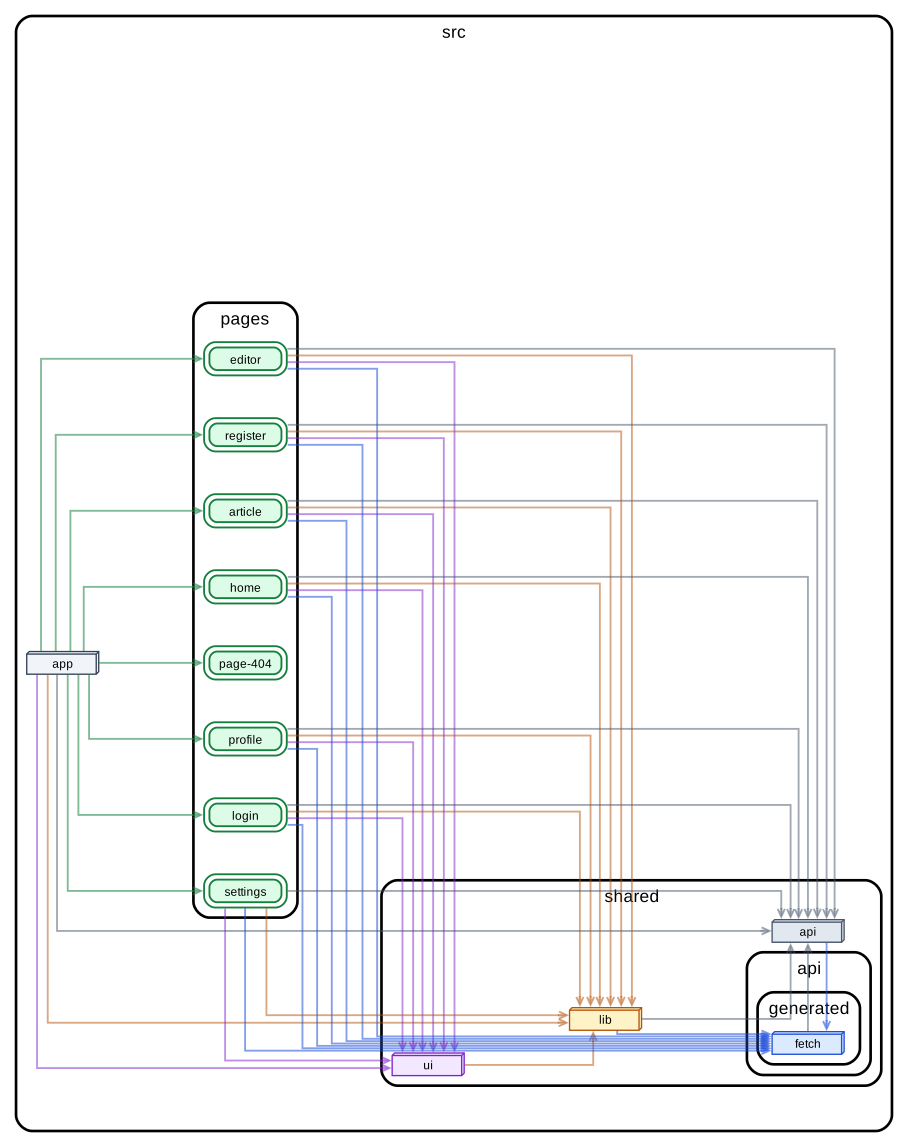
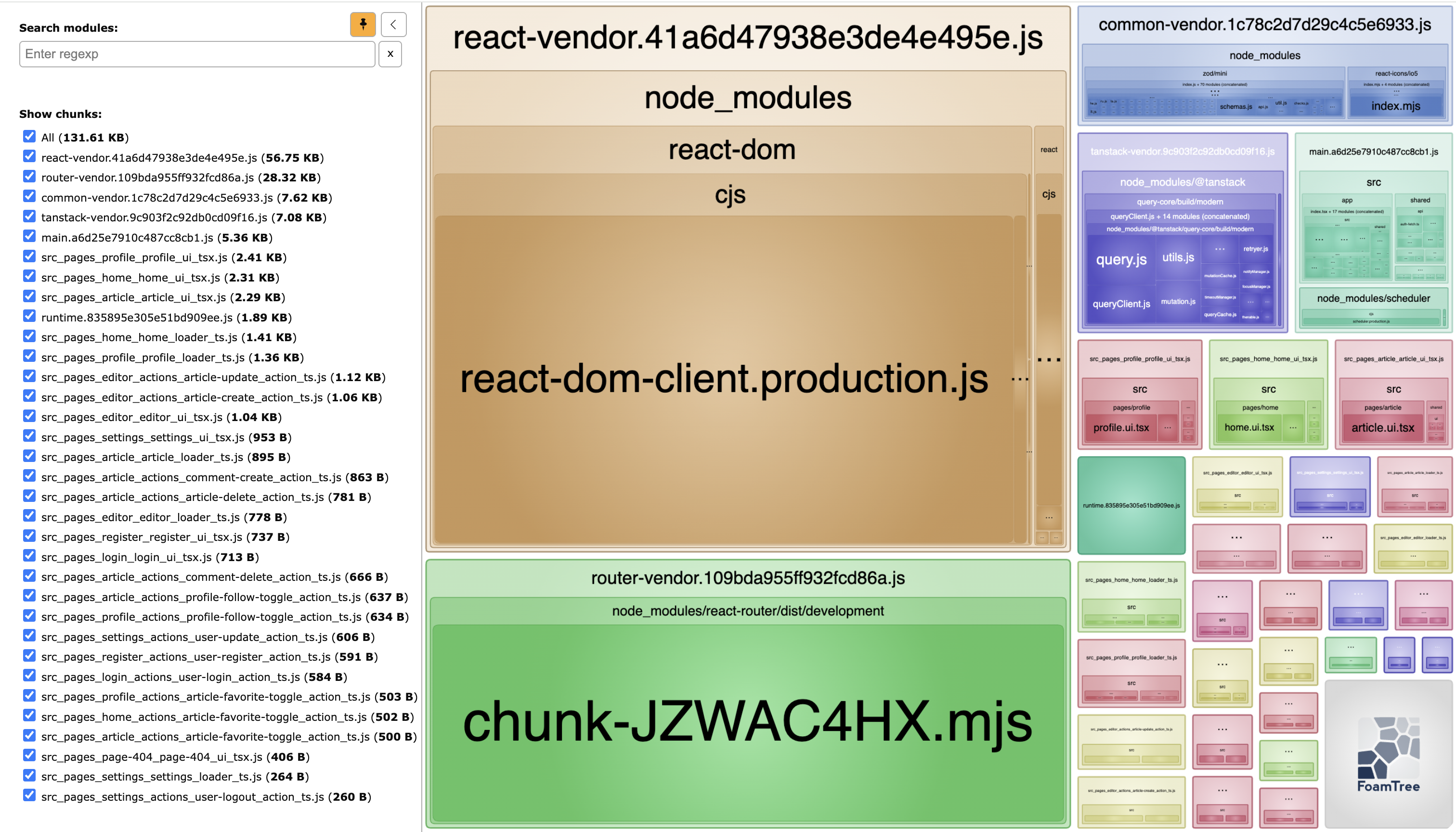
yarn start — starts the development server.yarn build:dev — builds the app in development mode.yarn build:prod — builds the production bundle.yarn analyze:prod — builds the production bundle with bundle analyzer enabled.yarn test — runs Jest tests.yarn eslint — lints and auto-fixes files under src.yarn prettier — formats the repository with Prettier.yarn graph — generates a dependency graph preview for src.1yarn generate — regenerates API artifacts from the OpenAPI schema.yarn zod:mini — post-processes generated Zod artifacts.yarn format:generated — formats generated API files.yarn prepare — installs Husky hooks.
Install dependencies:
Run locally:
- Frontend:
http://localhost:30401
- Backend API:
http://localhost:30400/api
Start locally with Docker:
docker compose --env-file .env.compose up -d --build
For backend integration, see node-express-realworld-example-app.
Stop:
docker compose --env-file .env.compose down
Build image:
docker build --build-arg API_URL=http://localhost:30400/api -t realworld-frontend .
Released images are published to GitHub Container Registry:
docker pull ghcr.io/yurisldk/realworld:2.1.0
docker pull ghcr.io/yurisldk/realworld:latest
Release images are built with API_URL=http://localhost:30400/api by default.
-
This assumes the GraphViz dot command is available - on most linux and
comparable systems this will be. In case it's not, see
GraphViz' download page for instructions
on how to get it on your machine. ↩


