
A self-hostable, multi-server RCON panel for WARDOGS dedicated servers. Bun, SvelteKit and
Postgres/TimescaleDB, deployed with Docker Compose. Run it beside your game server, on any VPS, or
on a container host, with the database wherever you like.
It is for anyone who runs a WARDOGS server: a clan with one box, a community with a dozen, or a
host with hundreds. Everybody on the team gets their own login instead of the RCON password, the
panel keeps the history the game throws away, and the worker can act on what it sees. Pick your
way in:
- Just want to run it? docs/getting-started.md is the plain-language
walkthrough: Docker, one
.env file, done. Deploy with Docker below has
the detail.
- Want a look first? Every install comes with a built-in demo server, so you can click around
the whole panel before pointing it at a real one.
- Want to hack on it? Local development gets you running in a few
minutes and Contributing says what a change needs. Questions and half-formed
ideas are welcome in the issues.
What is in the box:
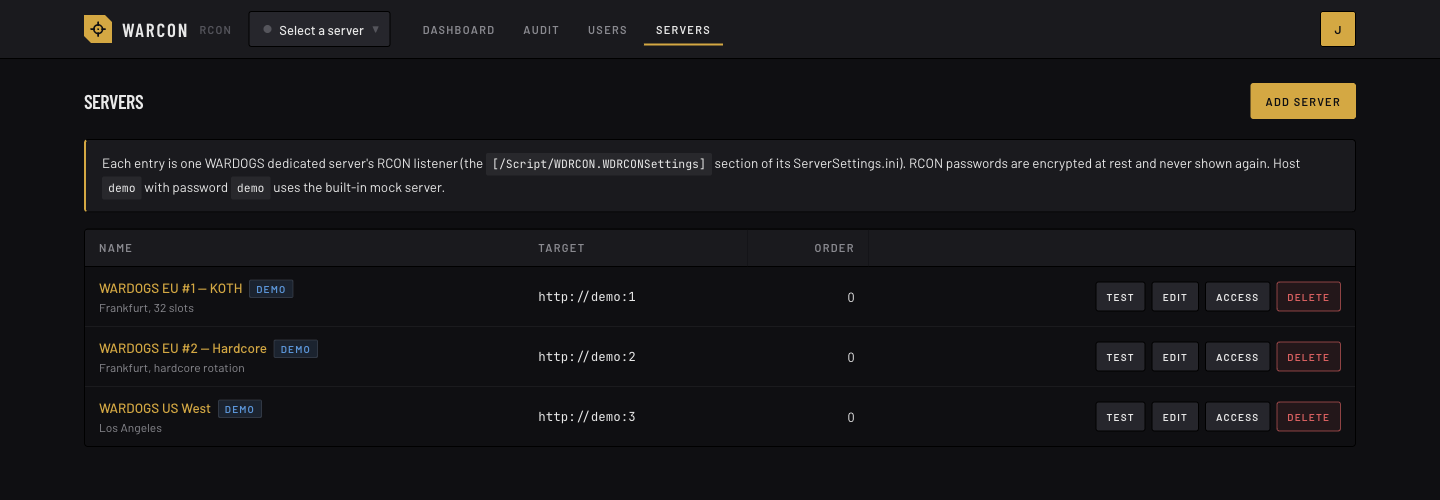
- Multiple servers in one panel, each with its own encrypted RCON password.
- Organisations and invite links: each clan or community is an organisation with its own
servers, owners and members. An owner pastes an invite link into their Discord; whoever opens it
signs in with Discord (creating their account on the spot) and joins with the roles the link
carries. Per-server roles on top: every org starts with
viewer / operator / admin, and its
owners can change what those may do or add roles of their own.
- Account management: Better Auth accounts; password resets, forced password change, disable,
session revocation, login throttling.
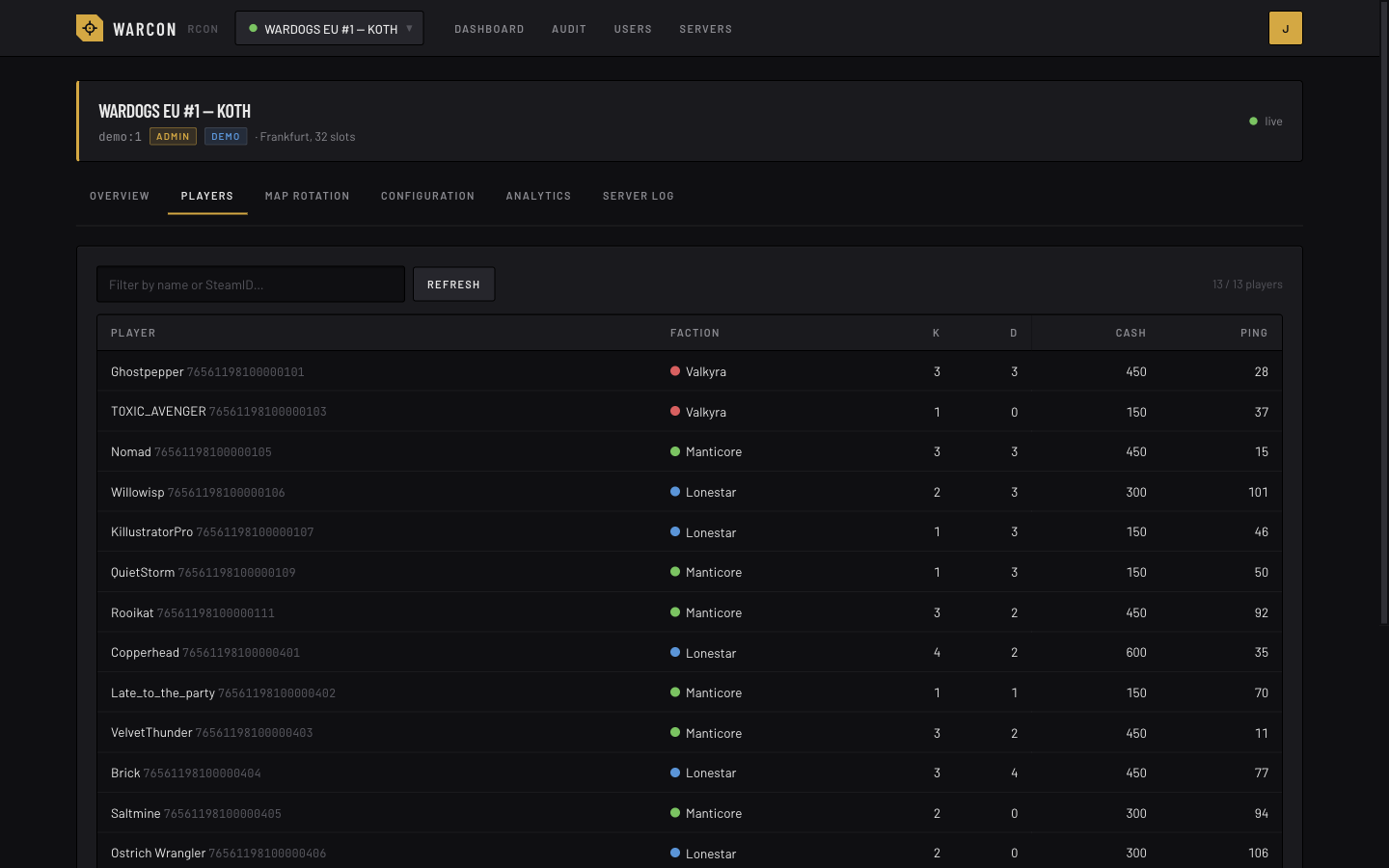
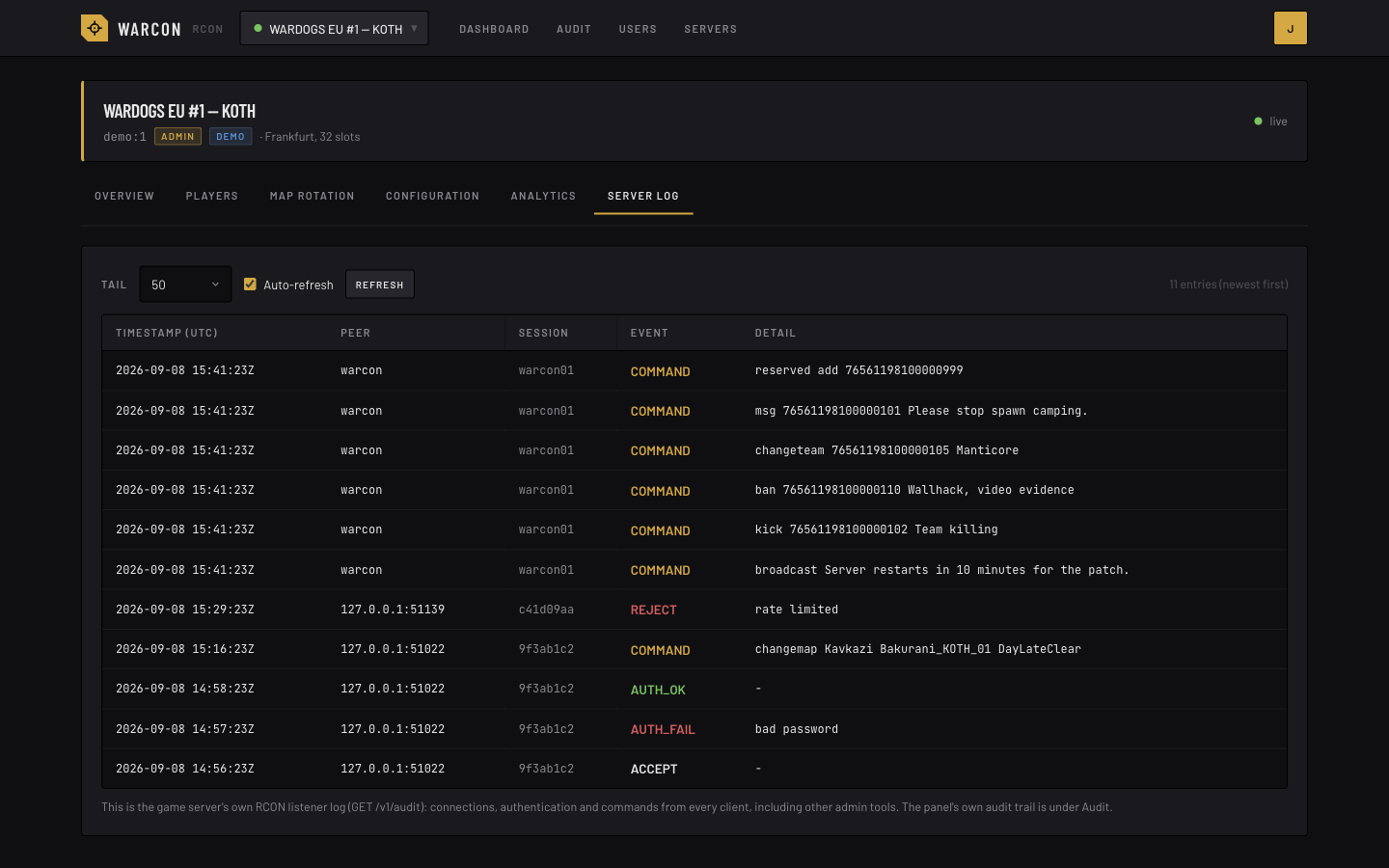
- Full audit trail: every login, user or server change, and every game-server command, with
actor, server, target, outcome, upstream status and duration. Filterable and exportable
(CSV/JSON). The game server's own listener log is shown alongside it; the addresses of its peers
are shown to the site owner only.
- Live view: a worker process watches every server on a cadence that follows what is
happening: every second or two while someone has it open or people are on it, every half
minute when it is empty. Pages get each observation as it happens over an event stream, and a
command you send shows its effect on the next look. Browsers never talk to a game server.
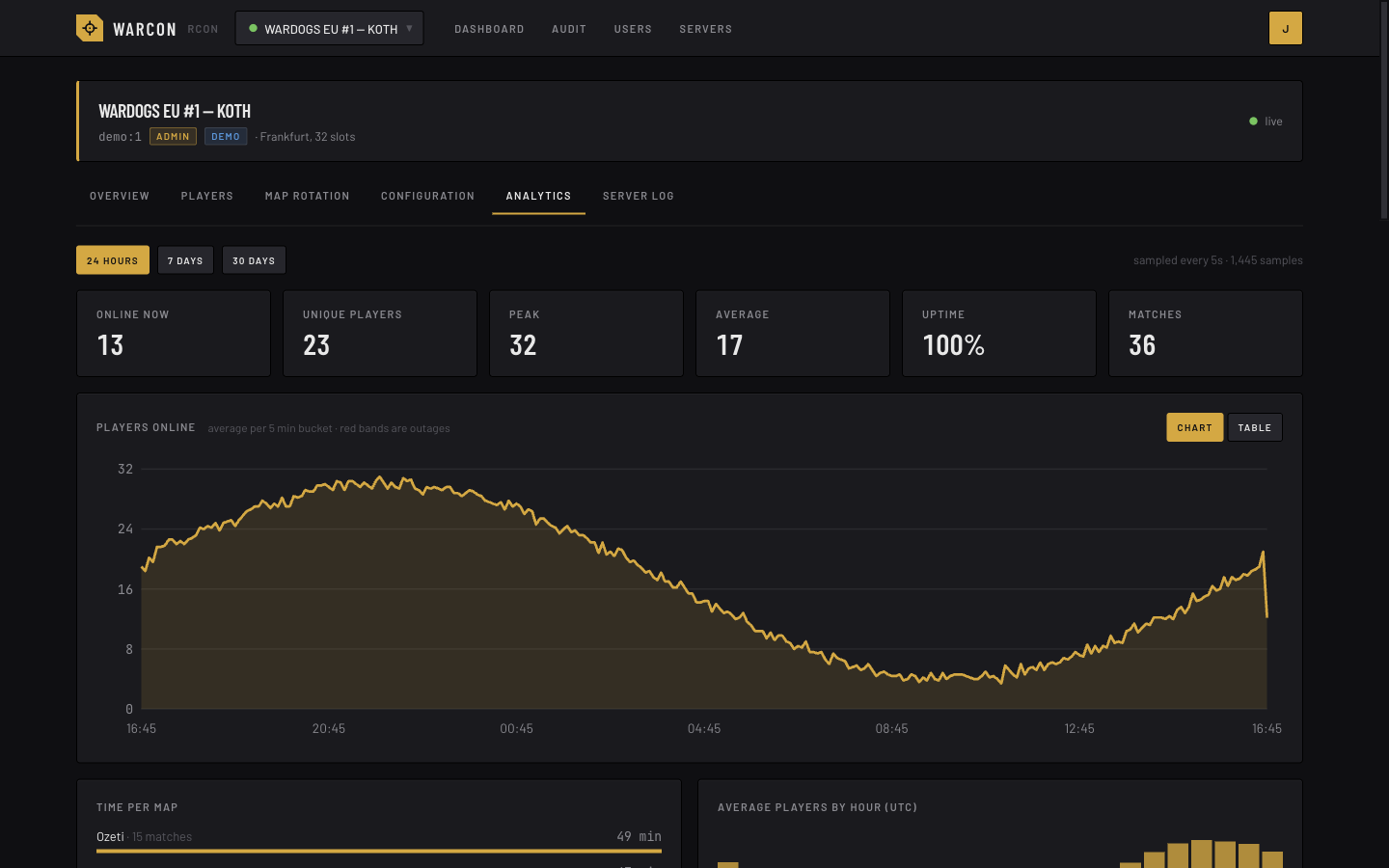
- Past players: the Players tab switches between who is on now and everyone who has played on
that server, searched by name, alias, a name the kill feed showed for them or SteamID64, with
when they were last on, their sessions and playtime. Anyone who can open the server can look; a
row's Ban (for people who hold Bans) lands the moment the player next joins, and Watch needs
Notes.
- Arrange the teams: the Players tab's Teams view shows who is on each side, one column per
faction. With Move, drag players between the columns (or send one to the next side with its
button, or pick the side from its menu on a phone), or let Shuffle fill them in: Random, or
Spread by record here, which deals players out by their K/D over the matches they finished on
that server (smoothed, so a newcomer counts as about 1). Even up moves the fewest players that
get the sides within one. Both keep clan tags together when that is ticked, and leave out the
sides unticked In shuffle (a closed faction). Nothing moves until Save, which moves the players
one at a time, about three a second, without the kill, and says who was moved, who had left and
who was on that side already; whoever was not moved stays in the plan. A Team balance rule keeps
those moves, and evens the sides up again at the next match start as it always does.
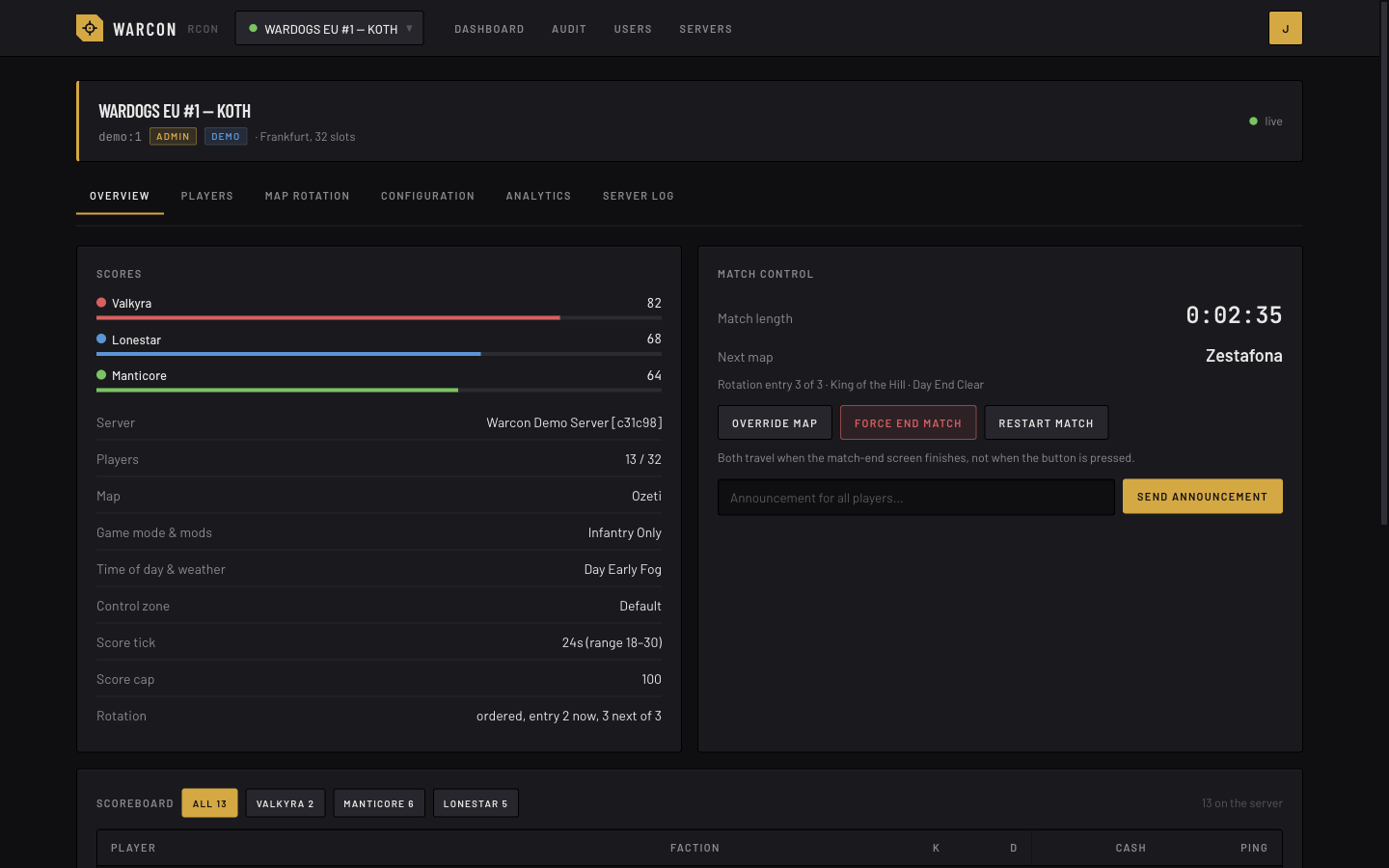
- Analytics: the worker keeps what the game does not: players online over time, players per
day and how many of them were new, how long sessions last, cash in play per faction, uptime,
time per map, wins per team, busiest hours, player playtime and sessions, match history
with results. Samples are written when something changes plus a heartbeat, and every figure is
duration-weighted, so a faster cadence never distorts them.
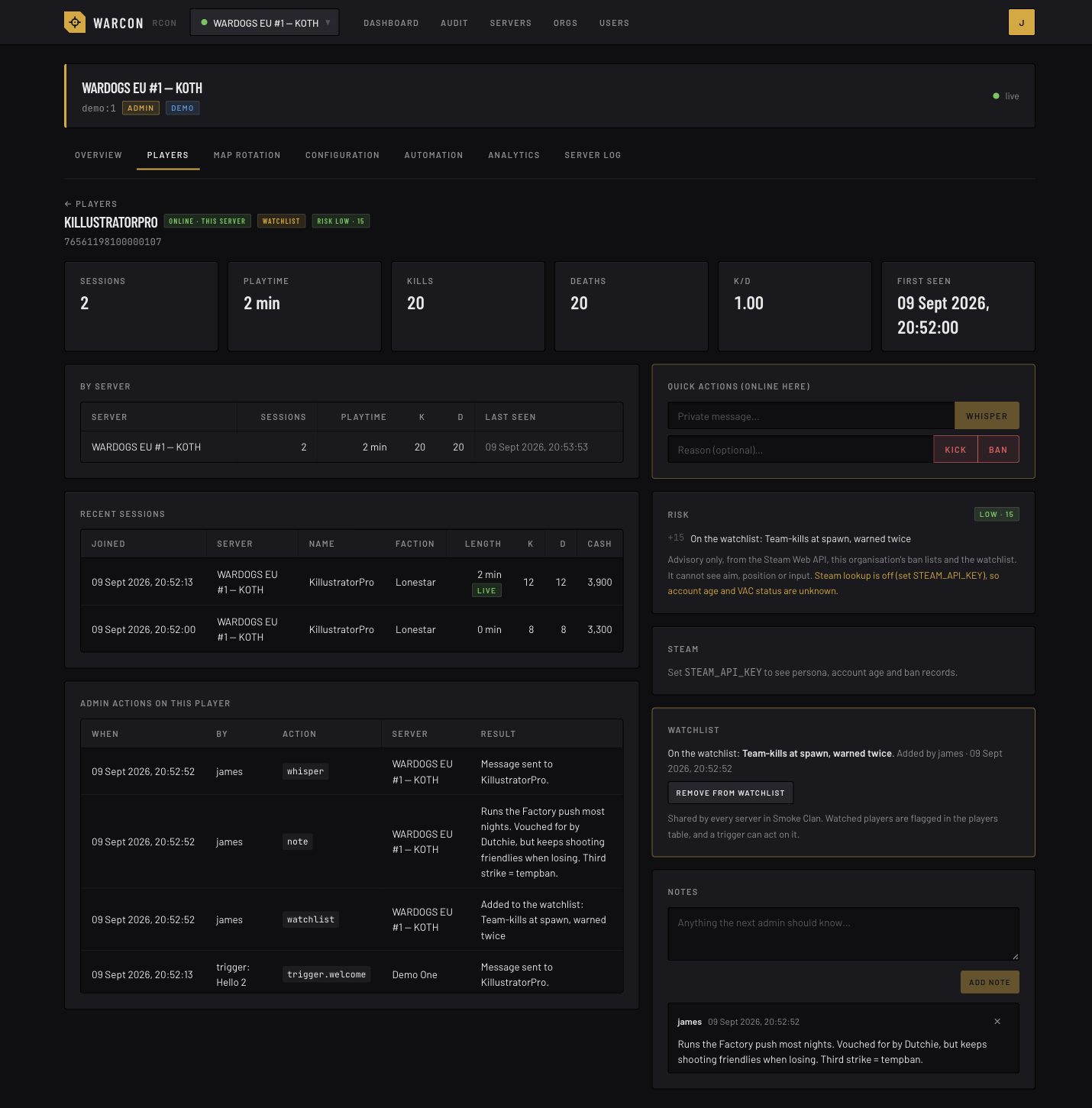
- Player dossiers: click any player for their history across the organisation's servers
(sessions, playtime, names used, K/D), the admin actions taken on them, shared notes and a
watchlist, and, with a Steam key, their Steam persona, account age and VAC / game-ban record.
- Connect-time risk: an advisory score from the Steam Web API, bans on the org's other
servers, lookalike names of banned players and the watchlist, shown next to each connected
player. It sees what RCON exposes and nothing more: no aim, position or input telemetry.
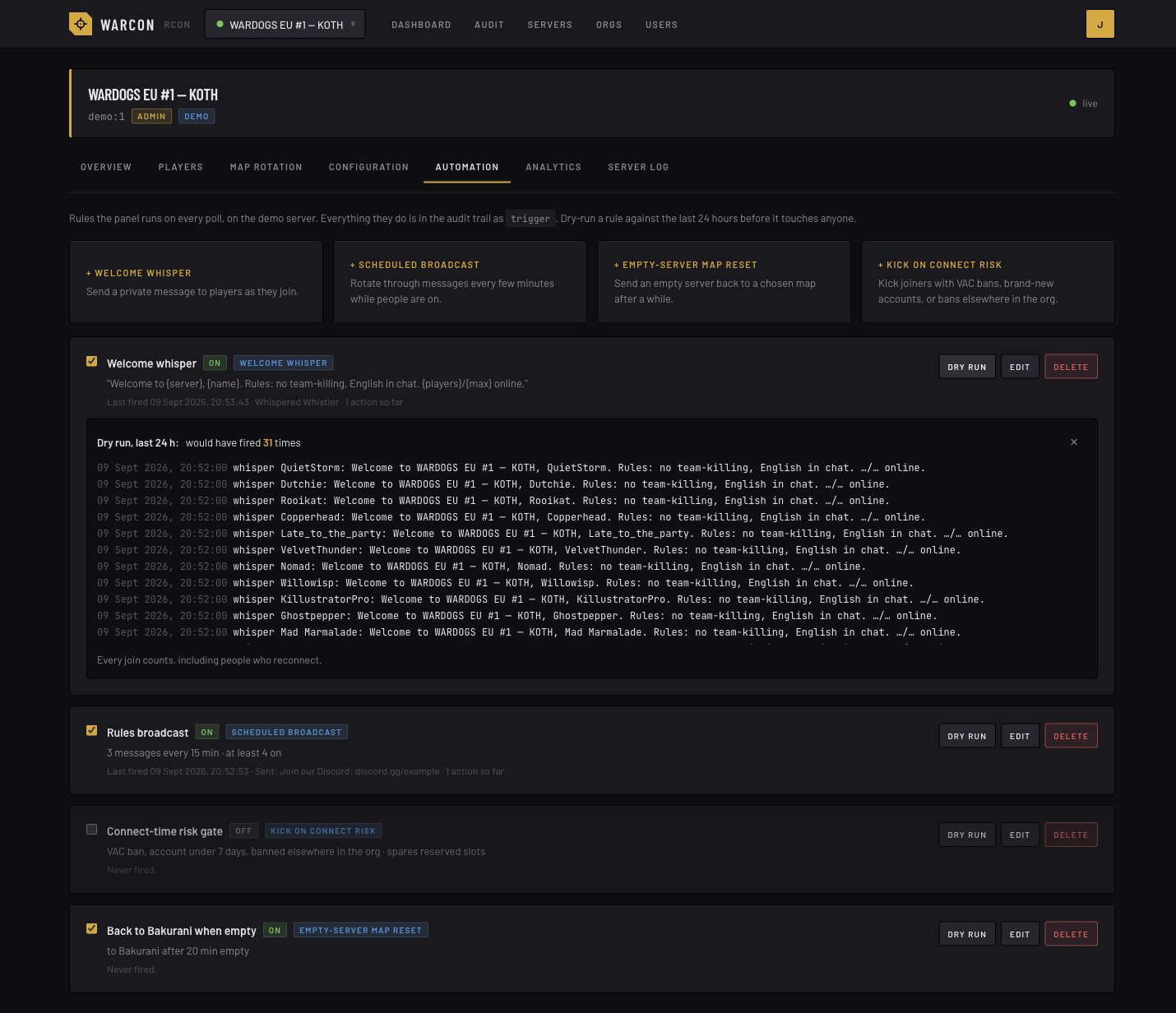
- Automation: per-server triggers the worker evaluates on every observation, so a welcome
whisper or a risk kick lands within a couple of seconds of the join. Every action goes through
an outbox and is recorded as delivered, failed, skipped or unknown, and survives a restart in
between. Each rule is dry-runnable against the last 24 hours before it is switched on: welcome
whisper on join or once the player has picked a faction, a whisper on faction change, scheduled
broadcasts, empty-server map reset, kick-on-connect for VAC bans, brand-new accounts or bans
elsewhere in the org, a flag for players whose kill rate or headshot share is out of line, and a
team balance that keeps the sides even without moving anyone mid-match, and can close one
faction to play two teams.
- Organisation ban and reserved lists: ban a player across every server in the organisation
at once, with a reason and an optional expiry; hand out reserved slots the same way. The worker
keeps every server in line and shows where each entry stands; bans added outside the panel are
left alone.
- Discord mirror and status channels: an org owner points a channel webhook at the audit trail
and picks what to mirror (bans, commands, trigger actions, sign-ins…), per server if wanted. A
webhook can also keep a live status card per server in its channel, edited in place by the
worker: players online, map art, mode, a score bar per faction and who is on each side.
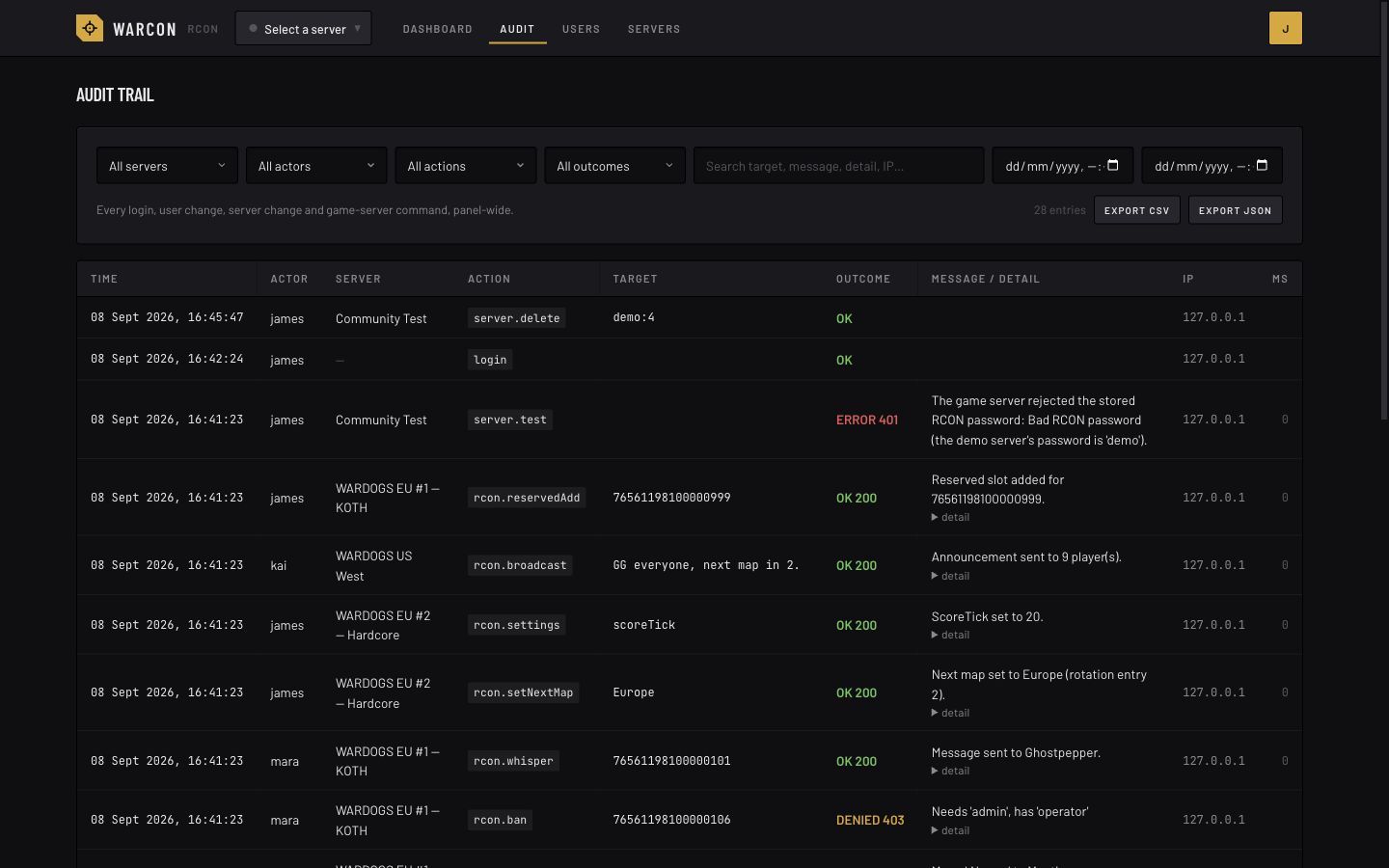
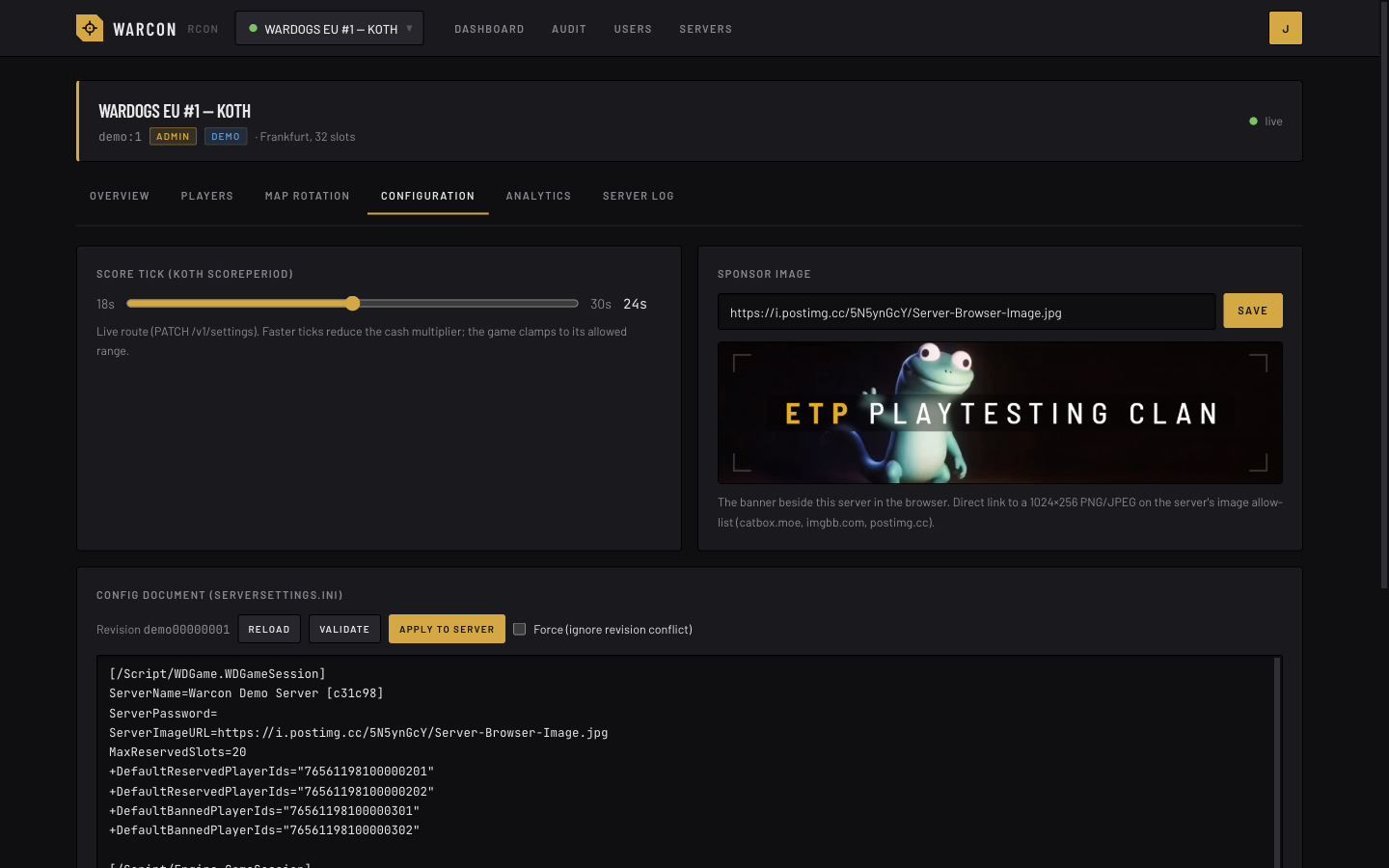
- Everything the official console does: status, scoreboard, kick/ban/kill/whisper/change-team,
broadcasts, map override, next map, end/restart match, map rotation editing and saving, reserved
slots, bans, score tick, sponsor image, a live cash-in-play chart for the current match, and the
full
ServerSettings.ini config document as a typed form (or the raw file) with validate/apply,
revision conflict handling and copy/download.
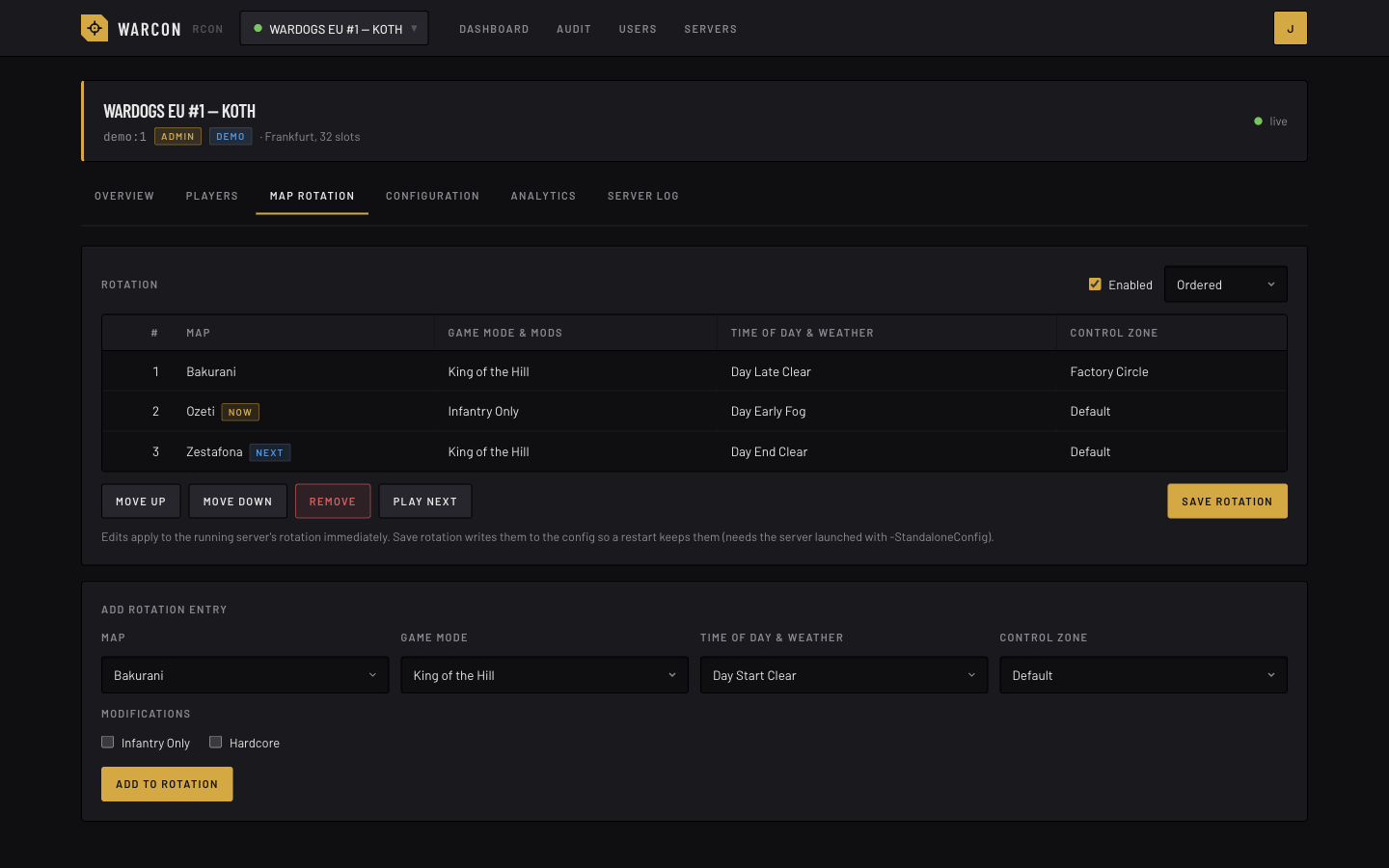
- A modifier on every map: the Map rotation tab adds Infantry Only or Hardcore to every rotation
entry whose map offers it, or takes it off them all, in one apply. It is there where the rotation
is edited through the config document (every live build so far), so it needs Config & settings.
- Map sets: an organisation keeps whole rotations under a name, say an infantry set and a
standard one, and the Map rotation tab loads one in place of the server's rotation in one apply,
then switches back the same way. Owners save a server's rotation as a set, or paste one in from
a text file. See Map sets.
- A new rotation order every day: the Map rotation tab's Shuffle deals the entries out with
the maps in turn, so no map plays twice in a row, and each map's control zones in turn too; a
Rotation shuffle rule does it once a day, so a server does not start on
the same entries after every restart. Both write the rotation through the config document, so
they need Config & settings.
- No start-up map after a restart: a restarted server comes up on a map of the game's own before
it follows its rotation; a Skip map after restart rule ends that match
when the rotation does not have its map, so an infantry-only rotation starts on an infantry map.
- The score in the server name: a Live server name rule appends the
match score (or the map, or the player count) to the server's name in the browser, as in
Demo Clan #1 | 34-27-30, and keeps it current, at most once a minute.
- Weather that changes mid-match: a Weather cycle rule changes the
time of day and weather every so many minutes, in turn or at random, with no map change or
restart; rain only where the server allows it.
- Group whispers: one message to everyone on a faction, from the Overview's message box, or to
the players ticked on the Players tab. The game has no route for it, so Warcon whispers each of
them in turn and says who got it.
- Announcements: one message on every server of the organisation at once, or on the ones
ticked, from the Dashboard, the Players page or the organisation's Servers tab. Each server gets it
as a broadcast, with its own row in the audit trail, and the panel says which servers took it.
- Everyone online on one page: the Players page lists the players of all the organisation's
servers in one table, the way each server's Players tab does, with the server beside each of
them; whisper, move, kill, kick and ban act on that player's server.
- Demo mode: a built-in mock game server so you can try everything before pointing it at a real one.
The protocol was reverse-engineered from rcon.wardogs.com; see docs/wardogs-api.md.
The map imagery under static/maps/ is BULKHEAD's, mirrored from the official console by
scripts/fetch-map-art.sh and credited in the footer; it is not under this repository's MIT
licence (see static/maps/ATTRIBUTION.md). Warcon is a community
tool with no affiliation to BULKHEAD or Team17.
Running a public server? Add it to wardogservers.com so players can find it in
the community server list.
Taken against the built-in demo server, so the numbers are synthetic.
| Analytics |
Players |
 |
 |
| Audit trail |
Map rotation |
 |
 |
| Config |
Game server log |
 |
 |
| Player dossier |
Automation |
 |
 |
| Users and access |
Servers |
 |
 |
More in docs/screenshots/: the dashboard, the players table with watchlist and risk flags, Discord webhooks on the org page, time per map and most active players, and the sign-in page.
browser ──HTTPS──▶ web (Bun + SvelteKit)            worker ──HTTP──▶ game server :7776 (WDRCON)
                     │  pages, /api/* JSON, Better Auth      │  observes every server on its tier
                     │  live view + SSE from the worker      │  (1–2 s watched/busy, 30 s idle)
                     │  commands → relay → worker's lane     │  sessions, triggers → outbox → delivery
                     └─ Postgres / TimescaleDB ◀─────────────┘  samples, matches, live snapshot, settings
One image, three roles: web serves the panel, worker owns every game request, migrate
applies the schema and exits. WARCON_ROLE=all (the default outside Compose) does all of it in
one process for the smallest install. Web and worker talk over a small HTTP relay guarded by
RELAY_SECRET; the worker holds a lease in the database so exactly one process observes, and
re-checks it inside every write.
The official console calls the game server straight from the browser over plain HTTP, so it cannot
be hosted on HTTPS and every admin needs the raw RCON password. Warcon keeps the password
server-side (AES-GCM encrypted), authenticates admins with its own accounts, checks the role for
every action, and writes an audit row before answering. Nobody reads the password back, owners
included, and changing a server's host, port or scheme asks for it again, since the stored one
would otherwise be sent to the new address.
New to this? docs/getting-started.md walks through it step by step.
Prerequisites: Docker with Compose.
git clone <this repo> warcon && cd warcon
cp .env.example .env
# edit .env: set BETTER_AUTH_SECRET and ENCRYPTION_KEY to `openssl rand -base64 32` values,
#            POSTGRES_PASSWORD, and ORIGIN to the URL people will open (http://<host>:3000, or your https domain)
docker compose up -d
Compose starts migrate (runs once), warcon (the web), worker and db (TimescaleDB); set
RELAY_SECRET in .env to any long random string. The app reaches db through the
PGHOST, PGUSER, PGPASSWORD and PGDATABASE variables Compose sets, so POSTGRES_PASSWORD
can contain any characters. To use an external Postgres instead, set DATABASE_URL in .env (it
takes precedence over those) and delete the db service together with the depends_on block in
docker-compose.yml; install the timescaledb extension there before the first start if you want
the analytics samples compressed as they age (plain Postgres works too; the samples table then
grows uncompressed, about 1.5 MB per game server per day).
The Admin page's Overview shows the build each process runs, the version and the commit, so an
install on an old build is easy to spot. There is nothing to set: the build reads the commit from
the checkout. Only a build whose source arrives without .git needs it passed in, as the
WARCON_COMMIT build argument.
Open the URL. The first visit shows the owner setup form; after that it is a normal login. Then,
as owner:
- Orgs → New organisation, or rename the Default organisation every install starts with.
- Servers → Add server: name, host, port, scheme, RCON password. Use Test to check reach.
The organisation's Servers tab then shows them side by side with the live view: reach, map,
players, and who may open each.
- Orgs → your org → New invite link: pick the role joiners get, copy the link into your
Discord. People open it, sign in with Discord, and appear under Members, where you can adjust
their per-server roles.
The database lives in the warcon-db volume; back it up with pg_dump. Migrations are applied
by the migrate container before web and worker start (a single WARCON_ROLE=all process applies
them itself); web and worker refuse to start while any are pending. Keep ENCRYPTION_KEY safe: losing it means re-entering every
server's RCON password. Never change it after servers are added unless you intend to re-enter them.
Behind a reverse proxy or Cloudflare
Put Caddy, nginx, Traefik, or a Cloudflare Tunnel in front of port 3000 for TLS, then set in .env:
ORIGIN=https://rcon.example.com   # cookies become Secure, redirects and form posts use this
ADDRESS_HEADER=x-forwarded-for    # the header your proxy puts the client IP in; XFF_DEPTH=1 (default) reads the last hop it appended
ADDRESS_HEADER and XFF_DEPTH are read by SvelteKit's Node adapter, which resolves the client
address for login throttling and the rate limits (it is never stored). Use x-real-ip for nginx, x-forwarded-for for
Caddy and Traefik, cf-connecting-ip for a Cloudflare Tunnel. Only set it when the proxy is the only
way to reach the port; otherwise anyone can spoof their address and dodge the limits.
Have the proxy redirect plain http:// to https:// (Caddy does this by default; on Cloudflare turn on
Always Use HTTPS). A page served over http has an http origin, and every form post on it is then
rejected as cross-site against the https ORIGIN.
Both processes export Prometheus metrics at /metrics, the web on its normal port and the worker
on WORKER_PORT, behind the METRICS_TOKEN bearer; the endpoint answers 404 until that is set.
Warcon ships no Prometheus or Grafana of its own: point the ones you already run at it. Everything
is counted in memory on paths that already run, never with a query per server, and the few gauges
that need a look at the database or the scheduler are read once per scrape.
# prometheus.yml on your monitoring host
scrape_configs:
  - job_name: warcon-web
    authorization: { credentials: <METRICS_TOKEN> }
    static_configs: [{ targets: ['panel.example.com:443'] }]
    scheme: https
  - job_name: warcon-worker
    authorization: { credentials: <METRICS_TOKEN> }
    static_configs: [{ targets: ['10.0.0.5:7700'] }] # the worker's private address
With WARCON_ROLE=all one process serves both sets, so one job is enough. The web endpoint sits
on the panel's own URL, so it is reachable wherever the panel is. The worker's port is the relay
port: the Compose file keeps it inside the Compose network, so a Prometheus on another machine
cannot see it until you publish it on a private address (add ports: ['10.0.0.5:7700:7700'] to
the worker service, never 0.0.0.0), or run Prometheus on the same host and Compose network.
The exposition carries fleet-wide figures: keep the token out of URLs and never publish
/metrics without it.
monitoring/grafana-dashboard.json is a dashboard to import
into your Grafana (Dashboards → New → Import); it expects the two job names above and, for its
database panels, a postgres_exporter
scraped as job postgres, which is optional.
| Metric |
What it is |
warcon_players_online, warcon_servers{tier} |
Players on every reachable server and the roster by observation tier (worker). |
warcon_observations_total{outcome}, warcon_observation_seconds |
Looks at game servers per second and how long they take (worker). |
warcon_servers_behind, warcon_observations_stuck, warcon_observations_in_flight |
Whether the worker is keeping up: the same figures as the Admin page's Overview tab. |
warcon_deliveries_total{outcome}, warcon_outbox_pending |
Trigger actions delivered, failed, skipped or unknown, and the queue depth (worker). |
warcon_worker_lease_held |
1 on the process that owns observation and delivery. |
warcon_http_requests_total{route,method,status}, warcon_http_request_seconds |
Every request by SvelteKit route id (web). |
warcon_feed_posts_total{outcome}, warcon_feed_kills_total{result} |
Kill feed posts accepted, refused or rejected; events: accepted, skipped, duplicate, other, repeat. |
warcon_rate_limited_total{scope} |
Requests the in-memory limiter refused, by the limit that fired. |
warcon_board_reads_total{outcome} |
Board pages from the minute cache (hit), a read in progress (shared) or read anew (miss). |
warcon_fleet{table} |
Row counts of organizations, users, servers, org members, webhooks and triggers (web). |
process_*, nodejs_* |
CPU, memory and event-loop lag of each process. |
| Var |
Default |
Meaning |
BETTER_AUTH_SECRET |
required |
Session signing secret. |
ENCRYPTION_KEY |
required |
Base64 of 32 random bytes; encrypts stored RCON passwords. |
DATABASE_URL |
unset |
postgres://user:pass@host:5432/warcon. Overrides the PG* fields; percent-encode / # % ? in the password. |
PGHOST / PGPORT / PGUSER / PGPASSWORD / PGDATABASE |
set by Compose |
The database as separate fields (no encoding needed). Used when DATABASE_URL is unset. |
POSTGRES_PASSWORD |
warcon |
Password for the bundled db service (Compose only). |
ORIGIN |
required |
The exact URL people open (scheme, host, port). |
ADDRESS_HEADER / XFF_DEPTH |
unset / 1 |
Behind a proxy: the header carrying the client IP (see above). |
PORT / HOST |
3000 / 0.0.0.0 |
Listen address. |
WARCON_ROLE |
all |
all serves, migrates and runs the worker in one process; web and worker split them (Compose does); migrate applies migrations and exits. |
RELAY_SECRET / RELAY_URL / WORKER_PORT |
unset / unset / 7700 |
Split roles only: the secret web and worker share, where the web finds the worker (http://worker:7700), and the worker's port. |
METRICS_TOKEN |
unset |
Bearer for GET /metrics (Prometheus) on the web and worker processes; the endpoint answers 404 until it is set. See Metrics. |
POLL_SECONDS / POLL_CONCURRENCY |
20 / 128 |
Seeds for two of the runtime settings on a fresh install only; after that the owner edits cadences and budgets under Admin → Settings without a restart. |
APP_NAME |
Warcon |
Name shown in the UI. |
AUDIT_LOG_READS |
false |
Also audit read-only calls (status polls etc.). Noisy. |
ALLOW_ORG_SIGNUP |
false |
Anyone may create an account and their own organisation at /sign-up (3 orgs per person). For hosted, multi-clan instances. |
MAX_ORGS_PER_USER / MAX_SERVERS_PER_ORG |
3 / 10 |
Self-serve limits. The site owner is exempt and can raise the server limit per organisation, or suspend one, from the Orgs page. |
TURNSTILE_SITE_KEY / TURNSTILE_SECRET_KEY |
unset |
Cloudflare Turnstile challenge on the username-and-password sign-up forms (invite links and /sign-up). Recommended with ALLOW_ORG_SIGNUP. |
ALLOW_DEMO_SERVER |
true |
Allow a server with host demo served by the built-in mock. |
GAME_TLS_INSECURE |
false |
Accept self-signed certificates on https game servers. |
SUPPORT_URL |
unset |
A donation page, linked as "Support <APP_NAME>" in the page footers. Nothing is shown when it is unset or not an https URL. |
SETUP_TOKEN |
unset |
When set, first-run setup requires it. |
STEAM_API_KEY |
unset |
Steam lookups: persona and avatar, account age, VAC and game bans, for dossiers, the risk score and the kick-on-connect trigger. Free at https://steamcommunity.com/dev/apikey. |
DISCORD_CLIENT_ID / DISCORD_CLIENT_SECRET |
unset |
"Sign in with Discord": invite links create accounts through it, existing accounts can link it. OAuth redirect: <ORIGIN>/api/auth/callback/discord. Steam sign-in needs no key. |
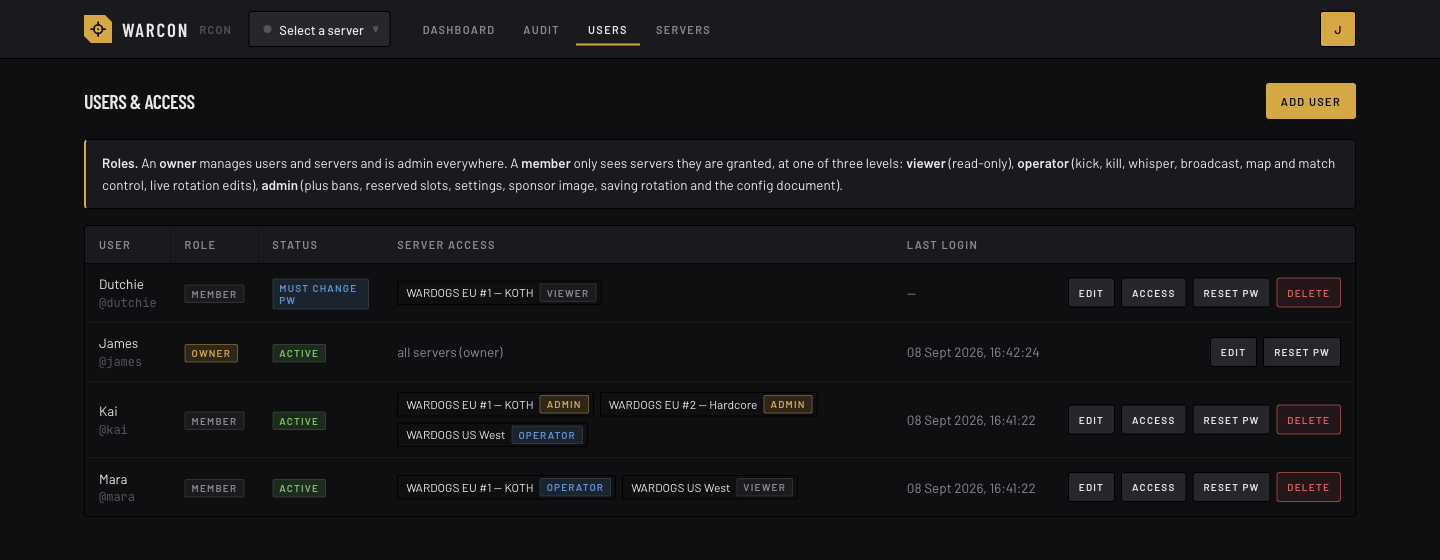
Every server belongs to an organisation. People are members of organisations, either as
org owner or member, and members get a per-server role. The site owner (the account
from first-run setup, plus anyone it promotes under Admin → Users) runs the whole panel.
A server role is a named set of capabilities. Every organisation starts with three, viewer,
operator and admin, holding what the table shows. Its owners can change any of them on the
org's Roles tab (a change applies at once to everyone holding the role), reset a built-in to
what it shipped with, and add roles of their own, say a Trial staff that may kick but not ban.
Reorder on the same tab sets the order of the roles (drag a row, or move it with its arrows),
which the tab's columns and every role picker follow; a new role goes in last. Org owners and the
site owner hold every capability on every server in scope.
| Capability |
Unlocks |
viewer |
operator |
admin |
| View |
what is happening on the server: status, players, kills, rotation, who is banned and who holds a reserved slot, analytics, leaderboards, player stats. Every role has it. |
✓ |
✓ |
✓ |
| Chat |
broadcast; whisper one player, several, or everyone on a faction; pick from the organisation's saved messages |
|
✓ |
✓ |
| Kick |
kick a player; the rules that kick or flag players |
|
✓ |
✓ |
| Kill |
kill a player's character; AFK protection, and a Kill distance watch that kills |
|
✓ |
✓ |
| Move |
move a player to another team, which kills them so they respawn on it (a move to the side they are on is refused); arrange the teams on the Players tab, which moves without the kill; a Team balance rule |
|
✓ |
✓ |
| Match control |
end/restart match, change map, next map, weather |
|
✓ |
✓ |
| Live rotation |
add, remove and reorder rotation entries on the running server |
|
✓ |
✓ |
| Notes & watchlist |
read and add player notes (delete your own), watch and unwatch, the reason a player is watched |
|
✓ |
✓ |
| Bans |
ban and unban on the server, from a dossier too, and see who placed its bans; a Kill distance watch that bans here |
|
|
✓ |
| Reserved slots |
reserve and unreserve on this server, with a note and an expiry, and read the notes; a Seeding reward rule that hands out slots here |
|
|
✓ |
| Org ban list |
the organisation's ban list, enforced on every server; sync; who placed a ban, and Unban org-wide, in a dossier; a Kill distance watch that bans everywhere |
|
|
✓ |
| Org reserved slots |
the organisation's reserved-slot list, handed out on every server; sync; a player's entry on it in the dossier; a Seeding reward rule that hands out slots everywhere |
|
|
✓ |
| Others' notes |
delete anyone's note |
|
|
✓ |
| Save rotation |
save the rotation, rotation mode on and off |
|
|
✓ |
| Config & settings |
read, validate and apply the config document; score tick, sponsor image, connection test, the game's raw status |
|
|
✓ |
| Automation |
see the triggers and what they did; create, edit, dry-run and delete them; a player's Seeding reward progress |
|
|
✓ |
| Audit trail |
everyone's actions on the server in the audit log, not just your own; the game server's own RCON log |
|
|
✓ |
| Raw RCON |
any /v1 route on the game server directly, except the config document |
|
|
✓ |
View is what is happening on the server and nothing about how it is run. The config document, the
triggers, staff notes on players and the game's RCON log each need the capability that manages
them, in the panel and for API keys alike; where the server listens (its RCON host and port) and
the notes on the Servers page are shown to the organisation's owners only.
No role reads the server's credentials. The config document leaves the panel with the RCON
Password, its PasswordHash, the kill feed Token and each of the game's kill feed endpoints
(EventFeedEndpoints, address and token together) shown as (hidden), for every role, org owners
and API keys included; so is any other (…) value with a password or token among its fields.
Leave (hidden) as it is and validate and apply put the server's current value back; type over it
to change the value. A copied or downloaded document carries the placeholder too, so it is not a
backup of those lines. Raw RCON does not serve /v1/config;
the config, configValidate and configApply actions are the way to the document. Nor does it
serve /v1/audit: the serverLog action does, with the peers' addresses blank for everyone but
the site owner, API keys included.
Beyond server roles, an org owner adds, edits and removes the org's servers, manages members,
roles, per-server grants and invite links and Discord webhooks, writes the
saved messages and the map sets, and sees the org's audit trail. The
site owner creates and deletes organisations, manages every account, and sees the whole trail.
Members see the audit trail for their own actions plus everything on servers where their role
includes Audit trail. Existing installs keep their access on upgrade: every grant is mapped to
the matching built-in role of its organisation. Org lists has since been split into Org ban
list and Org reserved slots, so an org can hand out one without the other: every role, and
every API key over the whole organisation, that held it was given both; a key limited to some
servers, which could never open the org lists, was given neither. Kick, kill, move has since been
split into Kick, Kill and Move: every role and API key that held it was given all three, and
its old id, players.moderate, is refused when a role or key is saved.
Invite links always let a newcomer create an account: with Discord or Steam (the provider's
identity becomes the account), with a passkey, or, behind a link, with a username and password
(8 sign-ups per IP address per half hour; add a Cloudflare Turnstile
widget with TURNSTILE_SITE_KEY and TURNSTILE_SECRET_KEY to keep bots off the username forms).
With ALLOW_ORG_SIGNUP=true, /sign-up additionally
lets anyone create an organisation of their own and become its owner, up to three per person, and
Discord and Steam on the sign-in page create an account for a user who has none
and send them to /sign-up; the site owner still sees and can rename or delete every org. Leave
it off for a single-clan install.
Sign-in methods and recovery
The panel holds no email address, so nobody is ever sent a reset link. Instead every account is
expected to be able to survive losing one thing. The rules, checked on the Account page:
- Two independent ways in. A passkey, a linked Discord or Steam account, a password with an
authenticator app, and a saved recovery key each count as one.
- A second factor on any password. A password on its own is never enough; turn on the
authenticator app (TOTP, with backup codes) or drop the password and rely on passkeys and
providers. Passkeys and provider sign-ins are two factors by themselves and never ask for a code.
- Owners hold a linked provider or a recovery key. An organisation owner can reset a member's
methods under Admin → Users, but nobody resets an owner, so an owner needs a way back in that
does not depend on one device.
The recovery key is a 40-character secret shown once; the panel stores only its hash. Using it
at /recover signs the account in once, discards the key, and lands on the account page to set
things up again. New accounts start with a passkey or a provider (the password form sits behind a
link). Existing accounts keep working: a banner asks for the missing pieces. How hard the panel
pushes is the site owner's Settings → Sign-in rules choice: Advise only (the default: the
banner and nothing more), Require for privileged accounts (site owners, organisation owners and
anyone whose server role can ban, change config, run automation or use raw RCON must comply;
guests and viewers are left alone), or Require for everyone. Where required, an account that
still falls short after its grace period (14 days for owners, 30 for members, both editable,
counted from the first sign-in after this release) is limited to its account page until it does.
When every method is gone, whoever runs the box resets the account from a shell (the container
image has it too):
bun run auth:reset -- <username>           # local checkout
docker compose run --rm migrate bun ./build/reset-auth.js <username>   # Compose
It removes the authenticator app, passkeys and recovery key, keeps Discord and Steam links, signs
every session out, and prints a temporary password that must be changed at the next sign-in.
Passkeys need the panel to be served over https at the exact ORIGIN (the WebAuthn relying
party id is its hostname); http://localhost works for development. Steam sign-in uses Steam's
OpenID and needs no key; STEAM_API_KEY only improves the username and avatar of accounts it
creates. Better Auth's own /api/auth/* routes stay closed to browsers: passkey ceremonies go
through /api/passkeys/*, and codes, recovery keys and Steam through the panel's own pages.
Each organisation keeps a list of saved messages: ready-made lines its staff send often, such
as a rules reminder, a restart warning or where to find the community's Discord. Wherever a chat
line is typed (the Overview's Message to, a whisper from the Players tab, to one player or to
those ticked, the whisper on a player's page, and an announcement), Saved mess


