Common rollup build utils for i18n, prepare & clean directories, copy assets & html injects
import Utils from 'rollup-plugin-app-utils'
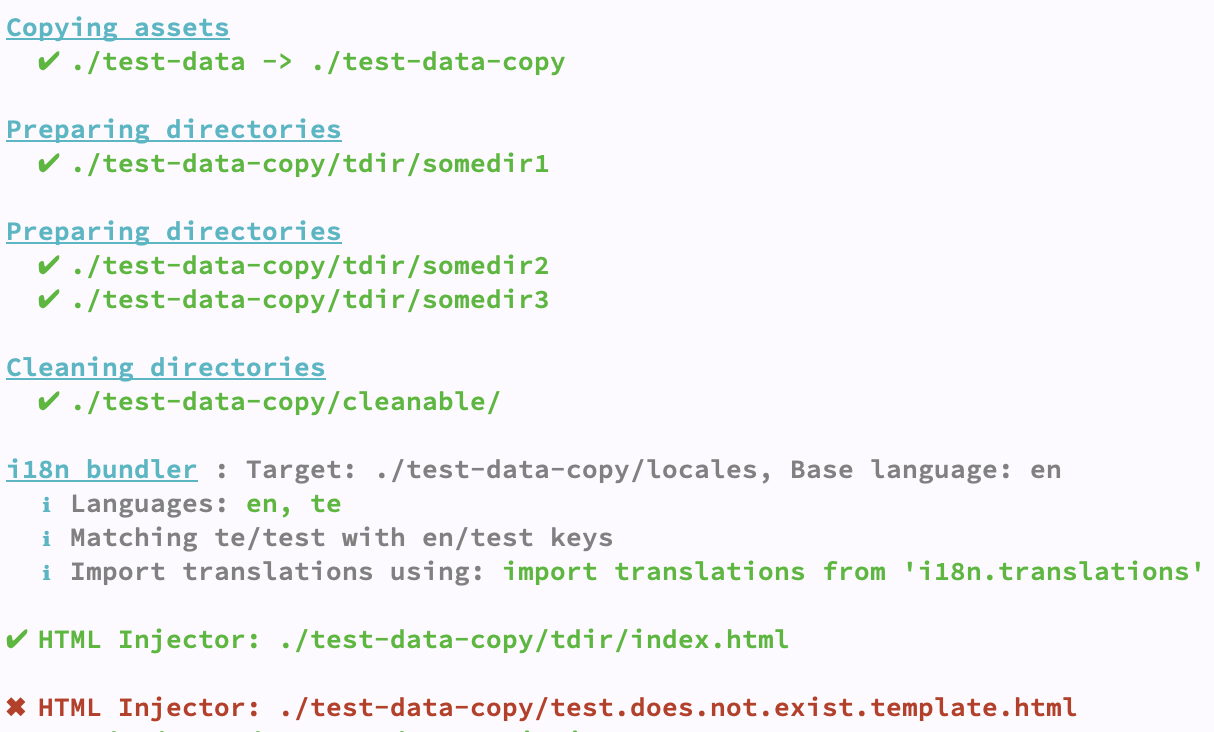
  Utils.i18nBundler({
    target: localesDir,
    baseLanguage: 'en',
    skipBackFilling: false, // Please read Back Filling section below.
    // Optional
    transformer: (lang, data) => {
      return data
    }
  })
then in your JS import translations using below line
  import translations from 'i18n.translations'
  console.log(translations.en)
i18n bundler reads json files from the specified directory and prepares a JSON structure. It uses base language directory as reference directory and
- Adds missing files, adds missing keys to all the other languages
- Removes keys from other languages JSON files that are removed from base language
- Creates files or remove unnecessary files. For exeample, home.json exists in
en folder but not in te folder, then when you build, the i18nBundler will create file and copy the content from base language folder for you. In a same way, if te folder contains test.json but en folder does not, then test.json will be removed from the te folder
For example, if you have locales folder with this structure and content,
{
  "en": {
    "onlyEng.json": {
      "wasInENonly": "yes"
    },
    "test.json": {
      "willbeAdded": "willbeAdded",
      "willnotOverride": "en text"
    }
  },
  "te": {
    "test.json": {
      "willbeRemoved": "willbeRemoved",
      "willnotOverride": "te text"
    }
  }
}
it will be transformed to below:
{
  "en": {
    "onlyEng": {
      "wasInENonly": "yes"
    },
    "test": {
      "willbeAdded": "willbeAdded",
      "willnotOverride": "en text"
    }
  },
  "te": {
    "onlyEng": {
      "wasInENonly": "yes"
    },
    "test": {
      "willbeAdded": "willbeAdded",
      "willnotOverride": "te text"
    }
  }
}
Please check test-data folder for example structure. Then run npm test and take a look at test-data-copy/output.js and test-data-copy/locales for a better understanding.
Helps to copy static content from during build, this does the job in a synchronous way.
  Utils.copyAssets({
    // Source -> Target.
    './test-data': './test-data-copy',
    './test': './test-new'
  }, filterFun) // uses fs-extra `copySync`. You can also pass filter function
  Utils.prepareDirectories(somedir1)
  // or
  Utils.prepareDirectories([somedir2, somedir3])
  Utils.emptyDirectories(somedir1)
  // or
  Utils.emptyDirectories([somedir2, somedir3])
For example you have below html:
<!DOCTYPE html>
<html lang="en" dir="ltr">
  <head>
    <meta charset="utf-8">
    <title>{title}</title>
  </head>
  <body>
    {keyOne}
  </body>
</html>
Then in your rollup config if you do below:
  Utils.htmlInjector({
    template: './test-data-copy/test.template.html',
    target: './test-data-copy/tdir/index.html',
    injects: {
      title: '___title___',
      keyOne: '___keyOne____'
    }
  }),
The output looks like this:
<!DOCTYPE html>
<html lang="en" dir="ltr">
  <head>
    <meta charset="utf-8">
    <title>___title___</title>
  </head>
  <body>
    ___keyOne____
  </body>
</html>Please check guidelines for more details.


