The included JSONField has been subclassed from django.contrib.postgres.fields.JSONField to add extra features and is a drop-in replacement. To use this JSONField:
ModelAdmin
For an example of how these fields can be configured in a modelform; take the following models.py:
from django.db import models
from django_postgres_extensions.models.fields import HStoreField, JSONField, ArrayField
from django_postgres_extensions.models.fields.related import ArrayManyToManyField
from django import forms
from django.contrib.postgres.forms import SplitArrayField
from django_postgres_extensions.forms.fields import NestedFormField

details_fields = (
    ('Brand', NestedFormField(keys=('Name', 'Country'))),
     ('Type', forms.CharField(max_length=25, required=False)),
     ('Colours', SplitArrayField(base_field=forms.CharField(max_length=10, required=False), size=10)),
)

class Buyer(models.Model):
    time = models.DateTimeField(auto_now_add=True)
    name = models.CharField(max_length=20)

    def __str__(self):
        return self.name

class Product(models.Model):
    name = models.CharField(max_length=15)
    keywords = ArrayField(models.CharField(max_length=20), default=[], form_size=10, blank=True)
    sports = ArrayField(models.CharField(max_length=20),default=[], blank=True, choices=(
    ('football', 'Football'), ('tennis', 'Tennis'), ('golf', 'Golf'), ('basketball', 'Basketball'), ('hurling', 'Hurling'), ('baseball', 'Baseball')))
    shipping = HStoreField(keys=('Address', 'City', 'Region', 'Country'), blank=True, default={})
    details = JSONField(fields=details_fields, blank=True, default={})
    buyers =  ArrayManyToManyField(Buyer)

    def __str__(self):
        return self.name

    @property
    def country(self):
        return self.shipping.get('Country', '')
And with admin.py:
from django.contrib import admin
from django_postgres_extensions.admin.options import PostgresAdmin
from models import Product, Buyer

class ProductAdmin(PostgresAdmin):
    filter_horizontal = ('buyers',)
    fields = ('name', 'keywords', 'sports', 'shipping', 'details', 'buyers')
    list_display = ('name', 'keywords', 'shipping', 'details', 'country')

admin.site.register(Buyer)
admin.site.register(Product, ProductAdmin)
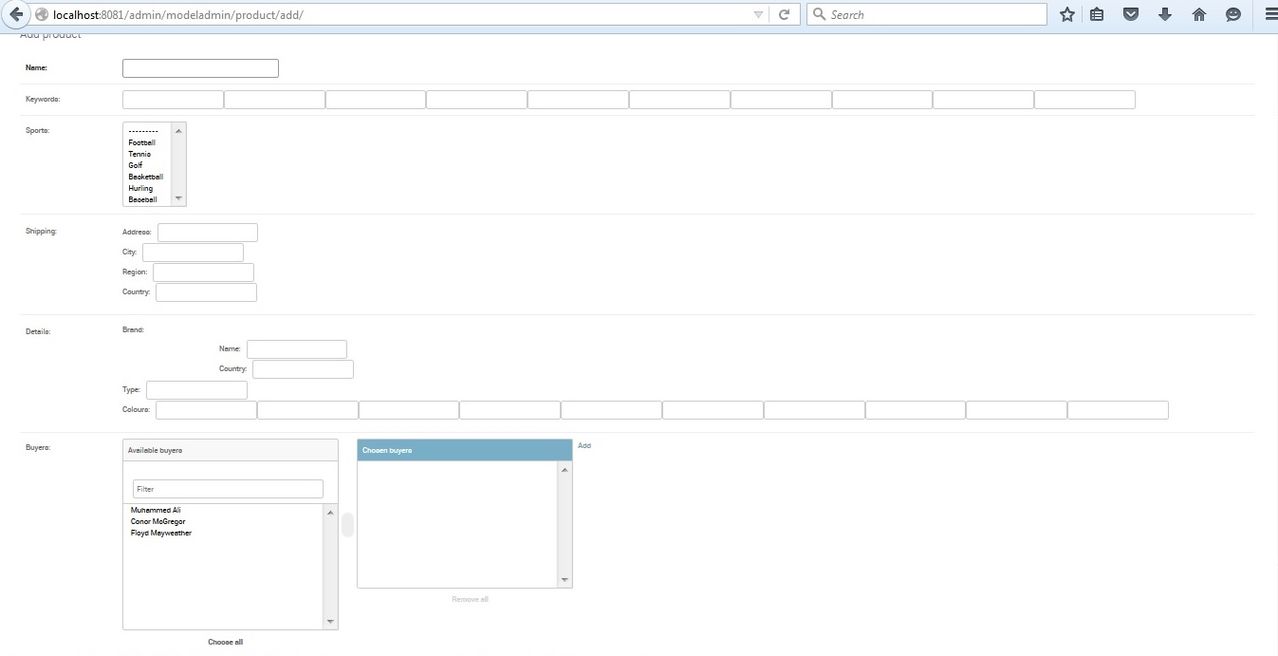
The form field would look like this:
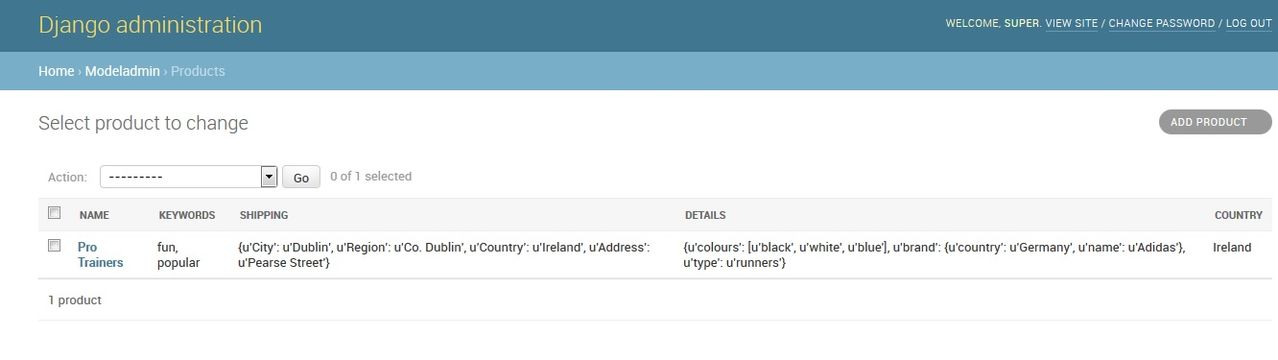
The list display would look like this:
Additional Queryset Methods
The app adds the format method to all querysets. This will defer a field and add an annotation with a different format.
For example to return a hstorefield as json:
qs = Model.objects.all().format('description', HstoreToJSONBLoose)
Array Many To Many Field
The Array Many To Many Field is designed be a drop-in replacement of the normal Django Many To Many Field and thus replicates many of its features.
The Array Many To Many field supports the following features which replicate the API of the regular Many To Many Field:
- Descriptor queryset with add, remove, clear and set for both forward and reverse relationships
- Prefetch related for both forward and reverse relationships
- Lookups across relationships with filter for both forward and reverse relationships
- Lookups across relationships with exclude for forward relationships only
View the README on GitHub(opens in a new tab)


