The Ultimate Timeline Component for React Applications
Build stunning, interactive timelines with rich media support, accessibility-first design, and comprehensive customization options
|
4 Flexible Modes • Nested Timelines • Responsive
|
Images • Videos • YouTube • Custom Components
|
Dark Mode • 36 Properties • Google Fonts
|
|
TypeScript • Zero Dependencies • Vanilla Extract
|
Slideshow • Search • Keyboard Navigation
|
WCAG AA • 60+ i18n Elements • Mobile First
|
Quick Start
Timeline Modes
Features
API & Documentation
Development
⚡ Get started in 30 seconds
# Using npm
npm install react-chrono

# Using yarn
yarn add react-chrono

# Using bun (recommended)
bun add react-chrono
Requirements: React 18.2+ or 19+ | Node.js 22+ | TypeScript 4.0+ (optional) | Modern browsers
Minimal Setup - Your First Timeline
import { Chrono } from 'react-chrono';

const items = [
  { title: 'May 1940', cardTitle: 'Dunkirk', cardDetailedText: 'Allied evacuation from France' },
  { title: 'June 1944', cardTitle: 'D-Day', cardDetailedText: 'Normandy invasion begins' }
];

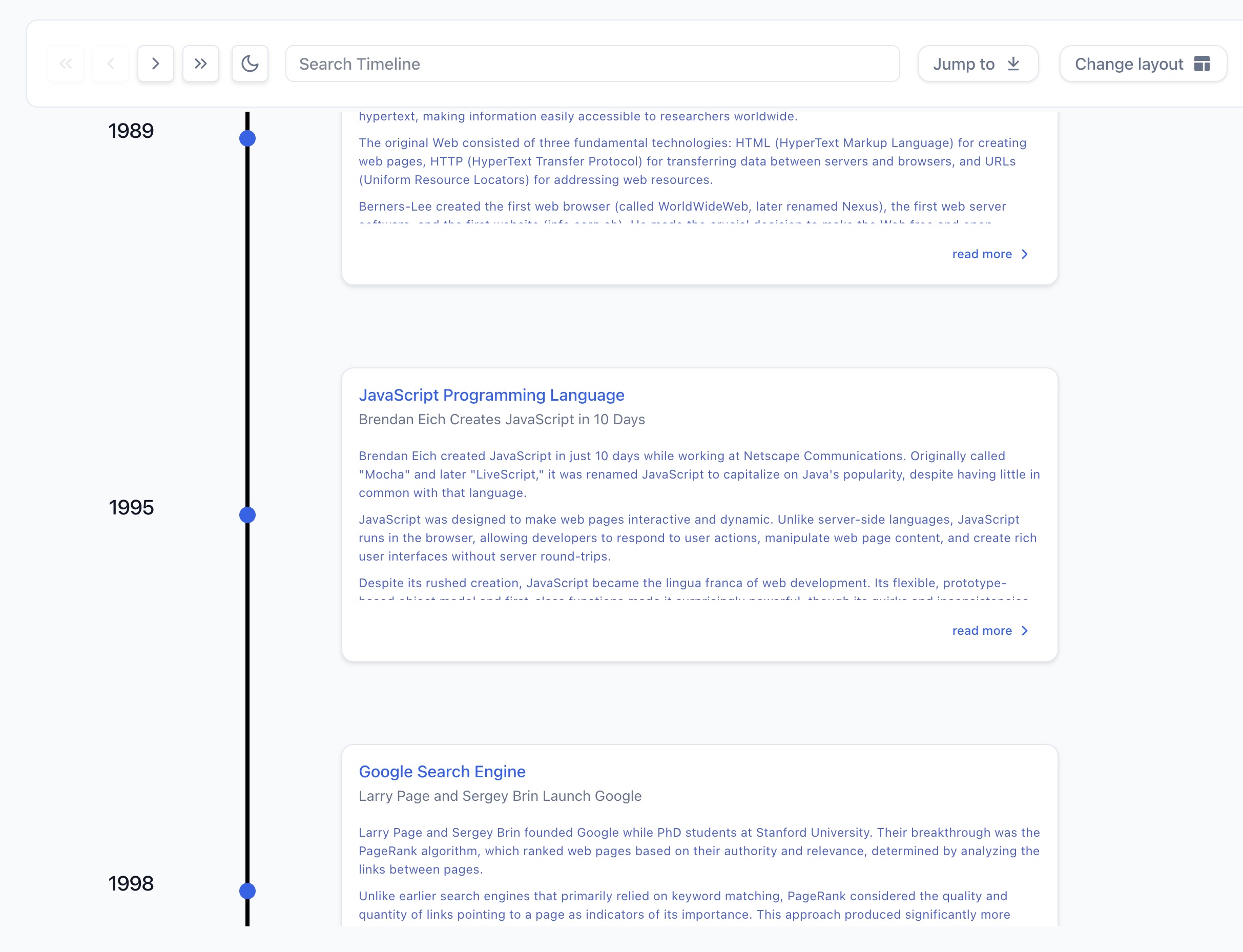
<Chrono items={items} />
Result Preview:
Horizontal Timeline with Custom Theme
<Chrono
  items={items}
  mode="horizontal"
  theme={{ primary: '#0079e6', cardBgColor: '#f5f5f5' }}
/>const items = [
{
title: 'January 2024',
cardTitle: 'Product Launch',
cardDetailedText: 'Released version 3.0 with new features',
media: {
type: 'IMAGE',
source: { url: 'https://example.com/launch.jpg' },
name: 'Product launch event'
}
}
];
<Chrono items={items} mode="vertical" /><Chrono
items={items}
mode="alternating"
animation={{
slideshow: {
enabled: true,
duration: 3000,
type: 'fade'
}
}}
/>Advanced Configuration with Grouped API ✨
The new grouped API organizes configuration into logical sections:
<Chrono
  items={items}
  mode="alternating"

  layout={{
    cardWidth: 450,
    cardHeight: 'auto',  // Automatic sizing based on content
    responsive: { enabled: true, breakpoint: 768 }
  }}

  content={{
    alignment: {
      horizontal: 'center',
      vertical: 'center'
    }
  }}

  interaction={{
    keyboardNavigation: true,
    pointClick: true,
    autoScroll: true
  }}

  display={{
    borderless: false,
    toolbar: { enabled: true, sticky: true }
  }}

  animation={{
    slideshow: { enabled: true, duration: 4000, type: 'fade' }
  }}

  theme={{
    primary: '#0079e6',
    cardBgColor: '#ffffff',
    cardTitleColor: '#1f2937'
  }}
/>
💡 Try it live: Browse interactive examples in Storybook
See React Chrono in action
|
Vertical Mode
Scroll-friendly chronological flow
|
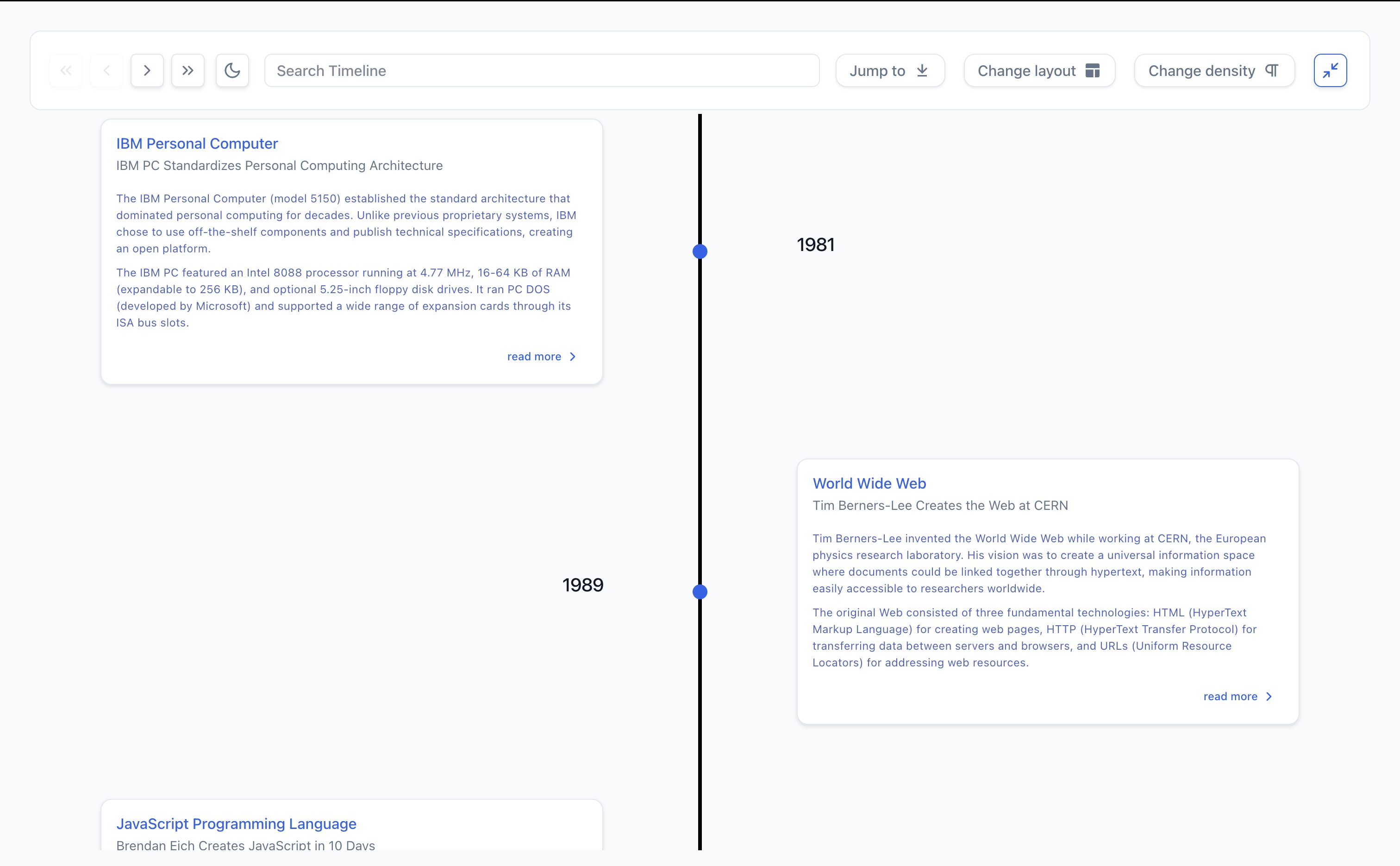
Alternating Mode
Cards alternate left and right
|
|
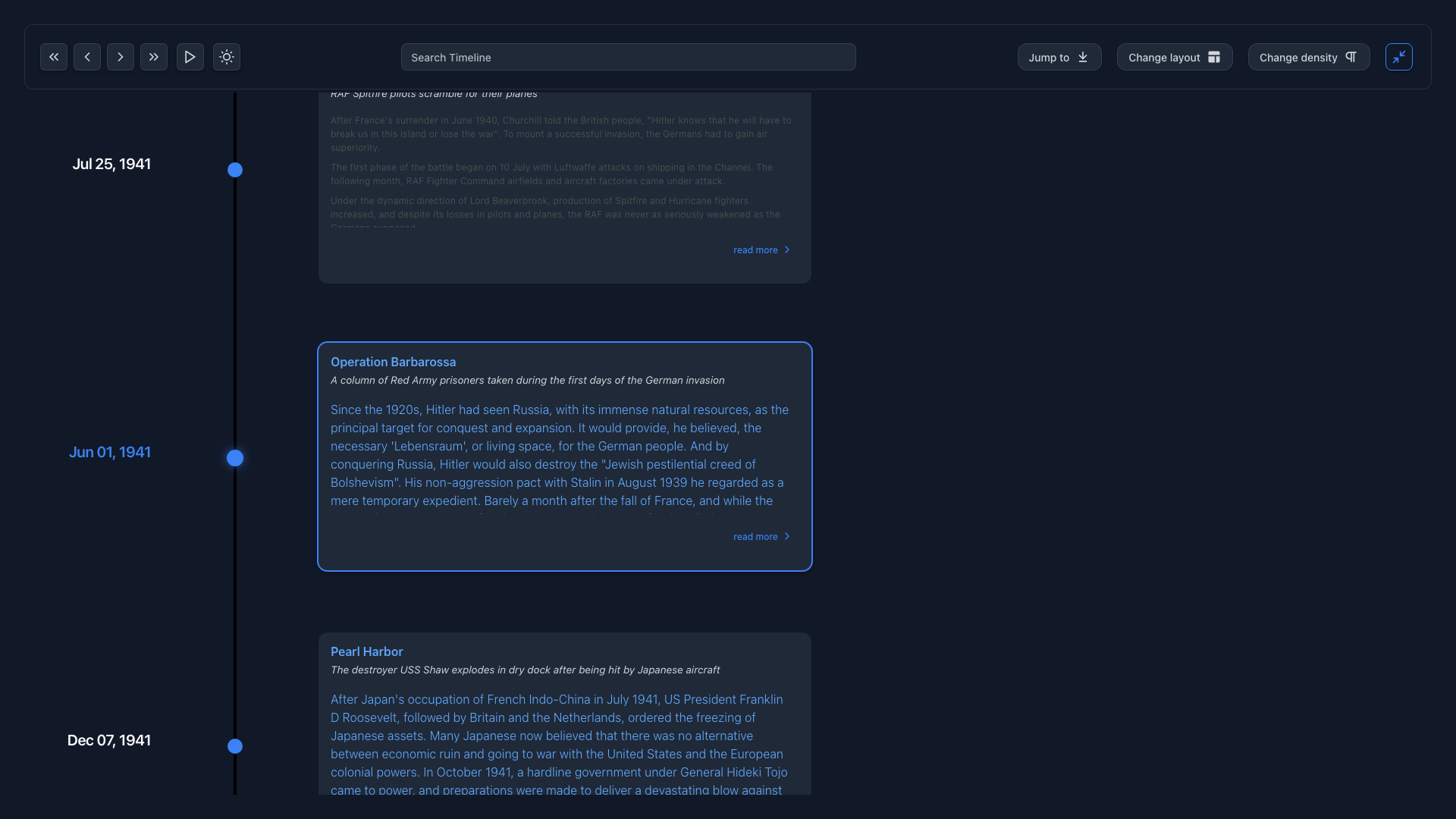
Dark Mode
Complete theme control
|
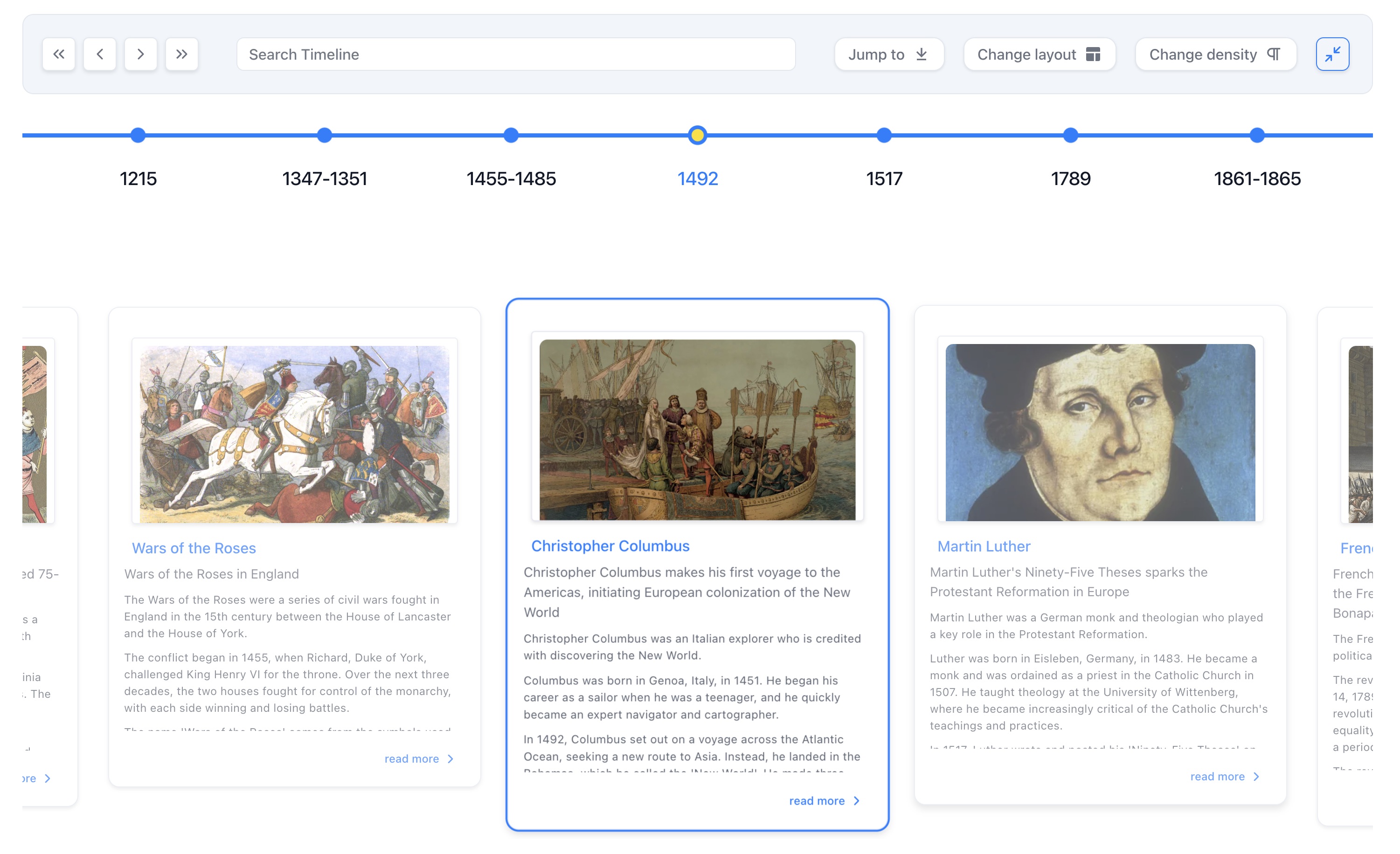
Horizontal All
Dashboard view showing complete timeline
|
|
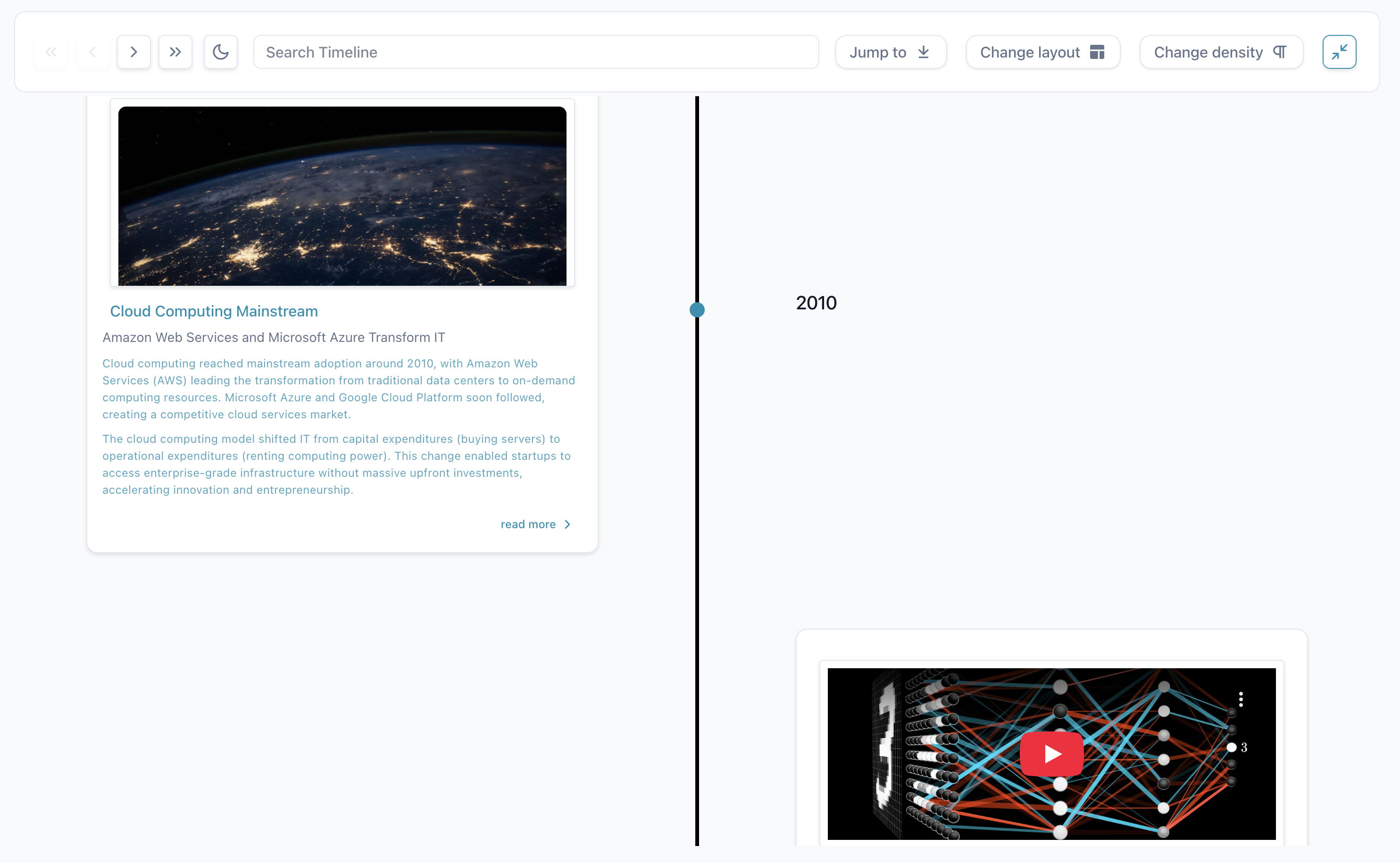
Timeline with Media
Embed YouTube videos and images
|
React Chrono offers four layout modes, each optimized for specific use cases:
| Mode |
Best For |
Visual Style |
| Vertical |
Feeds, news timelines, mobile experiences |
Top-to-bottom scroll-friendly layout |
| Horizontal |
Historical narratives, project phases |
Left-to-right chronological flow |
| Alternating |
Portfolios, company milestones |
Cards alternate left and right of central axis |
| Horizontal All |
Dashboards, comparisons |
Shows all timeline items at once |
📱 Mobile-First Content → Use Vertical Mode
Perfect for feeds, news timelines, and mobile experiences where scrolling is natural.
<Chrono items={items} mode="vertical" />Ideal for historical narratives and project phases where the journey matters.
<Chrono items={items} mode="horizontal" />Great for portfolios and company milestones with balanced visual rhythm.
<Chrono items={items} mode="alternating" />Perfect for dashboards, comparisons, and seeing the complete picture at once.
<Chrono items={items} mode="horizontal-all" />
|
Smart Loading & Performance
- Images load only when entering viewport (intersection observers)
- Videos auto-play when timeline items become active
- Automatic responsive sizing and buffering
- Built-in accessibility attributes
|
const items = [{
  title: 'Event',
  cardTitle: 'Media Example',
  media: {
    type: 'IMAGE',
    source: { url: 'image.jpg' }
  }
}];

<Chrono items={items} /> |
|
Slideshow Mode
Auto-playing presentations with customizable durations, transition effects, and progress indicators.
Keyboard Navigation
Full accessibility with arrow keys, Home/End for quick jumps, Escape for modals.
Real-time Search
Instantly highlights matching content across titles, descriptions, and metadata.
|
<Chrono
  items={items}
  animation={{
    slideshow: {
      enabled: true,
      duration: 3000,
      type: 'fade'
    }
  }}
  interaction={{
    keyboardNavigation: true
  }}
  display={{
    toolbar: {
      enabled: true,
      search: { enabled: true }
    }
  }}
/> |
|
Complete Theme Control
- 36 customizable theme properties
- Dark mode with dedicated properties
- Google Fonts integration with automatic loading
- Per-element typography customization
|
<Chrono
  items={items}
  theme={{
    primary: '#0079e6',
    cardBgColor: '#ffffff',
    cardTitleColor: '#1f2937',
    timelineBgColor: '#f5f5f5'
  }}
  darkMode={{ enabled: true }}
/> |
|
Global Ready
- 60+ configurable text elements
- Intelligent fallbacks
- Template strings with variable interpolation
- Full type safety
|
<Chrono
  items={items}
  i18n={{
    texts: {
      navigation: {
        first: 'Premier élément',
        next: 'Suivant',
        previous: 'Précédent'
      },
      search: {
        placeholder: 'Rechercher',
        noResults: 'Aucun résultat'
      }
    }
  }}
/> |
|
Nested Timelines
Create multi-level narratives where major events contain detailed sub-timelines.
Custom Components
Embed fully interactive React components within timeline cards.
Responsive Design
Fundamentally adapts to each device with smart font sizing and spacing.
|
// Nested timeline example
const items = [{
  title: 'Major Event',
  cardTitle: 'Period',
  children: <Chrono items={subItems} />
}];

<Chrono items={items} /> |
React Chrono requires minimal configuration to get started:
| Property |
Type |
Description |
items |
TimelineItem[] |
Array of timeline data |
mode |
string |
Layout mode: 'horizontal' | 'vertical' | 'alternating' | 'horizontal-all' |
theme |
Theme |
Customize colors and appearance |
📚 Need complete prop documentation? See our comprehensive Props Reference
React Chrono v3.0 maintains full backward compatibility - your existing v2.x code will work without changes. However, we recommend migrating to the new grouped API for better maintainability and IDE support.
v2.x (still works):
<Chrono
  items={items}
  cardWidth={400}
  disableNavOnKey={false}
  borderLessCards={true}
  slideShow={true}
  slideItemDuration={3000}
  mediaHeight={400}
/>
v3.0 (recommended):
<Chrono
  items={items}
  layout={{ cardWidth: 400 }}
  interaction={{ keyboardNavigation: true }}
  display={{ borderless: true }}
  animation={{
    slideshow: {
      enabled: true,
      duration: 3000
    }
  }}
  media={{ height: 400 }}
/>
| v2.x Prop |
v3.0 Prop |
borderLessCards |
display.borderless |
disableNavOnKey |
interaction.keyboardNavigation (inverted) |
timelinePointDimension |
layout.pointSize |
slideShow |
animation.slideshow.enabled |
slideItemDuration |
animation.slideshow.duration |
mediaHeight |
media.height |
parseDetailsAsHTML |
content.allowHTML |
disableToolbar |
display.toolbar.enabled (inverted) |
- 🎨 Grouped API - Props organized into logical groups (
layout, interaction, content, display, media, animation)
- ⚡ Zero-runtime CSS - Migrated to Vanilla Extract for better performance
- 🌐 i18n Support - 60+ configurable text elements
- 🎭 Google Fonts - Per-element font control
- 🖼️ Fullscreen Mode - Cross-browser fullscreen support
- 📌 Sticky Toolbar - Always-accessible controls
🔗 Complete migration guide: Props Reference
🎉 Major updates and improvements
|
🏗️ Grouped API
Props organized into logical groups (layout, interaction, content, display, media, animation, style, accessibility, i18n) for better IDE autocomplete
|
⚡ Performance
Complete migration to Vanilla Extract for zero-runtime CSS and improved performance
|
🎨 New Features
Auto card height, content alignment, Google Fonts, i18n support, fullscreen mode, and more
|
📋 Full changelog: See CHANGELOG.md for complete details
🔄 Backward Compatible: All v2.x props remain fully supported with automatic mapping to the new grouped API
- Node.js 22+
- bun (recommended) or npm
# Clone the repository
git clone https://github.com/prabhuignoto/react-chrono.git
cd react-chrono

# Install dependencies
bun install
# Start development server with hot reload
bun run dev

# Build for production
bun run build

# Run unit tests
bun test

# Lint and format code
bun run clean
React Chrono uses a comprehensive testing approach:
- Unit Tests: Vitest with @testing-library/react
We welcome contributions! Please see our Contributing Guide for details.
Quick Contribution Checklist
- Fork the repo and create a feature branch
- Write tests for new features
- Ensure all tests pass:
bun run find-bugs
- Follow our code style:
bun run clean
- Update documentation if needed
- Submit a pull request
Built With Modern Technologies
|
Core Technologies
|
Development Tools
|


