
The agent CLI harness. CLI is all you need.
One command line, co, gives your AI agent the accounts and tools it works with:
Gmail and Outlook, a logged-in browser, your files, chat apps and other agents.
co rem enables decentralized context flow: connect the context in your
work, keep it on your machine, and carry it into the next task.




Website · Docs · Get started · co rem · Releases · Discord
Identity & memory


Mail, calendar & notes


Chat apps


Browser & files


Issues & feedback


Coding agents


Models


Agents & servers


Every command · co commands lists them all.
co rem — decentralized context flow
Your context, connected and ready for the next task. co rem connects
context from your mail and coding sessions in local, linked Markdown pages.
People, projects, skills and decisions stay connected to their sources, so
you and your agents can follow the evidence and reuse that context.
The context lives on your machine, where your tools and agents can read it.
Memory keeps it available over time; the goal is to keep context flowing
through your work.
Explore co rem → ·
Try the sample reader ·
Setup and source controls
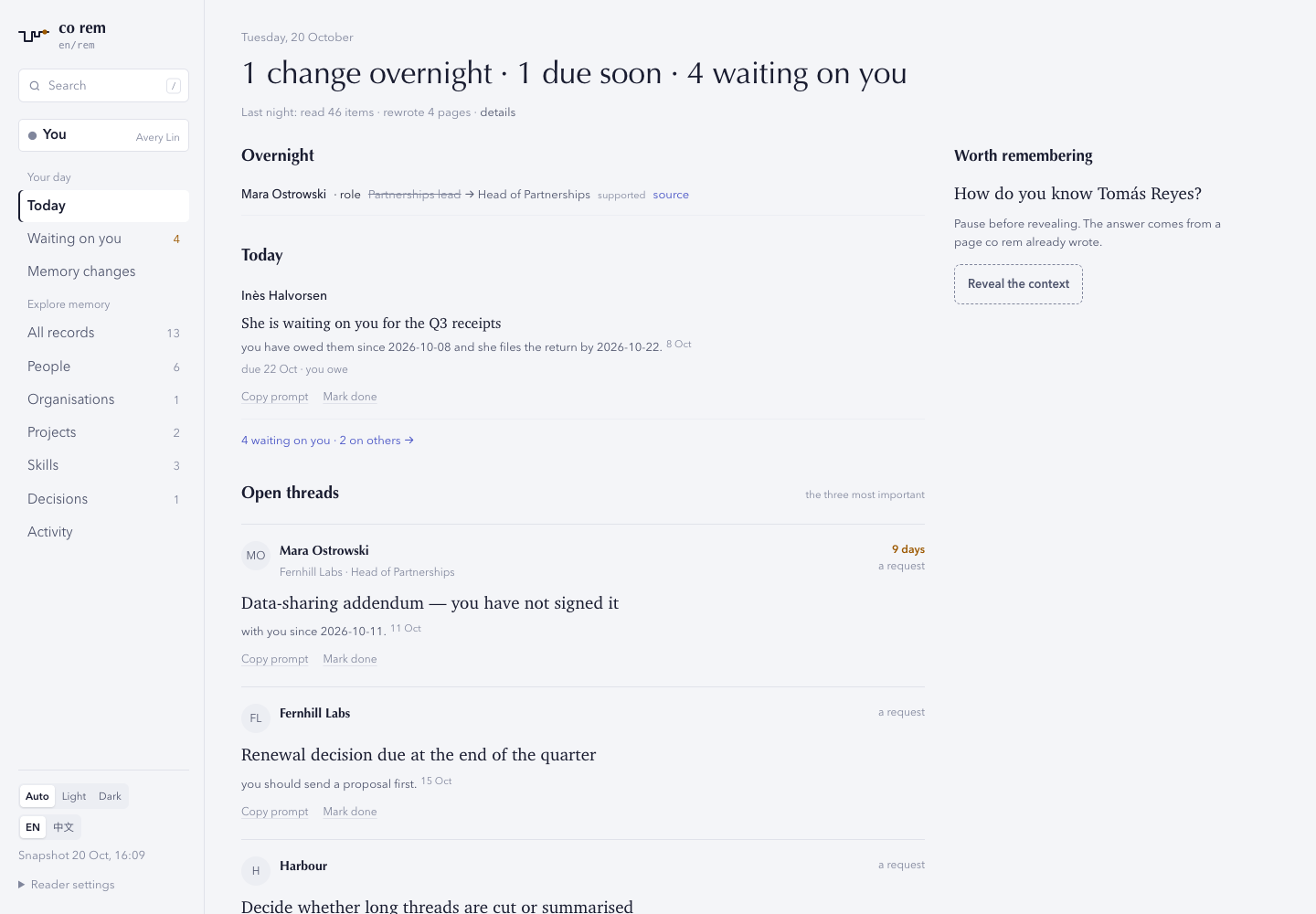
The reader's morning brief with invented example data. The linked sample is a frozen
notebook you can explore without connecting an account.
More of the reader: English and 中文, desktop and phone, light and dark
Captured with python scripts/capture_rem_reader.py --readme docs/assets/rem-readme.
- Connect scattered context. Bring mail and coding sessions into linked
pages about the people, projects and skills involved.
- Follow the evidence. Trace facts, decisions and changes back to their
sources, then carry that understanding into the next task.
- Keep context in your hands. Local Markdown pages can be read by you and
your agents. An approved schedule keeps them current.
Start with the setup guide
for account setup, source choices and model costs. Daily scheduling currently
requires macOS. Then run:
pip install --upgrade 'connectonion==1.9.2'
# build your map and first pages; approve nightly upkeep when prompted
co rem init
# read the local notebook
co rem open
Pages stay in ~/.co/rem. Selected source content is sent to the configured
model during investigation; see source controls and costs.
For access from another device, co rem open --live opens your online
co ai Host at https://chat.openonion.ai/<address>/rem, for the Host owner only.
One line installs co and sets it up: your agent identity, an OpenOnion key
with starter credit, and the skills and command index that tell Codex and
Claude Code about co.
curl -fsSL https://raw.githubusercontent.com/openonion/connectonion/main/install.sh | sh
It uses uv (installing it if needed) to keep co
out of your system Python, so you need no Python of your own. Then connect what
you use:
co auth google      # Gmail and Google Calendar
co auth microsoft   # Outlook
co commands         # everything else; add --help to any
With pip instead
# Python 3.11+
pip install connectonion
co init
The Quick start guide covers Google, the browser, chat
apps and project settings.
Your tools, one command line
Use Gmail, Outlook, your browser, files and chat apps from the same co
command. Your agent discovers each tool through --help when it needs it.
How the CLI works
An agent's work lives in many places: your inbox, your calendar, a chat
thread, a web page behind a login, a file on the NAS, an issue tracker, its own
notes, another agent. ConnectOnion strings all of that context together with
one command line, co. The agent reads a thread with one command, looks
something up with the next, and writes the answer with a third. Every step is
a line in its shell, and the output of one is the input of the next.
Why a command line, and not MCP or a plugin per tool
- Every agent already has one. Claude Code, Codex, Cursor and any agent you
write can run a shell command. There is no server to start, no client to
configure and nothing to install into the agent.
- It costs no context until it is used. Tool schemas sit in an agent's
prompt whether it needs them or not. A command line is discovered on demand:
bare
co lists the groups, co gmail --help explains one, and only the page
the agent opens enters its context.
- The help page is the prompt. Each
--help says what the command does,
what it changes (Read-only, Sends, Changes, Deletes…) and gives a real
example, so there is no separate skill file or schema to keep in step. CI
fails any page that loses one of those parts (co audit).
- Every answer names the next step. A list ends with how to open the first
item, a missing login ends with
Next: co auth microsoft, a typo ends with
the command you meant. The agent recovers without asking you.
- It composes. Commands pipe into each other and into scripts, and the
transcript is the same commands you would type, so you can read exactly what
the agent did, and run it yourself.
# every command group
$ co
# what it does, what it changes, an example
$ co linear --help
$ co linear issues -n 3
3 open issues
CON-3  Todo  No priority  -  2026-10-01  Import your data
CON-1  Todo  No priority  -  2026-10-01  Get familiar with Linear
CON-4  Todo  No priority  -  2026-10-01  Set up your teams
Next: co linear issue CON-3
MCP becomes a command too
MCP servers are useful; the protocol is not the problem, the interface is.
co mcp (coming next, #2048)
puts any MCP server behind the same command line: co mcp tools <server>
lists its tools, co mcp help <server> <tool> renders a tool as a help page,
and co mcp call runs it. The agent finds MCP tools the way it finds
everything else, through --help, and none of them sit in its prompt.
Credentials stay on your machine, in ~/.co/keys.env or encrypted with
co env set … --secret. Writes that matter preview until --yes, and in
co ai a risky tool call waits for your approval.
Watch the 43-second film — real runs from co 1.8.10.
See search, Linear, Slack, Canny and audit examples
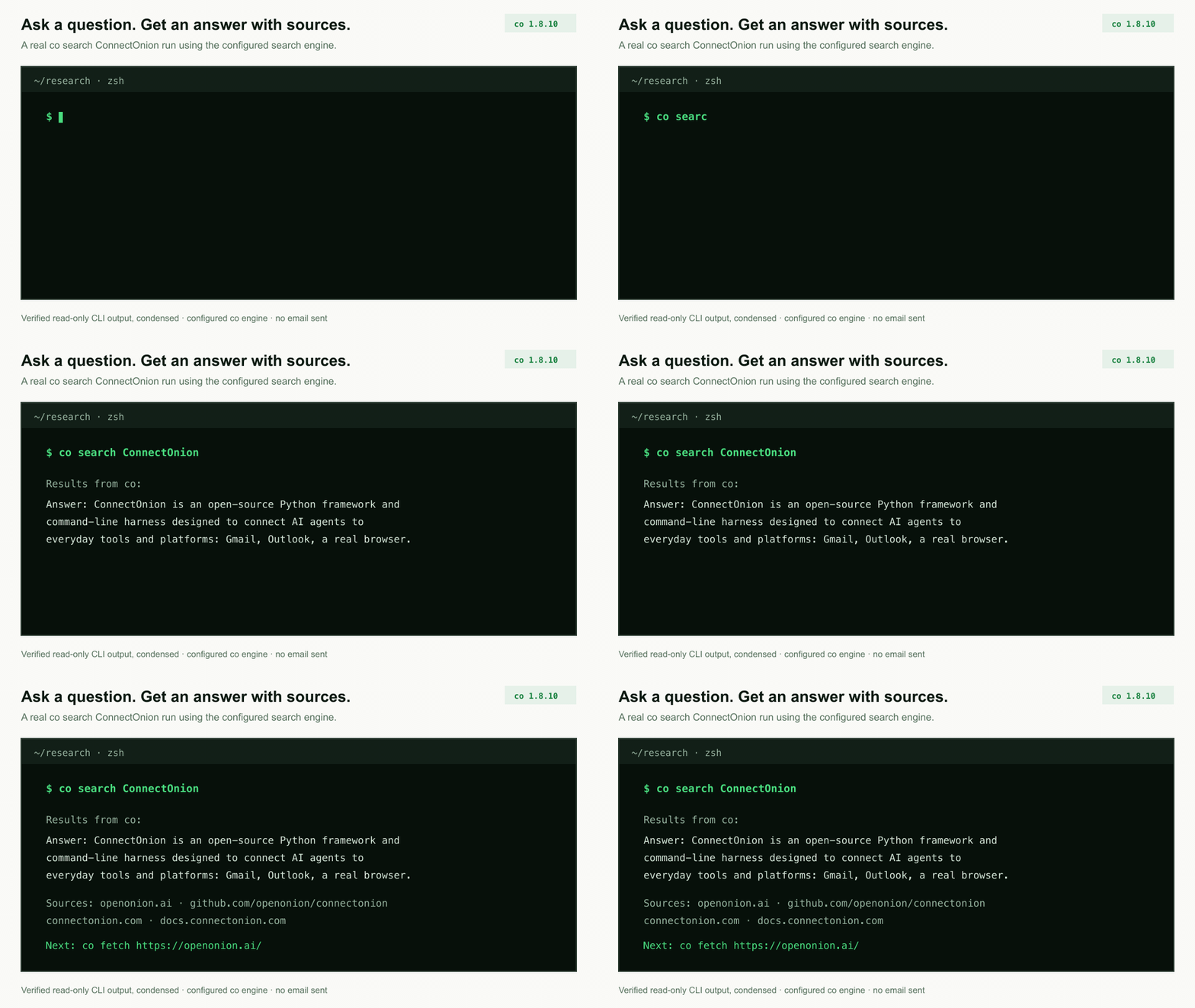
co search ConnectOnion answers from the web and cites its sources. The default
engine uses your own search key, then ConnectOnion credits;
--engine ddg is free.
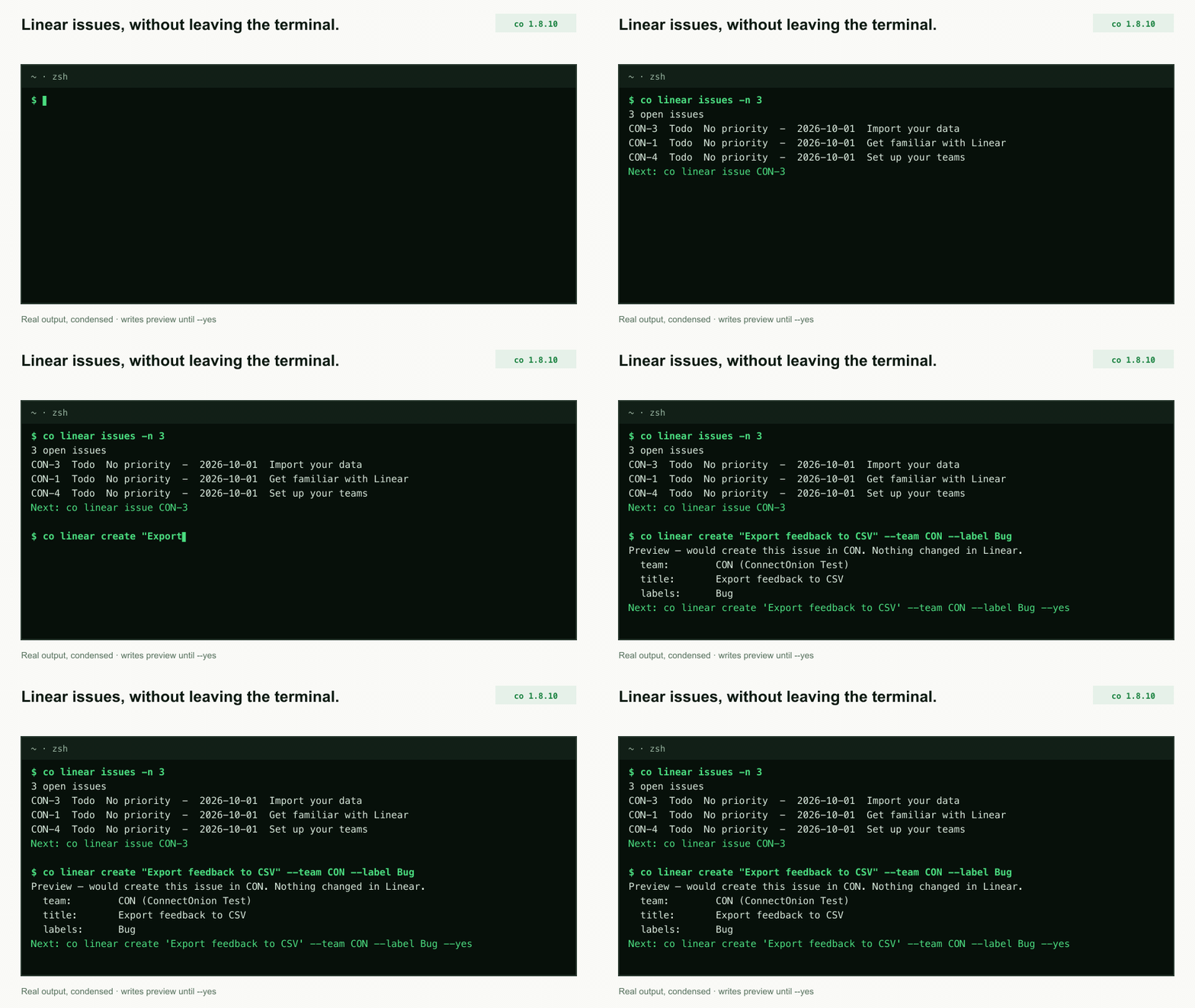
List your Linear issues, then create one. The create shows a preview and changes nothing until --yes.
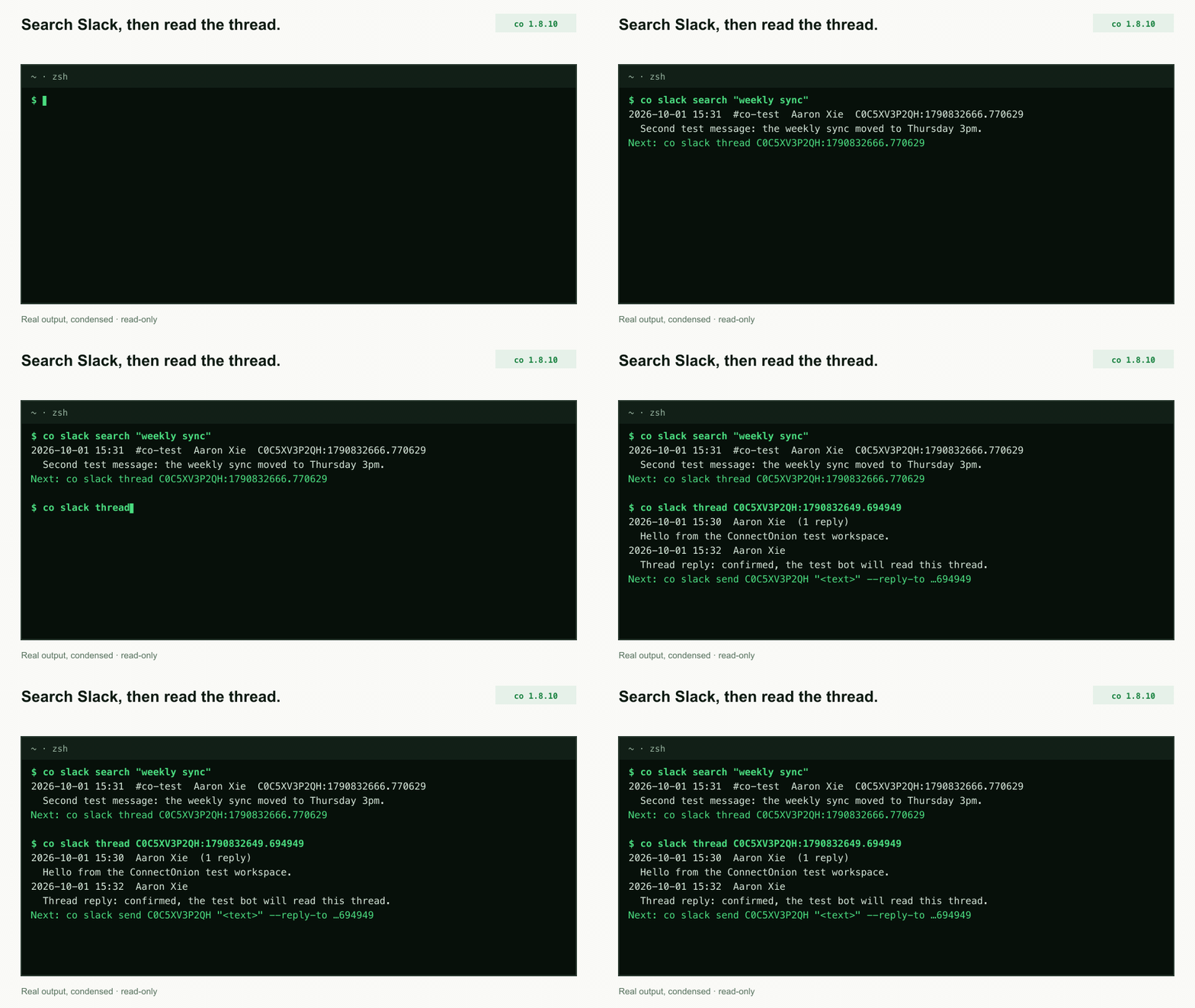
Search Slack, then read the whole thread. Each message carries the id that co slack send --reply-to takes.
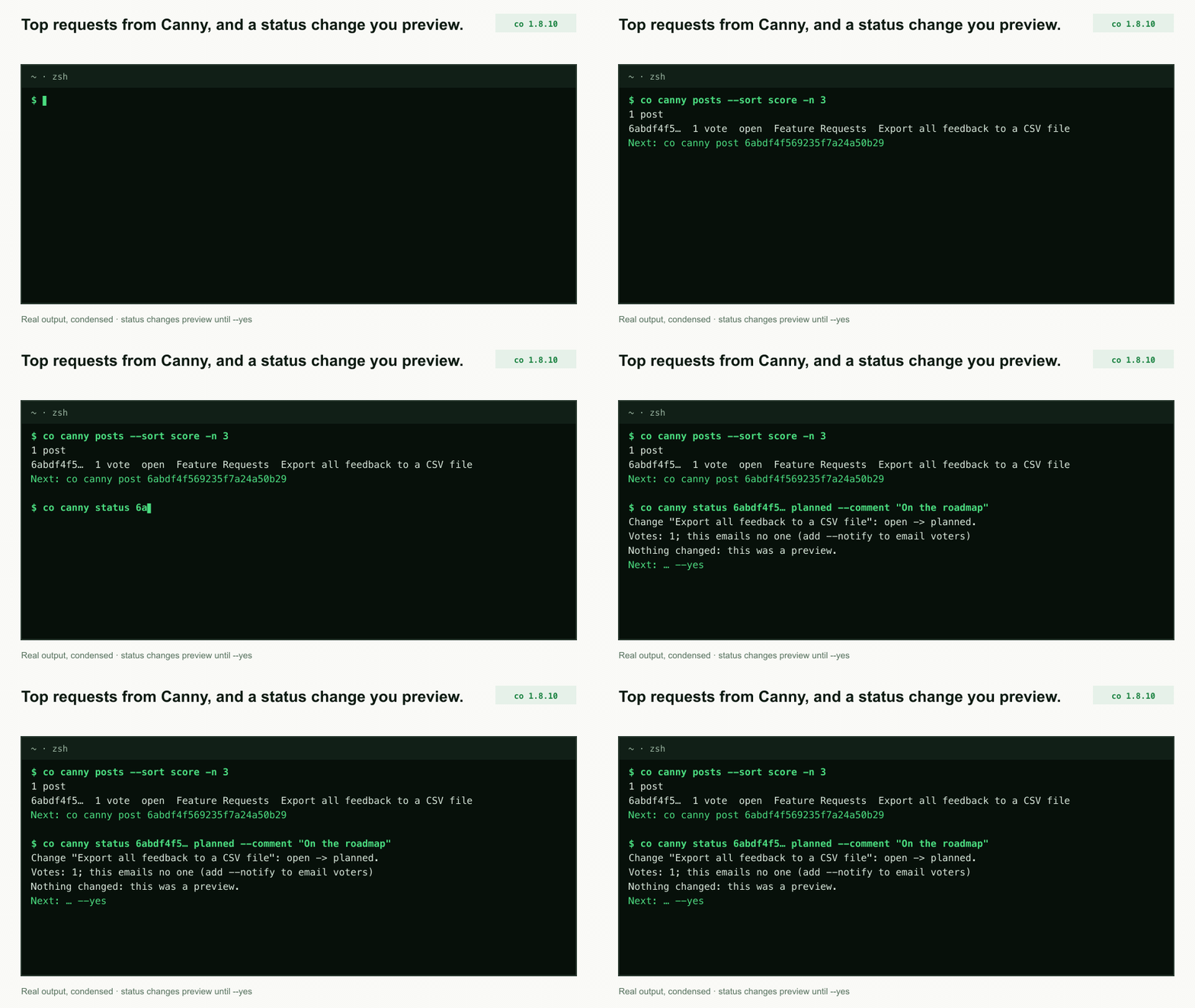
Your most-voted Canny requests, and a status change you preview before voters hear about it.
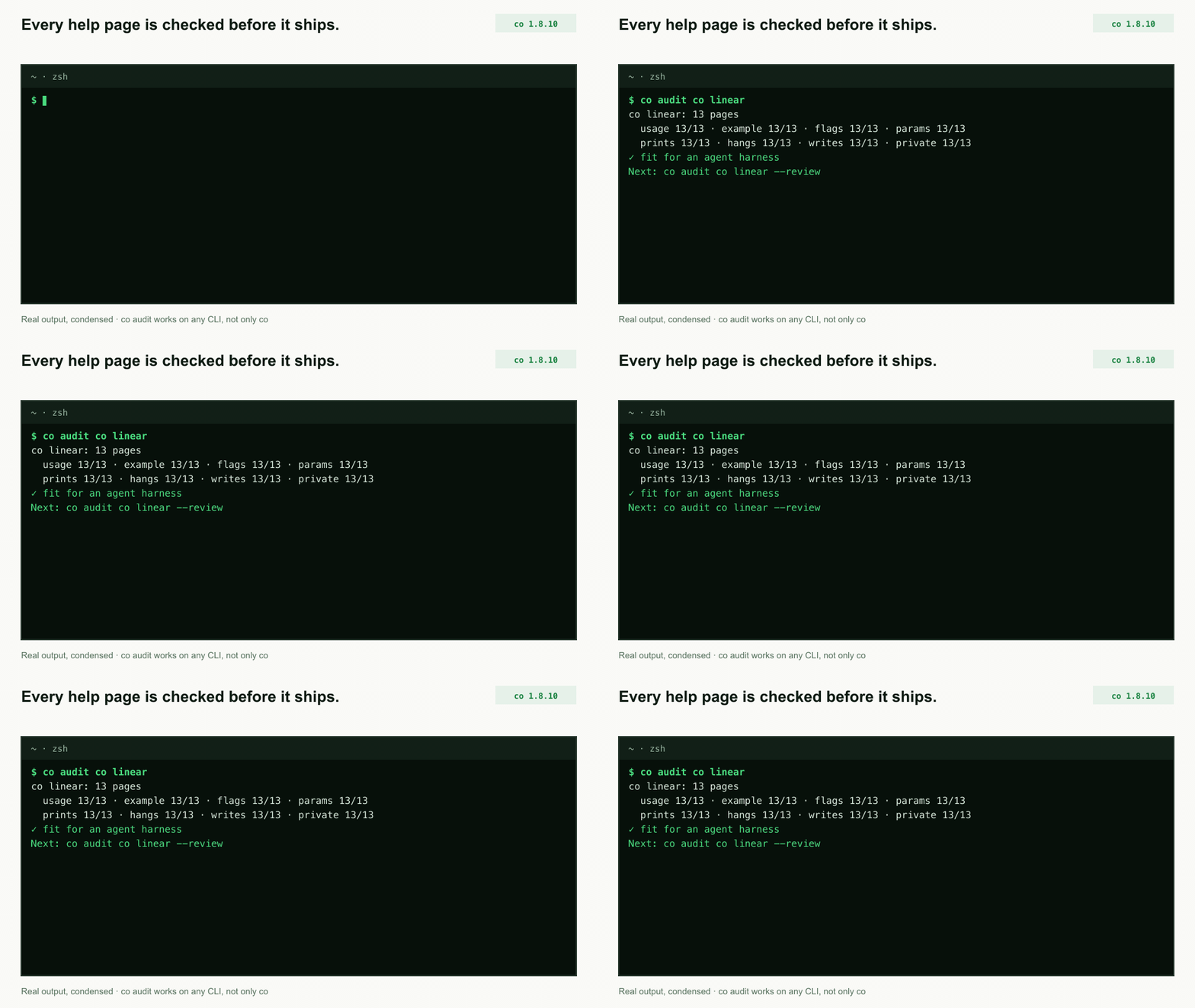
co audit scores a CLI's help pages the way an agent reads them. CI runs it on every co page, and it works on any other CLI too.
Use it from Claude Code, Codex or Cursor
Nothing to install into them: ask your coding agent to "use co to check my
Outlook inbox" and it reads co commands and co outlook --help before it
acts. co skills link also links ConnectOnion's skills into Claude Code and
Codex (co skills).
ConnectOnion is also a Python framework for building your own agents on the
same harness; see the documentation.
Hand a session to someone · 1.9.2
Say "hand this to Bob" in Codex or Claude Code. You see exactly what would
leave your machine, with private sentences already taken out by your own agent;
Bob pastes one line into his agent, which picks up where yours stopped and sends
the result back as a patch. Neither side gets more than the handoff. See
openonion/handoff and
the guide.
Stable 1.9.2 is what pip install connectonion installs; previews
remain opt-in (release channels,
release notes).
Questions go to Discussions
or the Discord linked above, bugs to Issues.
Contributing · Code of Conduct ·
Security (report vulnerabilities privately) ·
Apache-2.0.


