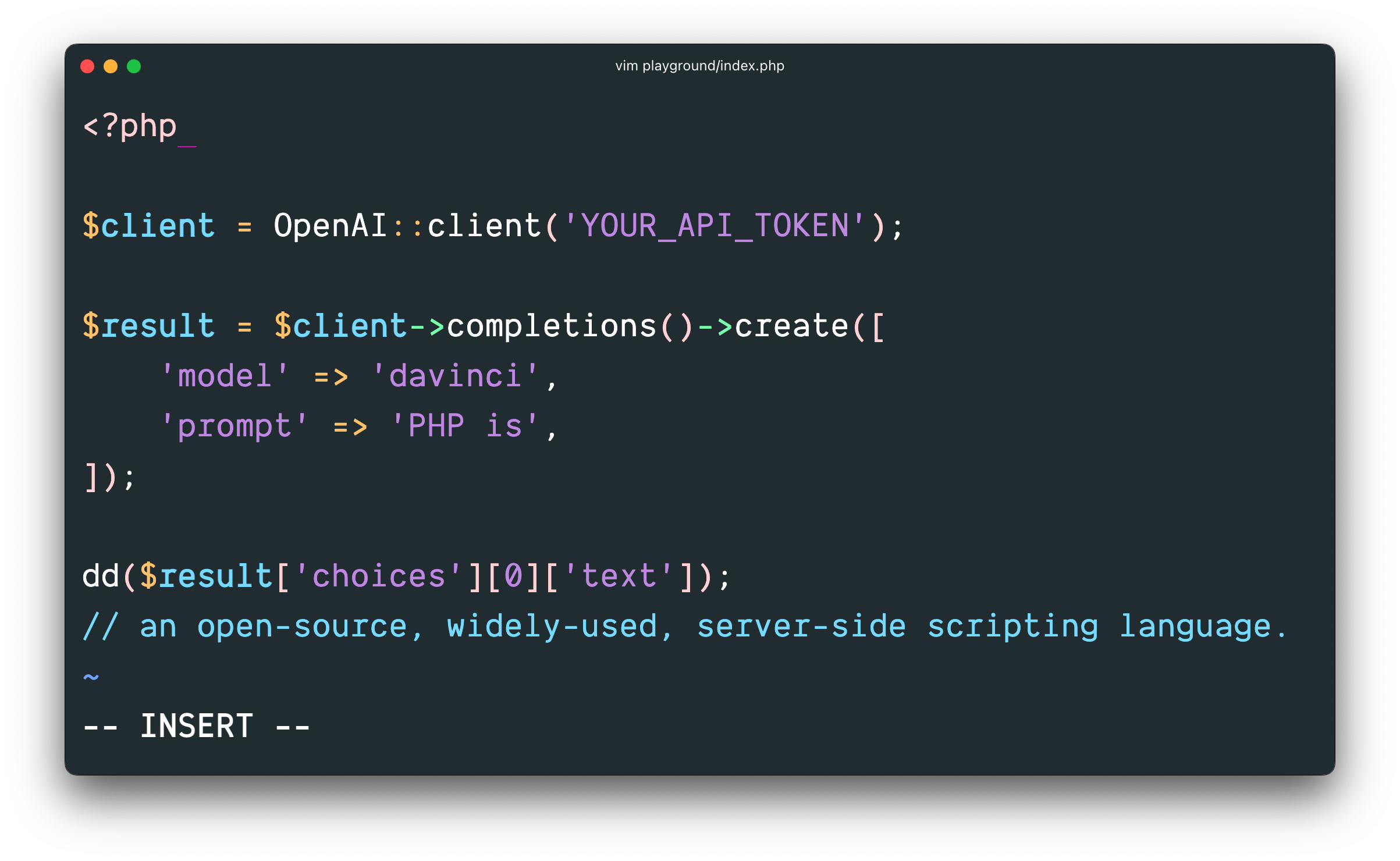




OpenAI PHP is a community-maintained PHP API client that allows you to interact with the Open AI API.
- Follow the creator Nuno Maduro:
If you or your business relies on this package, it's important to support the developers who have contributed their time and effort to create and maintain this valuable tool:
Requires PHP 8.2+
First, install OpenAI via the Composer package manager:
composer require openai-php/client
Ensure that the php-http/discovery composer plugin is allowed to run or install a client manually if your project does not already have a PSR-18 client integrated.
composer require guzzlehttp/guzzle
Then, interact with OpenAI's API:
$yourApiKey = getenv('YOUR_API_KEY');
$client = OpenAI::client($yourApiKey);

$response = $client->responses()->create([
    'model' => 'gpt-4o',
    'input' => 'Hello!',
]);

echo $response->outputText; // Hello! How can I assist you today?
If necessary, it is possible to configure and create a separate client.
$yourApiKey = getenv('YOUR_API_KEY');

$client = OpenAI::factory()
    ->withApiKey($yourApiKey)
    ->withOrganization('your-organization') // default: null
    ->withProject('Your Project') // default: null
    ->withBaseUri('openai.example.com/v1') // default: api.openai.com/v1
    ->withHttpClient($httpClient = new \GuzzleHttp\Client([])) // default: HTTP client found using PSR-18 HTTP Client Discovery
    ->withHttpHeader('X-My-Header', 'foo')
    ->withQueryParam('my-param', 'bar')
    ->withStreamHandler(fn (RequestInterface $request): ResponseInterface => $httpClient->send($request, [
        'stream' => true // Allows to provide a custom stream handler for the http client.
    ]))
->make();Lists the currently available models, and provides basic information about each one such as the owner and availability.
$response = $client->models()->list();

$response->object; // 'list'

foreach ($response->data as $result) {
    $result->id; // 'gpt-3.5-turbo-instruct'
    $result->object; // 'model'
    // ...
}

$response->toArray(); // ['object' => 'list', 'data' => [...]]Retrieves a model instance, providing basic information about the model such as the owner and permissioning.
$response = $client->models()->retrieve('gpt-3.5-turbo-instruct');

$response->id; // 'gpt-3.5-turbo-instruct'
$response->object; // 'model'
$response->created; // 1642018370
$response->ownedBy; // 'openai'

$response->toArray(); // ['id' => 'gpt-3.5-turbo-instruct', ...]Delete a fine-tuned model.
$response = $client->models()->delete('curie:ft-acmeco-2021-03-03-21-44-20');

$response->id; // 'curie:ft-acmeco-2021-03-03-21-44-20'
$response->object; // 'model'
$response->deleted; // true

$response->toArray(); // ['id' => 'curie:ft-acmeco-2021-03-03-21-44-20', ...]Creates a model response. Provide text or image inputs to generate text or JSON outputs. Have the model call your own custom code or use built-in tools like web search or file search to use your own data as input for the model's response.
$response = $client->responses()->create([
    'model' => 'gpt-4o-mini',
    'tools' => [
        [
            'type' => 'web_search_preview'
        ]
    ],
    'input' => "what was a positive news story from today?",
    'temperature' => 0.7,
    'max_output_tokens' => 150,
    'tool_choice' => 'auto',
    'parallel_tool_calls' => true,
    'store' => true,
    'metadata' => [
        'user_id' => '123',
        'session_id' => 'abc456'
    ]
]);

$response->id; // 'resp_67ccd2bed1ec8190b14f964abc054267'
$response->object; // 'response'
$response->createdAt; // 1741476542
$response->status; // 'completed'
$response->model; // 'gpt-4o-mini'
$response->outputText; // 'The combined response text of any `output_text` content.'

foreach ($response->output as $output) {
    $output->type; // 'message'
    $output->id; // 'msg_67ccd2bf17f0819081ff3bb2cf6508e6'
    $output->status; // 'completed'
    $output->role; // 'assistant'

    foreach ($output->content as $content) {
        $content->type; // 'output_text'
        $content->text; // The response text
        $content->annotations; // Any annotations in the response
    }
}

$response->usage->inputTokens; // 36
$response->usage->outputTokens; // 87
$response->usage->totalTokens; // 123

$response->toArray(); // ['id' => 'resp_67ccd2bed1ec8190b14f964abc054267', ...]
Create a model response with a function tool.
$response = $client->responses()->create([
    'model' => 'gpt-4o-mini',
    'tools' => [
        [
            'type' => 'function',
            'name' => 'get_temperature',
            'description' => 'Get the current temperature in a given location',
            'parameters' => [
                'type' => 'object',
                'properties' => [
                    'location' => [
                        'type' => 'string',
                        'description' => 'The city and state, e.g. San Francisco, CA',
                    ],
                    'unit' => [
                        'type' => 'string',
                        'enum' => ['celsius', 'fahrenheit'],
                    ],
                ],
                'required' => ['location'],
            ],
        ]
    ],
    'input' => "What is the temperature in Rio Grande do Norte, Brazil?",
]);

foreach ($response->output as $item) {
    if ($item->type === 'function_call') {
        $name = $item->name ?? null;
        $args = json_decode($item->arguments ?? '{}', true) ?: [];

        if ($name === 'get_temperature') {
            // ✅ Call your custom function here with the extracted arguments
            // Example:
            // $temperature = get_temperature($args['location'], $args['unit'] ?? 'celsius');
            // Then, send the result back to the model if needed.
        }
    }
}
Create a response with hosted shell and an uploaded skill. See Shell and Skills for the execution environments and attachment formats.
$response = $client->responses()->create([
    'model' => 'gpt-5.4',
    'tools' => [
        [
            'type' => 'shell',
            'environment' => [
                'type' => 'container_auto',
                'skills' => [
                    ['type' => 'skill_reference', 'skill_id' => 'skill_abc123'],
                ],
            ],
        ],
    ],
    'input' => 'Use the uploaded skill to count these words: one two three.',
]);

foreach ($response->output as $item) {
    if ($item->type === 'shell_call') {
        $item->action->commands; // Shell commands requested by the model
        $item->action->timeoutMs; // Optional execution timeout
        $item->environment; // Local environment or container reference
    }

    if ($item->type === 'shell_call_output') {
        foreach ($item->output as $output) {
            $output->stdout;
            $output->stderr;
            $output->outcome->type; // 'exit' or 'timeout'

            if ($output->outcome->type === 'exit') {
                $output->outcome->exitCode;
            }
        }
    }
}

$response->toArray();
Hosted shell runs on OpenAI. An automatically provisioned container can appear as container_reference in the response. Attachments may also use inline with a base64 ZIP source. With environment.type = local, your application executes the commands and supplies shell_call_output items; the client only parses and serializes these data structures.
When you create a Response with stream set to true, the server will emit server-sent events to the client as the Response is generated. All events and their payloads can be found in OpenAI docs.
$stream = $client->responses()->createStreamed([
    'model' => 'gpt-4o-mini',
    'tools' => [
        [
            'type' => 'web_search_preview'
        ]
    ],
    'input' => "what was a positive news story from today?",
]);

foreach ($stream as $response) {
    $response->event; // 'response.created'
}Retrieves a model response with the given ID.
$response = $client->responses()->retrieve('resp_67ccd2bed1ec8190b14f964abc054267');

$response->id; // 'resp_67ccd2bed1ec8190b14f964abc054267'
$response->object; // 'response'
$response->createdAt; // 1741476542
$response->status; // 'completed'
$response->error; // null
$response->incompleteDetails; // null
$response->instructions; // null
$response->maxOutputTokens; // null
$response->model; // 'gpt-4o-mini-2024-07-18"'
$response->parallelToolCalls; // true
$response->previousResponseId; // null
$response->store; // true
$response->temperature; // 1.0
$response->toolChoice; // 'auto'
$response->topP; // 1.0
$response->truncation; // 'disabled'

$response->toArray(); // ['id' => 'resp_67ccd2bed1ec8190b14f964abc054267', ...]When you retrieve a Response with stream set to true, the server will emit server-sent events to the client as the Response is generated. All events and their payloads can be found in OpenAI docs.
$stream = $client->responses()->retrieveStreamed('resp_67ccd2bed1ec8190b14f964abc054267', [
    'starting_after' => '2',
]);

foreach ($stream as $response) {
    $response->event; // 'response.created'
}Cancel a model response (background request) with the given ID.
$response = $client->responses()->cancel('resp_67ccd2bed1ec8190b14f964abc054267');

$response->id; // 'resp_67ccd2bed1ec8190b14f964abc054267'
$response->status; // 'canceled'

$response->toArray(); // ['id' => 'resp_67ccd2bed1ec8190b14f964abc054267', 'status' => 'canceled', ...]Deletes a model response with the given ID.
$response = $client->responses()->delete('resp_67ccd2bed1ec8190b14f964abc054267');

$response->id; // 'resp_67ccd2bed1ec8190b14f964abc054267'
$response->object; // 'response'
$response->deleted; // true

$response->toArray(); // ['id' => 'resp_67ccd2bed1ec8190b14f964abc054267', 'deleted' => true, ...]Lists input items for a response with the given ID. All events and their payloads can be found in OpenAI docs.
$response = $client->responses()->list('resp_67ccd2bed1ec8190b14f964abc054267', [
    'limit' => 10,
    'order' => 'desc'
]);

$response->object; // 'list'

foreach ($response->data as $item) {
    $item->type; // 'message'
    $item->id; // 'msg_680bf4e8c1948192b64abf0bad54b30806e0834f49400fc3'
    $item->status; // 'completed'
    $item->role; // 'user'
}

$response->firstId; // 'msg_680bf4e8c1948192b64abf0bad54b30806e0834f49400fc3'
$response->lastId; // 'msg_680bf4e8c1948192b64abf0bad54b30806e0834f49400fc3'
$response->hasMore; // false

$response->toArray(); // ['object' => 'list', 'data' => [...], ...]Create a conversation.
$response = $client->conversations()->create([
    'metadata' => ['topic' => 'demo'],
    'items' => [
        [
            'type' => 'message',
            'role' => 'user',
            'content' => 'Hello!'
        ],
    ],
]);

$response->id; // 'conv_123'
$response->object; // 'conversation'
$response->createdAt; // 1741900000
$response->metadata; // ['topic' => 'demo']

$response->toArray(); // ['id' => 'conv_123', 'object' => 'conversation', ...]Retrieve a conversation by ID.
$response = $client->conversations()->retrieve('conv_123');

$response->id; // 'conv_123'
$response->object; // 'conversation'
$response->createdAt; // 1741900000

$response->toArray(); // ['id' => 'conv_123', 'object' => 'conversation', ...]Update a conversation by ID.
$response = $client->conversations()->update('conv_123', [
    'metadata' => ['foo' => 'bar'],
]);

$response->id; // 'conv_123'
$response->metadata; // ['foo' => 'bar']Delete a conversation by ID.
$response = $client->conversations()->delete('conv_123');

$response->id; // 'conv_123'
$response->object; // 'conversation.deleted'
$response->deleted; // true

$response->toArray(); // ['id' => 'conv_123', 'object' => 'conversation.deleted', 'deleted' => true]
Conversations Items Resource
Create items for a conversation.
$response = $client->conversations()->items()->create('conv_123', [
    'items' => [
        [
            'role' => 'system',
            'content' => 'Refer to me as PHPBot.',
        ],
    ],
]);

foreach ($response->data as $listItem) {
    $listItem->item; // The created item (e.g., message)
}

$response->firstId; // 'msg_abc'
$response->lastId; // 'msg_abc'
$response->hasMore; // false

$response->toArray(); // ['object' => 'list', 'data' => [...], ...]List items for a conversation.
$response = $client->conversations()->items()->list('conv_123', [
    'limit' => 10,
]);

$response->object; // 'list'Retrieve a specific item from a conversation.
$response = $client->conversations()->items()->retrieve('conv_123', 'msg_abc', [
    'include' => ['step_details'],
]);

$response->id; // 'msg_abc'
$response->type; // 'message'
$response->status; // 'completed'Delete a specific item from a conversation. Returns the updated conversation.
$response = $client->conversations()->items()->delete('conv_123', 'msg_abc');

$response->id; // 'conv_123'
$response->object; // 'conversation'Creates a container for use with the Code Interpreter tool.
$response = $client->containers()->create([
    'name' => 'My Container',
    'expires_after' => [
        'anchor' => 'last_active_at',
        'minutes' => 60,
    ],
]);

$response->id; // 'container_abc123'
$response->object; // 'container'
$response->createdAt; // 1690000000
$response->status; // 'active'
$response->expiresAfter->anchor; // 'last_active_at'
$response->expiresAfter->minutes; // 60
$response->lastActiveAt; // 1690001000
$response->name; // 'My Container'

$response->toArray(); // ['id' => 'container_abc123', 'object' => 'container', ...]Returns a list of containers.
$response = $client->containers()->list([
    'limit' => 10,
    'order' => 'desc',
]);

$response->object; // 'list'

foreach ($response->data as $container) {
    $container->id; // 'container_abc123'
    $container->object; // 'container'
    $container->createdAt; // 1690000000
    $container->status; // 'active'
    $container->expiresAfter->anchor; // 'last_active_at'
    $container->expiresAfter->minutes; // 60
    $container->lastActiveAt; // 1690001000
    $container->name; // 'Test Container'
}

$response->firstId; // 'container_abc123'
$response->lastId; // 'container_def456'
$response->hasMore; // false

$response->toArray(); // ['object' => 'list', 'data' => [...], ...]Retrieves a container with the given ID.
$response = $client->containers()->retrieve('container_abc123');

$response->id; // 'container_abc123'
$response->object; // 'container'
$response->createdAt; // 1690000000
$response->status; // 'active'
$response->expiresAfter->anchor; // 'last_active_at'
$response->expiresAfter->minutes; // 60
$response->lastActiveAt; // 1690001000
$response->name; // 'Test Container'

$response->toArray(); // ['id' => 'container_abc123', 'object' => 'container', ...]Delete a container with the given ID.
$response = $client->containers()->delete('container_abc123');

$response->id; // 'container_abc123'
$response->object; // 'container'
$response->deleted; // true

$response->toArray(); // ['id' => 'container_abc123', 'object' => 'container', 'deleted' => true]
Containers Files Resource
Create or upload a file into a container.
$response = $client->containers()->files()->create('container_abc123', [
    'file' => fopen('path/to/local-file.txt', 'r'),
]);
$response = $client->containers()->files()->create('container_abc123', [
    'file_id' => 'file_XjGxS3KTG0uNmNOK362iJua3',
]);

$response->id; // 'cfile_682e0e8a43c88191a7978f477a09bdf5'
$response->object; // 'container.file'
$response->createdAt; // 1747848842
$response->bytes; // 880
$response->containerId; // 'container_abc123'
$response->path; // '/mnt/data/local-file.txt'
$response->source; // 'user'

$response->toArray(); // ['id' => 'cfile_...', 'object' => 'container.file', ...]
Note
You must provide either file or file_id, but not both.
Returns a list of files in the container.
$response = $client->containers()->files()->list('container_abc123', [
    'limit' => 10,
    'order' => 'desc',
]);

$response->object; // 'list'

foreach ($response->data as $file) {
    $file->id; // 'cfile_682e0e8a43c88191a7978f477a09bdf5'
    $file->object; // 'container.file'
    $file->createdAt; // 1747848842
    $file->bytes; // 880
    $file->containerId; // 'container_abc123'
    $file->path; // '/mnt/data/...'
    $file->source; // 'user'
}

$response->firstId; // 'cfile_...'
$response->lastId; // 'cfile_...'
$response->hasMore; // false

$response->toArray(); // ['object' => 'list', 'data' => [...], ...]Retrieve information about a container file.
$response = $client->containers()->files()->retrieve('container_abc123', 'cfile_682e0e8a43c88191a7978f477a09bdf5');

$response->id; // 'cfile_682e0e8a43c88191a7978f477a09bdf5'
$response->object; // 'container.file'
$response->createdAt; // 1747848842
$response->bytes; // 880
$response->containerId; // 'container_abc123'
$response->path; // '/mnt/data/...'
$response->source; // 'user'

$response->toArray(); // ['id' => 'cfile_...', 'object' => 'container.file', ...]Returns the raw content of the specified container file.
$content = $client->containers()->files()->content('container_abc123', 'cfile_682e0e8a43c88191a7978f477a09bdf5');
// $content => stringDelete a container file.
$response = $client->containers()->files()->delete('container_abc123', 'cfile_682e0e8a43c88191a7978f477a09bdf5');

$response->id; // 'cfile_682e0e8a43c88191a7978f477a09bdf5'
$response->object; // 'container.file.deleted'
$response->deleted; // true

$response->toArray(); // ['id' => 'cfile_...', 'object' => 'container.file.deleted', 'deleted' => true]
Skills give an agent reusable instructions and supporting files. Upload a skill either as a zip bundle or as a directory of files, then reference it from the Responses API shell tool via skill_reference.
Creates a skill from a zip bundle, or from several files that share a single top-level folder.
// Zip upload
$response = $client->skills()->create([
    'files' => fopen('basic_math.zip', 'r'),
]);

// Directory upload
$response = $client->skills()->create([
    'files' => [
        fopen('basic_math/SKILL.md', 'r'),
        fopen('basic_math/calculate.py', 'r'),
    ],
]);

$response->id; // 'skill_abc123'
$response->name; // 'basic-math'
$response->defaultVersion; // '1'
$response->latestVersion; // '1'

$response->toArray(); // ['id' => 'skill_abc123', ...]Lists the skills in the current project.
$response = $client->skills()->list([
    'limit' => 10,
]);

$response->object; // 'list'
$response->hasMore; // false

foreach ($response->data as $result) {
    $result->id; // 'skill_abc123'
    $result->name; // 'basic-math'
}

$response->toArray(); // ['object' => 'list', 'data' => [...], ...]Retrieves a skill by its ID.
$response = $client->skills()->retrieve('skill_abc123');

$response->id; // 'skill_abc123'
$response->description; // 'Add or multiply numbers.'

$response->toArray(); // ['id' => 'skill_abc123', ...]Updates the default version pointer for a skill.
$response = $client->skills()->update('skill_abc123', [
    'default_version' => '2',
]);

$response->defaultVersion; // '2'Downloads the zip bundle for a skill's default version.
$zip = $client->skills()->content('skill_abc123');

file_put_contents('basic_math.zip', $zip);Deletes a skill and all of its versions.
$response = $client->skills()->delete('skill_abc123');

$response->id; // 'skill_abc123'
$response->object; // 'skill.deleted'
$response->deleted; // true

$response->toArray(); // ['id' => 'skill_abc123', ...]Creates a new immutable version of a skill. Pass default to make it the default version.
$response = $client->skills()->versions()->create('skill_abc123', [
    'files' => fopen('basic_math_v2.zip', 'r'),
    'default' => 'true',
]);

$response->id; // 'skillver_abc123'
$response->version; // '2'

$response->toArray(); // ['id' => 'skillver_abc123', ...]Lists the versions of a skill.
$response = $client->skills()->versions()->list('skill_abc123', [
    'order' => 'desc',
]);

foreach ($response->data as $result) {
    $result->version; // '2'
}Retrieves a specific version of a skill.
$response = $client->skills()->versions()->retrieve('skill_abc123', '2');

$response->skillId; // 'skill_abc123'
$response->version; // '2'Downloads the zip bundle for a specific skill version.
$zip = $client->skills()->versions()->content('skill_abc123', '2');Deletes a skill version. The default version cannot be deleted; set another default first.
$response = $client->skills()->versions()->delete('skill_abc123', '1');

$response->object; // 'skill.version.deleted'
$response->deleted; // trueNote
The Agents API is in beta. The client sends the required OpenAI-Beta: agents=v1 header for you.
Creates a reusable agent.
$response = $client->agents()->create([
    'model' => 'gpt-5.4',
    'name' => 'Support Agent',
    'instructions' => 'Answer billing questions.',
    'tools' => [
        [
            'type' => 'function',
            'name' => 'get_invoice',
            'description' => 'Look up an invoice by its number.',
            'parameters' => [
                'type' => 'object',
                'properties' => [
                    'number' => ['type' => 'string'],
                ],
                'required' => ['number'],
            ],
        ],
    ],
]);

$response->id; // 'agent_abc123'
$response->object; // 'agent'
$response->model; // 'gpt-5.4'
$response->name; // 'Support Agent'
$response->text->verbosity; // 'medium'
$response->tools; // [['type' => 'function', 'name' => 'get_invoice', ...]]

$response->toArray(); // ['id' => 'agent_abc123', ...]Lists the reusable agents in the current project.
$response = $client->agents()->list([
    'limit' => 10,
]);

$response->object; // 'list'
$response->firstId; // 'agent_abc123'
$response->lastId; // 'agent_abc123'
$response->hasMore; // false

foreach ($response->data as $result) {
    $result->id; // 'agent_abc123'
    $result->name; // 'Support Agent'
}

$response->toArray(); // ['object' => 'list', 'data' => [...], ...]Retrieves a reusable agent by its ID.
$response = $client->agents()->retrieve('agent_abc123');

$response->id; // 'agent_abc123'
$response->instructions; // 'Answer billing questions.'

$response->toArray(); // ['id' => 'agent_abc123', ...]Updates a reusable agent.
$response = $client->agents()->update('agent_abc123', [
    'reasoning' => [
        'effort' => 'low',
    ],
]);

$response->reasoning->effort; // 'low'
$response->updatedAt; // 1760000100Deletes a reusable agent.
$response = $client->agents()->delete('agent_abc123');

$response->id; // 'agent_abc123'
$response->object; // 'agent.deleted'
$response->deleted; // true

$response->toArray(); // ['id' => 'agent_abc123', ...]
Agents Environments Resource
Note
The Agents API is in beta. The client sends the required OpenAI-Beta: agents=v1 header for you.
Creates an OpenAI-hosted environment for agent sessions. This requires access to the prewarming beta.
$response = $client->agents()->environments()->create([
    'environment' => [
        'type' => 'openai_hosted',
        'environment_template_id' => 'envtmpl_abc123',
    ],
]);

$response->id; // 'env_abc123'
$response->object; // 'agent.environment'
$response->status; // 'pending'

$response->toArray(); // ['id' => 'env_abc123', ...]Lists the agent environments in the current project.
$response = $client->agents()->environments()->list([
    'limit' => 10,
]);

foreach ($response->data as $result) {
    $result->id; // 'env_abc123'
    $result->status; // 'ready'
}Retrieves an agent environment by its ID.
$response = $client->agents()->environments()->retrieve('env_abc123');

$response->status; // 'ready'
$response->skills; // [['type' => 'skill_reference', 'skill_id' => 'skill_abc123', ...]]
Agents Environments Templates Resource
Creates a reusable environment template. Environment variables and setup commands are write-only and are never returned.
$response = $client->agents()->environments()->templates()->create([
    'name' => 'Python data tools',
    'packages' => ['python' => ['requests']],
    'network' => [
        'access' => 'restricted',
        'allowed_domains' => ['pypi.org', 'files.pythonhosted.org'],
    ],
    'setup_commands' => [
        ['command' => 'pip list'],
    ],
]);

$response->id; // 'envtmpl_abc123'
$response->object; // 'agent.environment.template'
$response->packages->python; // ['requests']
$response->network->allowedDomains; // ['pypi.org', 'files.pythonhosted.org']

$response->toArray(); // ['id' => 'envtmpl_abc123', ...]Lists the environment templates in the current project.
$response = $client->agents()->environments()->templates()->list([
    'limit' => 10,
]);

foreach ($response->data as $result) {
    $result->id; // 'envtmpl_abc123'
    $result->name; // 'Python data tools'
}Retrieves an environment template by its ID.
$response = $client->agents()->environments()->templates()->retrieve('envtmpl_abc123');

$response->name; // 'Python data tools'
$response->desktop->enabled; // falseUpdates an environment template.
$response = $client->agents()->environments()->templates()->update('envtmpl_abc123', [
    'desktop' => ['enabled' => true],
]);

$response->desktop->enabled; // trueDeletes an environment template.
$response = $client->agents()->environments()->templates()->delete('envtmpl_abc123');

$response->object; // 'agent.environment.template.deleted'
$response->deleted; // true
Agents Environments Files Resource
These endpoints work on an environment that is connected to a session.
Writes a file into the environment, replacing any file at the same path.
$response = $client->agents()->environments()->files()->create('env_abc123', [
    'type' => 'inline',
    'path' => '/workspace/hello.txt',
    'data' => base64_encode("hello\n"),
]);

$response->path; // '/workspace/hello.txt'
$response->sizeBytes; // 6Lists the files in the environment. Pass next back as page to get the following page.
$response = $client->agents()->environments()->files()->list('env_abc123', [
    'path' => '/workspace',
]);

foreach ($response->data as $result) {
    $result->path; // '/workspace/hello.txt'
}

$response->hasMore; // false
$res

