ZODAC - the sample file tool
A tool chain for managing samples, with functionality not found in tools of its class. Take control of your sample library and never have messy lost files in proprietary formats ever again!
- edit/create/manage RIFF/WAV metadata chunks - Instrument, Cue, Sample (INST, CUE, SMPL).
- guess information from filename.
- export/sync SFZ files.
- drag and drop WAV samples directly into supported DAWs such as Ableton and have them automatically map into a sampler instrument (cue, loop points, root note, note range, sample start/end, loop type, etc).
- loop start/end and cue is supported in every major sampler and daw ever. (logic, bitwig, kontakt, renoise/redux, etc)
- maintain a complete sample library of WAV/SFZ files and keep them synced (many samplers support SFZ if they don't support all the extended WAV chunk metadata).
The goal is to build a series of tools that will free us from any proprietary format.
At the moment, the front end command line interface is simple to use, but the underlying tool has a lot of functionality not exposed by it (just wanted to keep the front end simple for now).
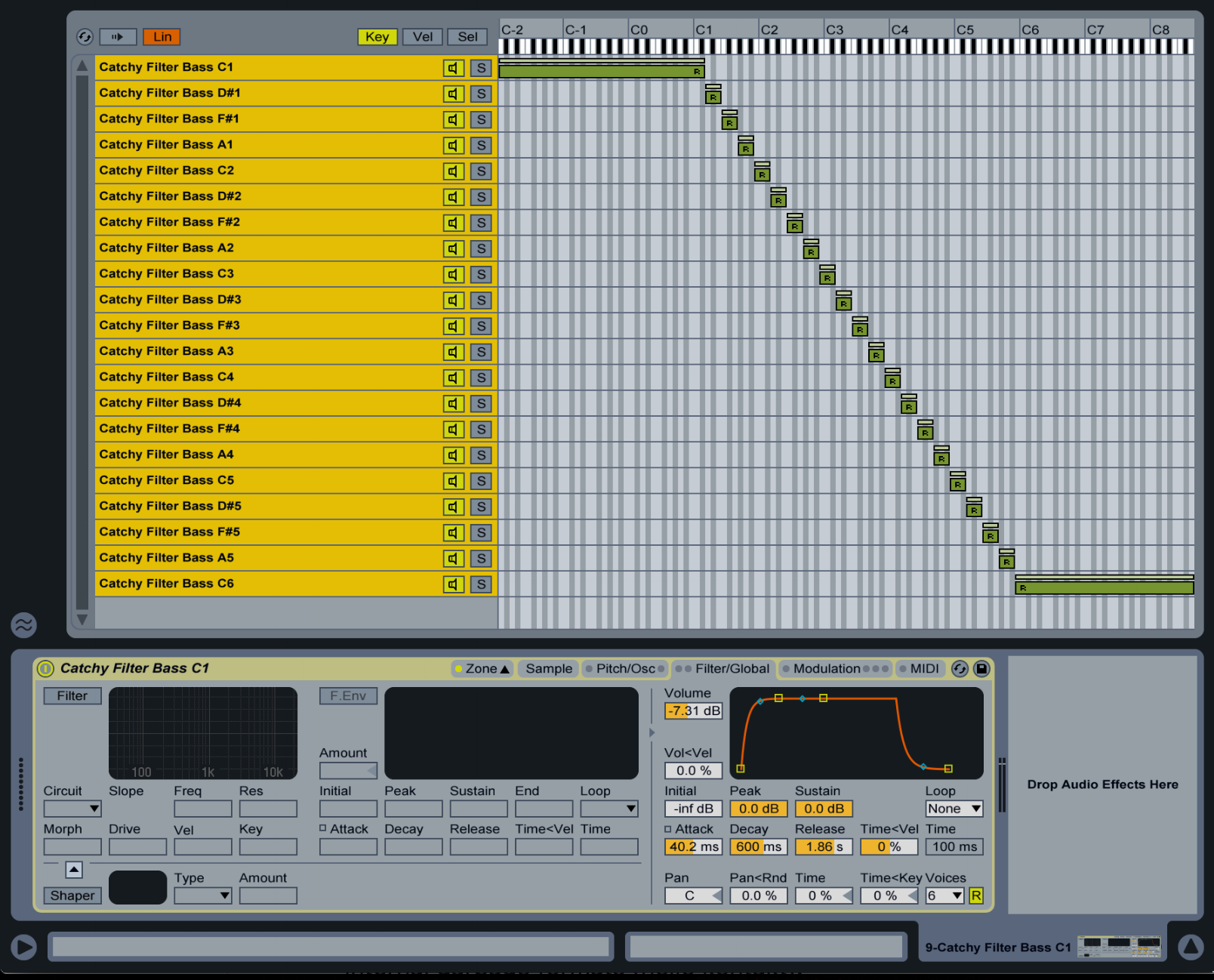
Above: drag and drop your wav files in and they'll automap and configure as above.
- sf2/sf3/sf4 instruments
- flac/ogg formats
- I really need help on this but I'd like to openly support non-encrypted kontakt files, exs, etc.
- other desired import/export support: nnxt, als, xrni, bitwig multisample
- a 'library' mode, which audits your entire library for problems and keeps all of your instruments organised.
- single shot mode
- drum kit mode
Zodak is very interactive. You basically point a directory of wav files at it, name the instrument, and it will attempt to work out the notes and generate an appropriate keymap from the filename. If it can't work out any information, it will ask you on a file by file basis. Nothing will get written until the end when you have a functional instrument and all the wavs have been guaranteed to validate. Any malformed or broken wavs (many large companies produce bogus wav samples that break spec, like native instruments for example, to prevent you loading into old samplers or custom software) will be written with valid spec into the new directory. Old files will be left untouched.
🎹  ZODAK

Usage:
  zodak tag <source> <destdir> [--inst] [--smpl] [--sfz] [--guess-keymap] [--sfzinput=<file>] [--loop-start=<n>] [--loop-end=<n>] [--verbose]
  zodak print <source>
  zodak (-h | --help)
  zodak --version

Options:
  -h --help             Show this screen.
  --version             Show version.

  --overwrite           Prompt to overwrite tags already within the WAV source (default=off)
  --velocity            Prompt for a velocity range for each sample (default=off)
  --readonly
  --verbose             Display more information during parsing

  --guess-keymap        Attempt to guess a keymap based on filenames

  --inst                Add or edit instrument chunk
  --smpl                Add or edit sampler chunk

  --sfz                 Output an SFZ file with data from the input files
  --sfzinput=<file>     Use an SFZ as an override for all tags

  --loop-start=<n>           Override loop start for all files processed
  --loop-end=<n>             Override loop end for all files processed
Generally, I tend to just use the following:
zodak tag . _out --inst --smpl --guess-keymap
And if I come across a set of wavs that all have the same sample loop points (it does happen sometimes) I use:
zodak tag . _out --inst --smpl --guess-keymap --loop-start=144060 --loop-end=414540


