🎨 Beautiful images of your code — from right inside your terminal.





carbon-now-cli brings the power of Carbon directly to your terminal. ⚡️
Generate beautiful images of your code with a single command.
Want to customize everything before generating the image? Run it in --interactive mode. 💅

npx carbon-now-cli <file>
yarn global add carbon-now-cli
Beautiful images of your code — from right inside your terminal.

Usage
  $ carbon-now <file>
  $ pbpaste | carbon-now
  $ carbon-now --from-clipboard

Options
  --start, -s          Starting line of input
  --end, -e            Ending line of input
  --interactive, -i    Interactive mode
  --preset, -p         Apply an existing preset
  --save-to            Image save location, default: cwd
  --save-as            Image name without extension, default: original-hash
  --from-clipboard     Read input from clipboard instead of file
  --to-clipboard       Copy image to clipboard instead of saving
  --open-in-browser    Open in browser instead of saving
  --config             Use a different, local config (read-only)
  --settings           Override specific settings for this run
  --disable-headless   Run Playwright in headful mode
  --engine             Use different rendering engine, default: `chromium`
                       Options: `chromium`, `firefox`, `webkit`
  --skip-display       Don’t display the image in the terminal

Examples
  See: https://github.com/mixn/carbon-now-cli#examples
Running the carbon-now command generates a ~/.carbon-now.json config file.
Presets are stored in this file and consist of available settings. You can create presets either manually or automatically via the --interactive flag. When prompted, answer the following:

For example, naming the preset presentation will add it to ~/.carbon-now.json like this:
{
  "latest-preset": {
    // Equal to `presentation` below
  },
  "presentation": {
    "theme": "base16-light",
    "backgroundColor": "white",
    "windowTheme": "none",
    "windowControls": true,
    "fontFamily": "Space Mono",
    "fontSize": "18px",
    "lineNumbers": false,
    "firstLineNumber": 1,
    "selectedLines": "*",
    "dropShadow": false,
    "dropShadowOffsetY": "20px",
    "dropShadowBlurRadius": "68px",
    "widthAdjustment": true,
    "width": "20000px",
    "lineHeight": "140%",
    "paddingVertical": "35px",
    "paddingHorizontal": "35px",
    "squaredImage": false,
    "watermark": false,
    "exportSize": "2x",
    "type": "png"
  }
}
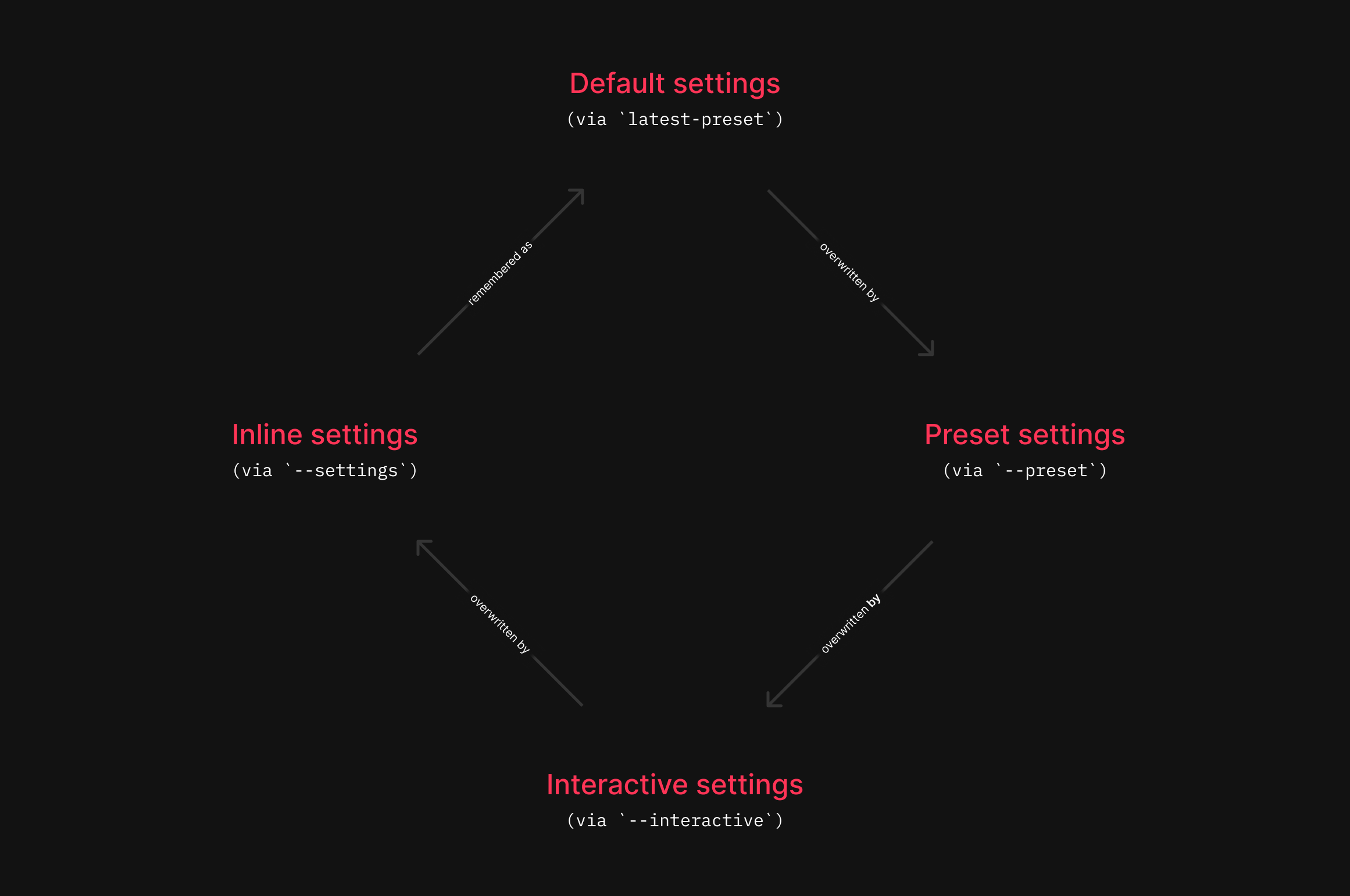
latest-preset will be overwritten after each run, while presentation remains until manually deleted.
To use a saved preset, simply run:
carbon-now _unfold.js --preset <name-of-preset>
If the preset or ~/.carbon-now.json does not exist, carbon-now-cli will fall back to the default settings and be smart about the rest.
Result:
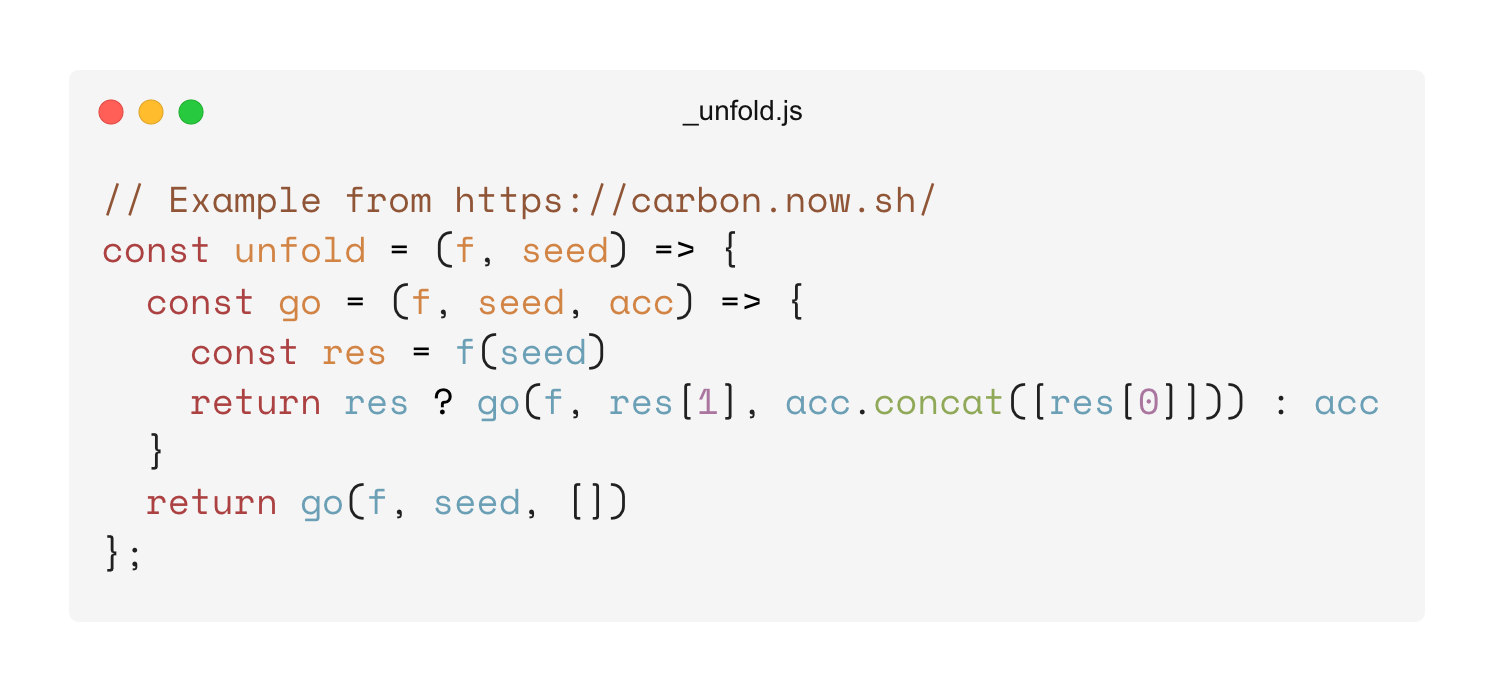
interface CarbonCLIPresetInterface {
  backgroundColor: string;
  dropShadow: boolean;
  dropShadowBlurRadius: string;
  dropShadowOffsetY: string;
  exportSize: '1x' | '2x' | '4x';
  firstLineNumber: number;
  fontFamily: CarbonFontFamilyType;
  fontSize: string;
  lineHeight: string;
  lineNumbers: boolean;
  paddingHorizontal: string;
  paddingVertical: string;
  selectedLines: string; // All: "*"; Lines 3-6: "3,4,5,6", etc.
  squaredImage: boolean;
  theme: CarbonThemeType;
  type: 'png' | 'svg';
  watermark: boolean;
  widthAdjustment: boolean;
  windowControls: boolean;
  windowTheme: 'none' | 'sharp' | 'bw';
  custom?: CarbonThemeHighlightsInterface;
  width?: string;
  // Below are detected automatically, and not persisted as keys
  language?: string;
  titleBar?: string;
}
Also see CarbonFontFamilyType, CarbonThemeType & CarbonThemeHighlightsInterface
carbon-now automatically reuses settings from previous runs, so you don’t need to worry about manually reconfiguring them.
From v2.0, carbon-now-cli supports custom theme colors for detailed styling. Define a custom key inside a preset that complies to the following type:
interface CarbonThemeHighlightsInterface {
  background?: string;
  text?: string;
  variable?: string;
  variable2?: string;
  variable3?: string;
  attribute?: string;
  definition?: string;
  keyword?: string;
  operator?: string;
  property?: string;
  number?: string;
  string?: string;
  comment?: string;
  meta?: string;
  tag?: string;
}
Example ~/.carbon-now.json with custom theme colors:
{
  "hacker": {
    "backgroundColor": "rgba(0, 255, 0, 1)",
    "windowTheme": "bw",
    "windowControls": true,
    "fontFamily": "Anonymous Pro",
    "fontSize": "18px",
    "lineNumbers": false,
    "firstLineNumber": 1,
    "dropShadow": false,
    "selectedLines": "*",
    "dropShadowOffsetY": "20px",
    "dropShadowBlurRadius": "68px",
    "widthAdjustment": true,
    "lineHeight": "133%",
    "paddingVertical": "30px",
    "paddingHorizontal": "30px",
    "squaredImage": false,
    "watermark": false,
    "exportSize": "2x",
    "type": "png",
    "custom": {
      "background": "rgba(0, 0, 0, 1)",
      "text": "rgba(0, 255, 0, 1)",
      "variable": "rgba(0, 255, 0, 1)",
      "variable2": "rgba(0, 255, 0, 1)",
      "attribute": "rgba(0, 255, 0, 1)",
      "definition": "rgba(0, 255, 0, 1)",
      "keyword": "rgba(0, 255, 0, 1)",
      "operator": "rgba(0, 255, 0, 1)",
      "property": "rgba(0, 255, 0, 1)",
      "number": "rgba(0, 255, 0, 1)",
      "string": "rgba(0, 255, 0, 1)",
      "comment": "rgba(0, 255, 0, 1)",
      "meta": "rgba(0, 255, 0, 1)",
      "tag": "rgba(0, 255, 0, 1)"
    }
  }
}
carbon-now _unfold.js --preset hacker
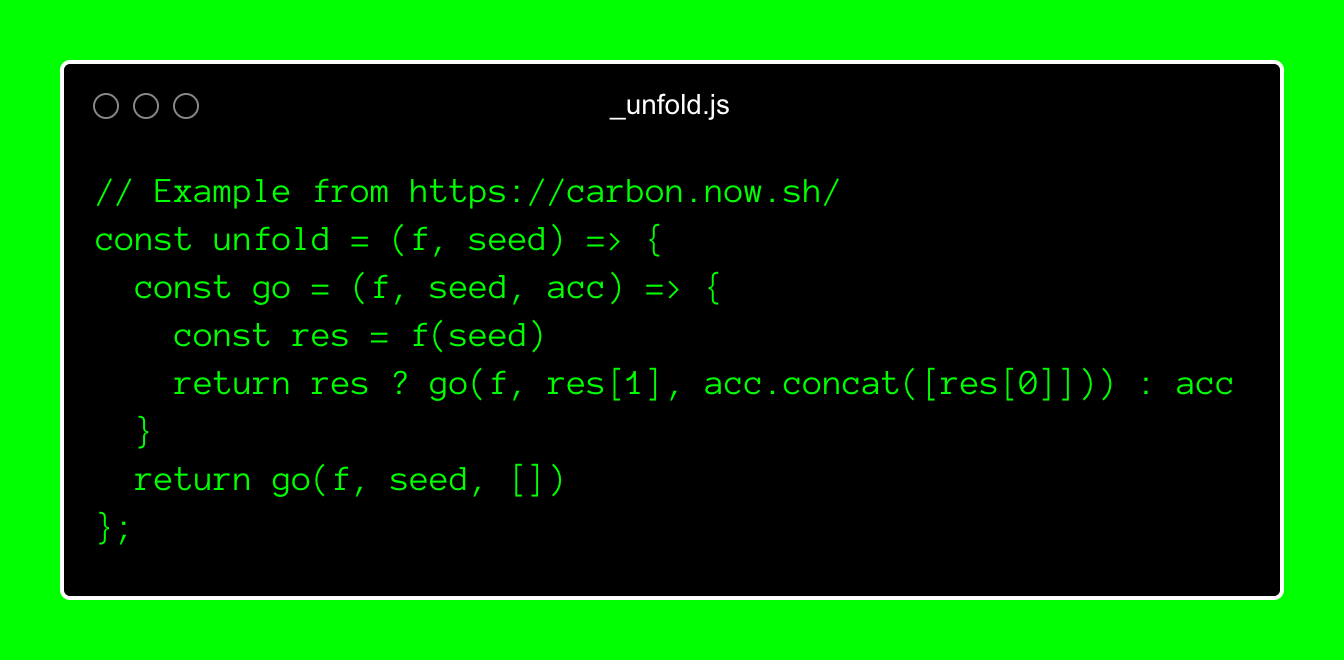
Please note that custom theme colors aren’t applied with --open-in-browser because they aren’t query string parameters but instead use localStorage, which is solely set inside the Playwright instance.
Use the --config flag for local configuration files. This is helpful for sharing presets across users in a project.
carbon-now _unfold.js --config local-config.json --preset dark
Local configs are read-only and differ from ~/.carbon-now.json in that:
local-config.json won’t be created if it doesn’t exist.latest-preset is not written to local-config.json.
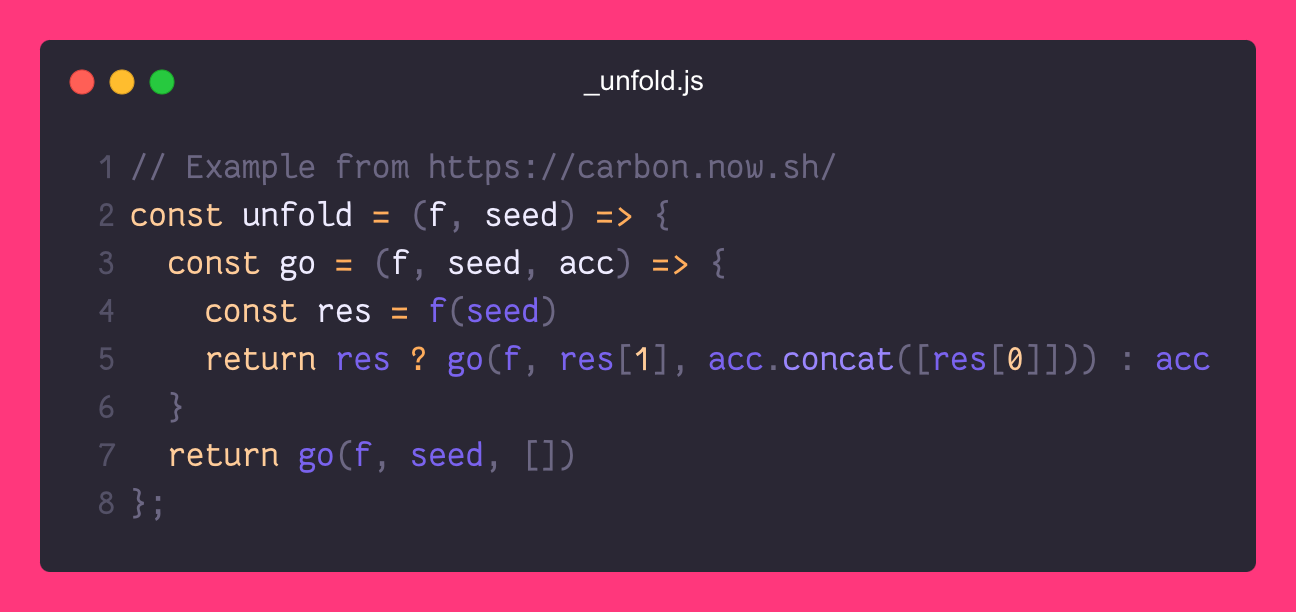
Assuming you have a file _unfold.js with this content:
// Example from https://carbon.now.sh/
const unfold = (f, seed) => {
  const go = (f, seed, acc) => {
    const res = f(seed)
    return res ? go(f, res[1], acc.concat([res[0]])) : acc
  }
  return go(f, seed, [])
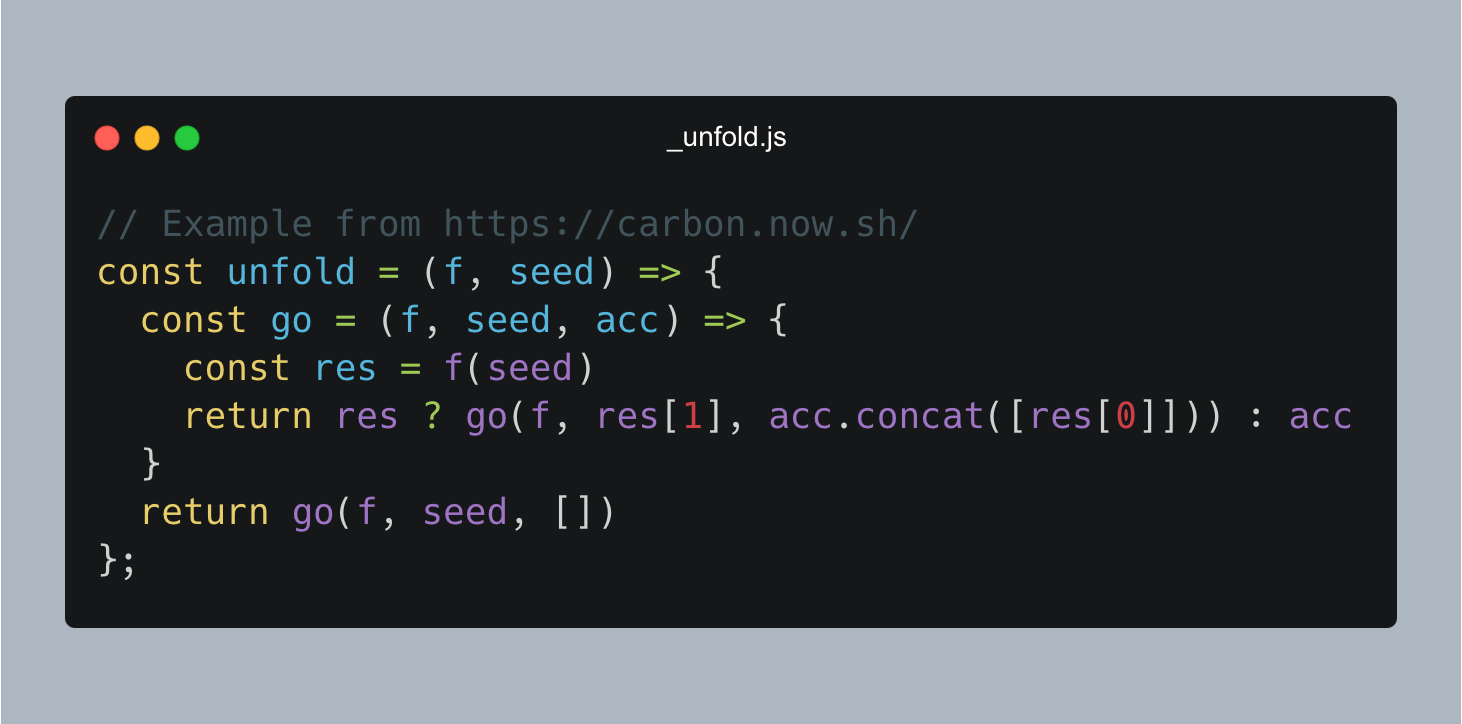
};Uses default settings and saves the image as .png in your cwd.
Result:
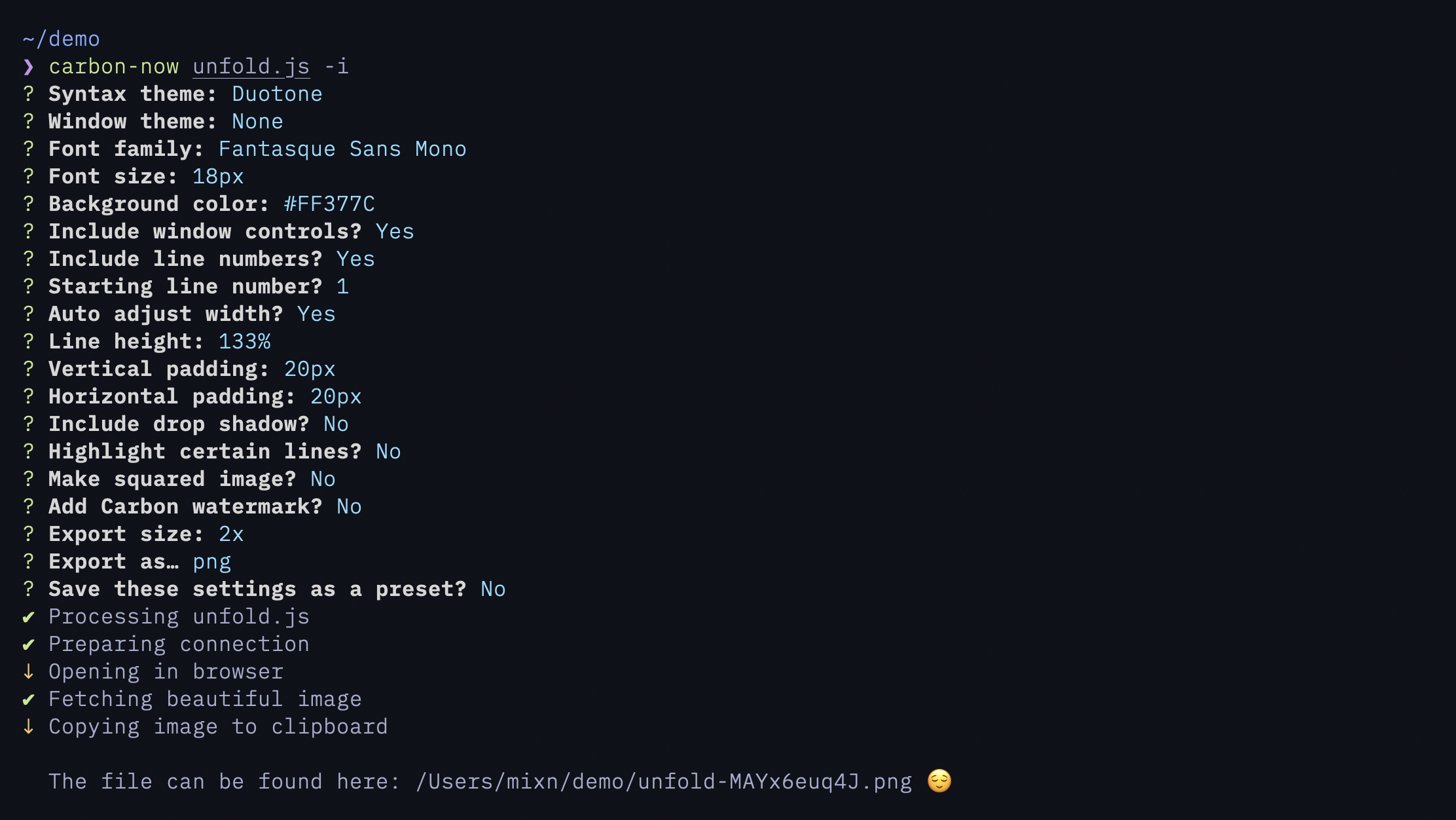
carbon-now _unfold.js --interactive
Launches interactive mode to customize every aspect, like theme, font-family, padding, etc.
Input:
Result:
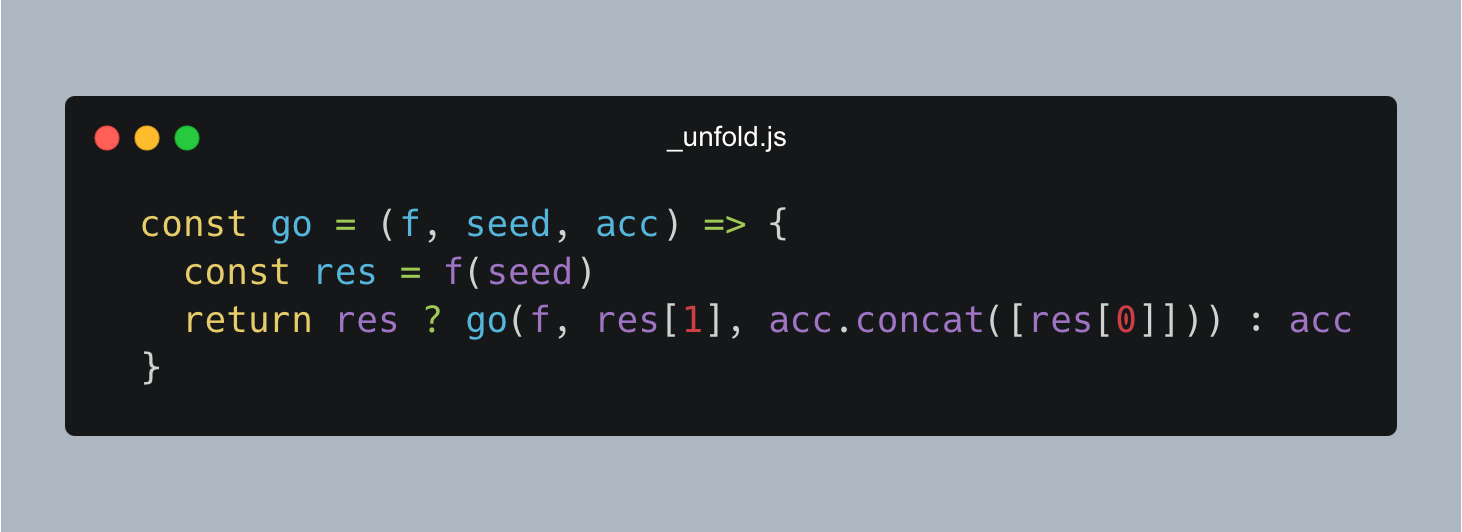
carbon-now _unfold.js --start 3 --end 6
Generates an image for lines 3 to 6. Will throw an error if --start > --end.
Result:
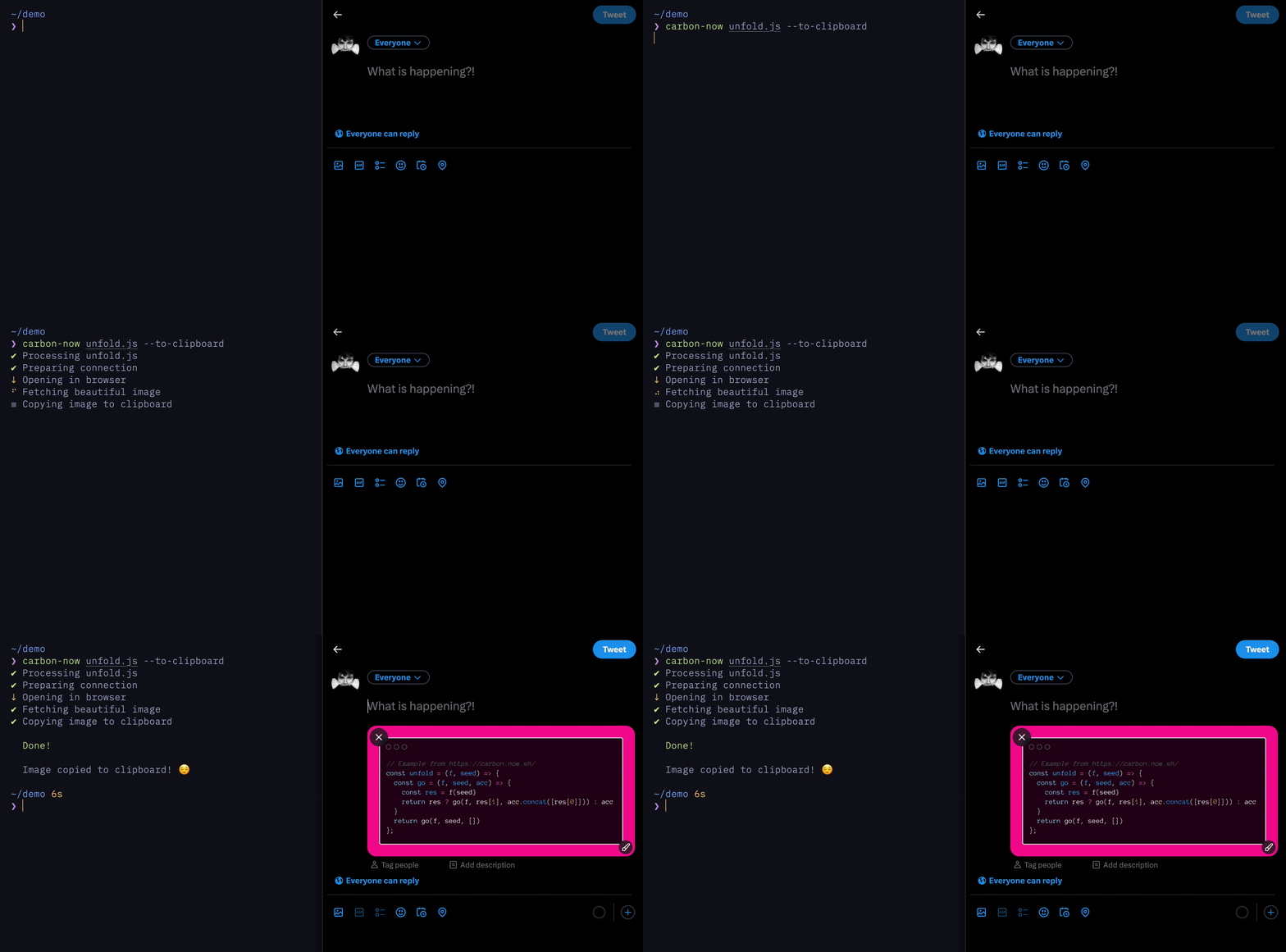
Copies the image to clipboard instead of saving it. Requires xclip on Linux.
carbon-now _unfold.js --to-clipboard
xclip is required. Install with
sudo apt-get install xclip
It just works. ™
In addition to files, input from stdin or the clipboard is also supported.
pbpaste | carbon-now
echo '<h1>Hi</h1>' | carbon-now
carbon-now --from-clipboard
You can override settings on a per-run basis.
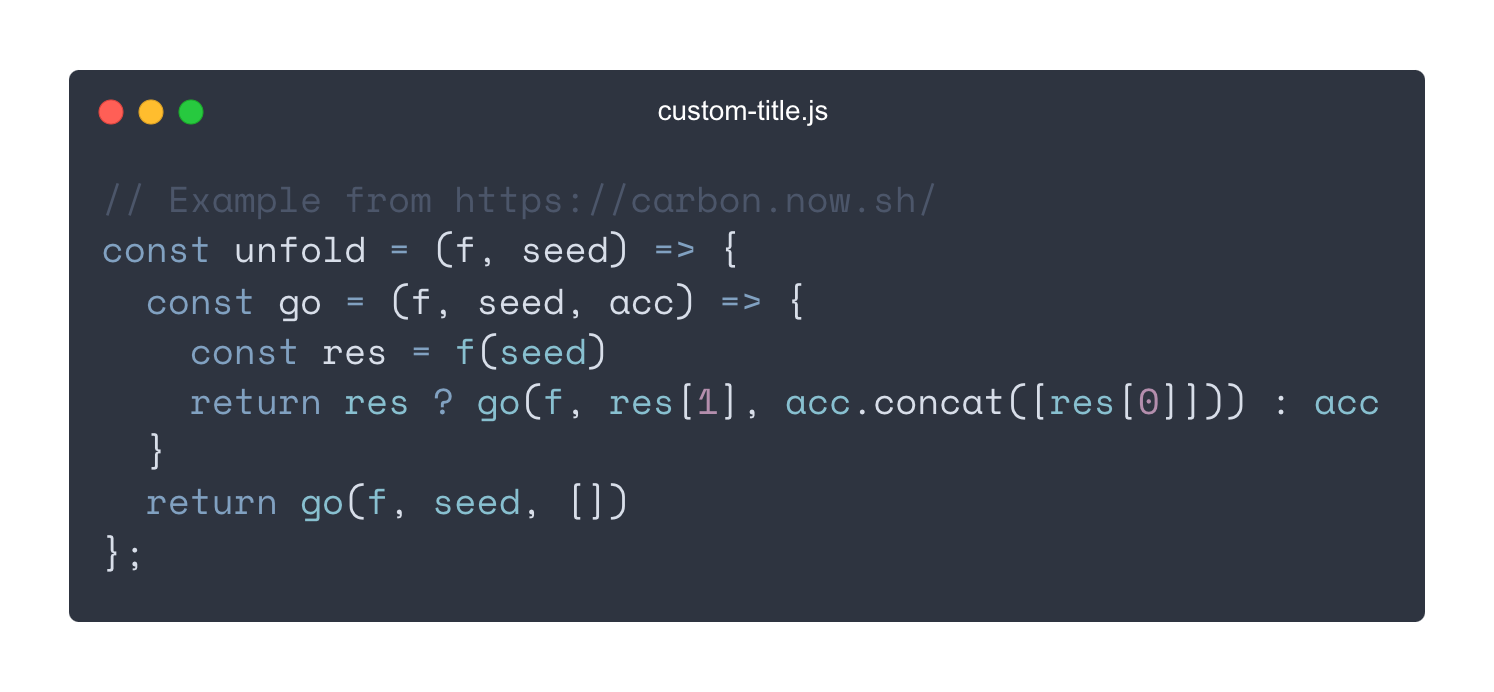
carbon-now _unfold.js --preset presentation --settings '{"theme": "nord", "titleBar": "custom-title.js"}'
Result:
carbon-now _unfold.js --start 3 --end 6 --save-to ~/Desktop --save-as example-23 --interactive
Saves an image of lines 3-6 to ~/Desktop/example-23.png with custom settings.
To preview in the browser instead of saving, do
carbon-now _unfold.js --start 3 --end 6 --interactive --open-in-browser
MIT © Miloš Sutanovac