Comments in source files like <!-- (EDITOR="code" lang="html") -->:
<!-- (editor="textarea" maxlength="50") -->
Hello, React!!!
<!-- (editor) -->
<!-- (EDITOR="code" lang="html") -->
<div class="pink-bg black-border small-width">
	<h6>A Heading</h6>
	<p>Some content</p>
</div>
<!-- (EDITOR) -->
Become injected edit buttons:
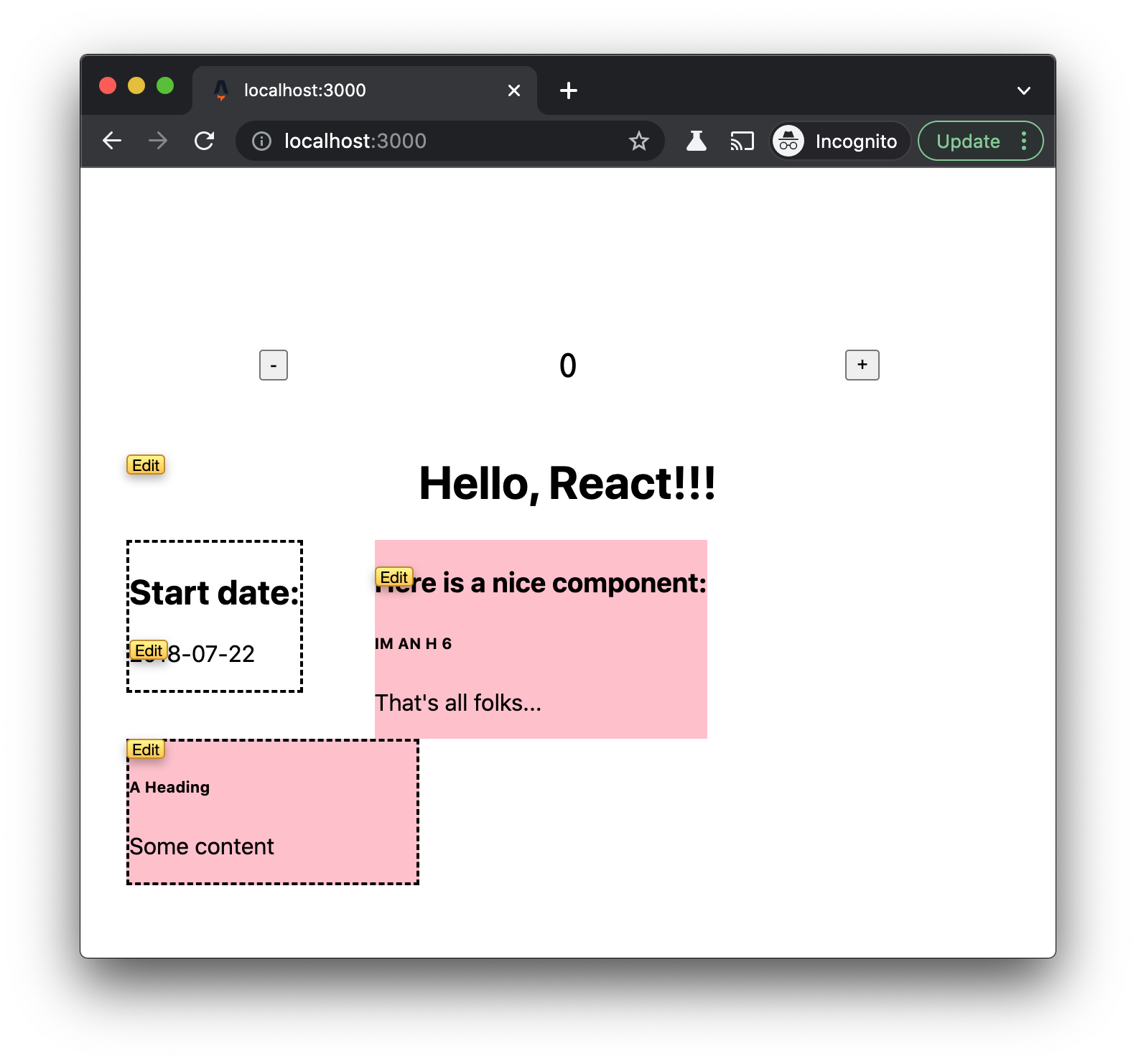
When clicked these will be made to open a simple textarea, code editor, or whatever other kind of "editor" as specified by EDITOR="editor type here" that saves back to that same location in the file thanks to this line mapping injected into the front end:
<script type="text/javascript" id="editor-for-lines-64-68">
document.addEventListener('DOMContentLoaded', function() {
    attachEditor({
        type: 'code',
        file: '/Users/leoj/src/wip/astro/astro-front-end-editor/demo/src/pages/index.astro',
        hash: '3dc47b1cc774bf1e1cc59e69b5792878',
        boundary: {
            start: 64,
            end: 68,
        },
        scriptId: 'editor-for-lines-64-68',
    });
});
</script>
Injected buttons with line mappings are working.
@TODO next is to have a "textarea" editor connect to backend server to pull file contents at specified line number, and replace with changes upon user save from front end.
Relevant files to check out:
Note this hack using npm postinstall until PR for config callback is approved/merged:
Astro Starter Kit: Plugin (save here for reference)
npm init astro -- --template astro-community/plugin-template

Inside of your Astro project, you'll see the following folders and files:
/
├── demo/
│   ├── public/
│   └── src/
│       └── pages/
│           └── index.astro
└── packages/
    └── my-plugin/
        ├── index.js
        └── package.json
This project uses workspaces to develop a single package, @example/my-plugin.
It also includes a minimal Astro project, demo, for developing and demonstrating the plugin.
All commands are run from the root of the project, from a terminal:
| Command |
Action |
npm install |
Installs dependencies |
npm run start |
Starts local dev server at localhost:3000 |
npm run build |
Build your production site to ./dist/ |
npm run serve |
Preview your build locally, before deploying |
Want to learn more?
Read our documentation or jump into our Discord server.

