A modernized build of the Zod Engine — the open-source remake of the 1996
Bitmap Brothers real-time strategy game Z — brought up to date to build and
play cleanly on current macOS (Apple Silicon), Linux, and Windows, on native
SDL3.
This is a fork of the Zod Engine by Michael Bok / Nighsoft
(http://zod.sourceforge.net/), originally released under the GPLv3. All the
original gameplay is intact; this fork focuses on getting it building and
running well on modern systems.
- Ported from SDL 1.2 all the way to native SDL3 — no compatibility shims.
Modern SDL3 rendering, input, threads, and SDL3_mixer (
MIX_ API) audio
throughout; the window/framebuffer and audio layers are honest native modules
(zvideo, zaudio), not faked-SDL facades.
- Fixed a family of rendering regressions introduced along the way (sprites
that silently failed to draw: zone flags, the resume banner, rock / grenade
animations, vehicles, portrait overlays — a negative-source-rect clipping bug;
plus black boxes around rotated alpha sprites from an SDL3 bool-return change).
- Fixed input/gameplay issues: fullscreen cursor offset (window→render
coordinate mapping) and contested zone flags strobing between teams.
- Modern scaled-framebuffer rendering: the game renders to a logical
framebuffer and is GPU-scaled crisp to a large, HiDPI/Retina-aware window
(no more tiny, OS-blurred output). Smooth scaling by default; optional knobs
via
ZOD_FILTER, ZOD_INTEGER, ZOD_SCANLINES.
- Two-finger trackpad panning of the map.
- Dropped the MySQL dependency (it was only for the old online
master-server); the binary now needs only SDL3 + extensions.
- Installable: finds its data when installed to a prefix, and launches
straight into the single-player campaign with no arguments.
- CMake build + this README + CI.
macOS — Homebrew (easiest)
brew install fenio/tap/zod
zod
This pulls a prebuilt binary (a bottle) when one is available for your arch,
otherwise it builds from source. zod with no arguments launches the
single-player campaign. (Equivalently: brew tap fenio/tap && brew install zod.)
Windows — Scoop (experimental)
scoop bucket add fenio https://github.com/fenio/scoop-bucket
scoop install zod
zod
Or grab the zod-windows-x86_64.zip straight from the
Releases page and run zod.exe.
⚠️ The Windows build is experimental — it's confirmed to run, but a few
input quirks are still being smoothed out. Reports and fixes welcome.
From source (macOS / Linux)
See Build & run below.
Dependencies: a C++ compiler, CMake, pkg-config, and SDL3 with the image,
mixer, and ttf extensions. Note that the audio uses SDL3_mixer's new track-based
MIX_ API, which needs SDL3_mixer ≥ 3.2.4 — fine on Homebrew and MSYS2, but
only in very recent Linux distros (see the Linux note below).
macOS (Homebrew):
brew install cmake pkg-config sdl3 sdl3_image sdl3_mixer sdl3_ttf
Windows (MSYS2 / MinGW):
pacman -S mingw-w64-x86_64-gcc mingw-w64-x86_64-cmake mingw-w64-x86_64-ninja \
  mingw-w64-x86_64-pkgconf mingw-w64-x86_64-sdl3 mingw-w64-x86_64-sdl3-image \
  mingw-w64-x86_64-sdl3-mixer mingw-w64-x86_64-sdl3-ttf
Debian / Ubuntu / Fedora: SDL3 itself is widely packaged now
(libsdl3-dev … on apt, SDL3-devel … on dnf), but the MIX_-API SDL3_mixer
(3.2.4) only reached distro repos very recently (Ubuntu 26.04, Fedora 42+). On
older releases, install SDL3 + SDL3_image + SDL3_ttf from your package manager
and build SDL3_mixer from its upstream release — the
CI workflow shows the exact steps (it builds
SDL3_mixer 3.2.4 from source inside an Ubuntu container).
Then:
cmake -S . -B build
cmake --build build -j
./build/zod            # run in place (assets are found next to the binary)
Install system-wide (optional):
sudo cmake --install build           # -> <prefix>/bin/zod, <prefix>/share/zod
zod                                  # plays the campaign
Running with no arguments starts a local single-player campaign (you on red vs.
a blue bot, all 34 levels in order). Useful flags:
| Flag |
Meaning |
-l map_list.txt |
play the campaign map list in order (the default) |
-m FILE.map |
play a single map |
-t TEAM / -b TEAM |
your team / add a bot on a team (red, blue) |
-w |
windowed |
-r WxH |
logical resolution (e.g. 800x600; smaller = bigger sprites). Without -r the width auto-adapts to your display's aspect ratio — widescreen monitors get a wider map viewport and bar-free fullscreen |
-s / -u |
no sound / no music |
Controls: left-click selects; right-click moves/attacks in modern mouse mode;
right-drag, middle-drag, two-finger scroll, or arrow keys pans the map. Capture a
zone by walking a unit onto its flag; crew a neutral (grey) vehicle by sending a
grunt onto it. Alt+Enter toggles borderless fullscreen. Press Y to toggle
render smoothing (see below).
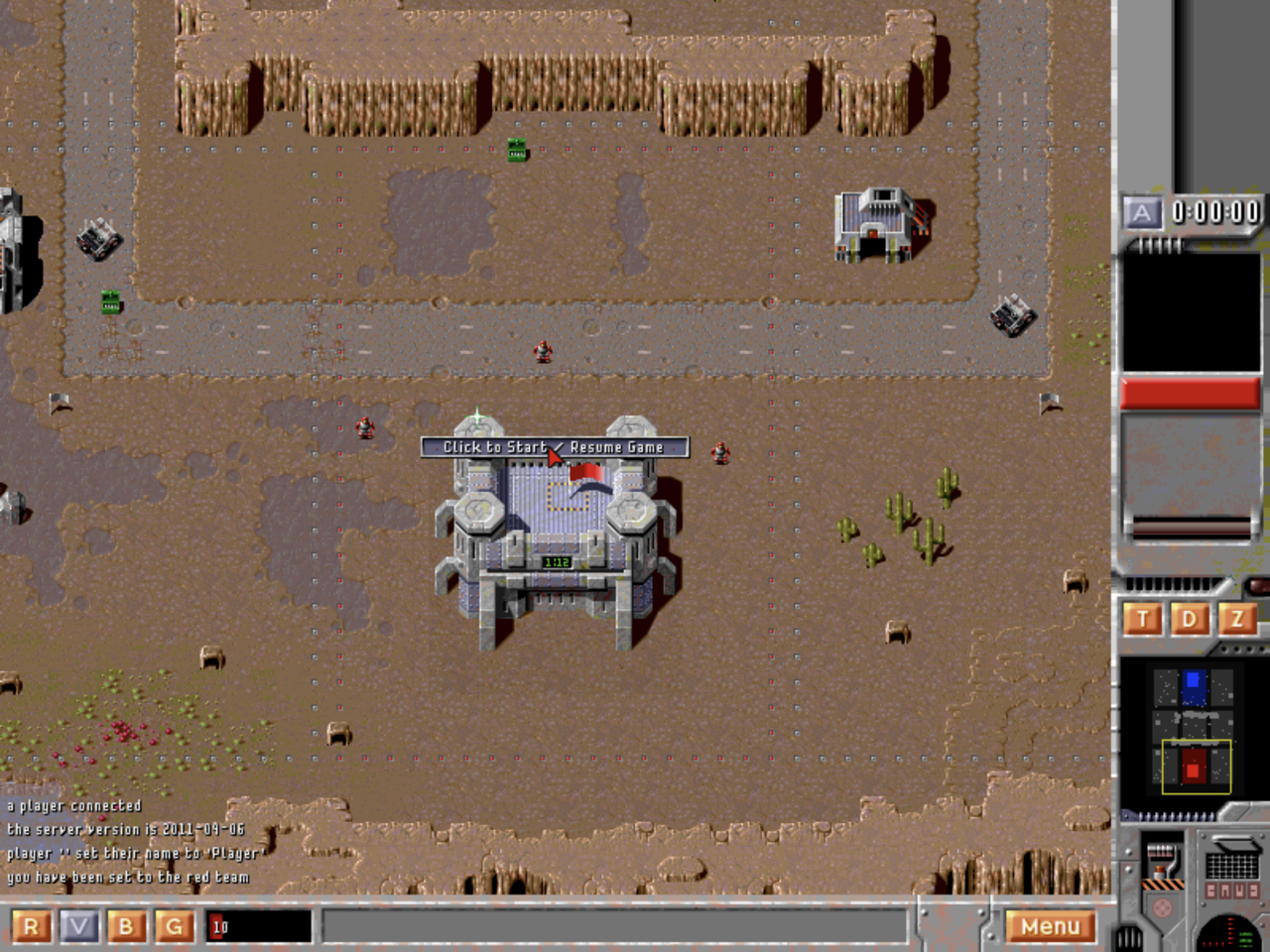
The game starts paused — click the centre "Click to Start / Resume" banner
to begin.
Classic mouse (original-Z style, default): a plain left-click with units
selected issues the order and ends the interaction, like the 1996 game —
clicks on your own units and drags still select, right-click cancels the
selection. Toggle it (and render smoothing) in the in-game Options menu —
the choice persists in ~/.zod_prefs; ZOD_CLASSIC_MOUSE=0 / ZOD_SMOOTH=0
still override per launch.
Render smoothing: a purely visual layer (on by default) eases unit movement
through its position-correction "snaps" and gives stationary vehicles a smooth
idle engine bob. It never affects gameplay. Toggle live with Y, or start
with it off via ZOD_SMOOTH=0.
Reporting a bug (zod_diag.log): the game always writes a diagnostic log —
zod_diag.log, next to the binary on Windows or in your home folder on
macOS/Linux. It auto-records suspicious events as they happen (a move order to an
unreachable spot, a unit stuck with no progress, a match that can't end). If a
specific unit misbehaves, select it and press F12 (or \ where the OS
reserves F12, e.g. macOS) to append its full state — orders, target, owner,
whether it can move, crewed vs. driverless — plus a per-team unit census. Attach
that file to a bug report; it's far more useful than a screenshot for movement/AI
issues.
Pathfinding debug log: to collect evidence when a unit gets stuck or takes
a weird route, run with ZOD_PATHLOG=1 — the engine writes zod_path.log
recording every move order, A* request/result (with search time), the chosen
route, units blocked by impassable terrain, arrivals, and a STUCK line when a
unit makes no progress on a move order for 5 seconds. ZOD_PATHLOG=2 adds
leg-by-leg progress; ZOD_PATHLOG_FILE overrides the output file (- =
stdout). Observation only — it reads movement state but never changes it, and
costs nothing when off. For unattended stress-testing, ZOD_BOT_FUZZ=1 makes
bots additionally order random units to random map coordinates (reachable or
not) — combined with the log it's a pathfinding fuzz harness.
The build also produces zod_mapgen, a standalone skirmish map generator —
every seed is a different map:
./build/zod_mapgen -e 2 -s 7 -o maps/random.map
./build/zod -m maps/random.map -t red -b blue -b green -n Player -r 800x600 -w
| Flag |
Meaning |
-e N |
number of enemy teams (1–3; teams beyond blue are green, yellow — add a -b per enemy when launching) |
-s N |
seed (same seed = same map) |
-w N / -h N |
map size in tiles (default 80×100) |
-t N |
terrain palette: 0 desert, 1 volcanic, 2 arctic, 3 jungle, 4 city |
-o file |
output path (default maps/random.map) |
Generated maps have a fort + starting squad per team, capturable zones with
neutral factories/radar/repair, lakes, roads, and rock fields. Run it from the
game directory — it reads the palette info and learns its shoreline/road/ground
tile usage from the shipped campaign maps, and it guarantees every flag and
unit is reachable (vehicle-checked) before writing the file.
- The Zod Engine is by Michael Bok / Nighsoft — this is an SDL3
modernization of their open-source remake of the 1996 Bitmap Brothers RTS Z.
- Splash screen artwork by v2elite.
GPLv3 — see LICENSE. The Zod Engine is © its original authors
(Michael Bok / Nighsoft); this fork is distributed under the same license.


