this is no longer supported, please consider using https://github.com/software-mansion/react-native-gesture-handler instead.
iOS-style swipeout buttons that appear from behind a component
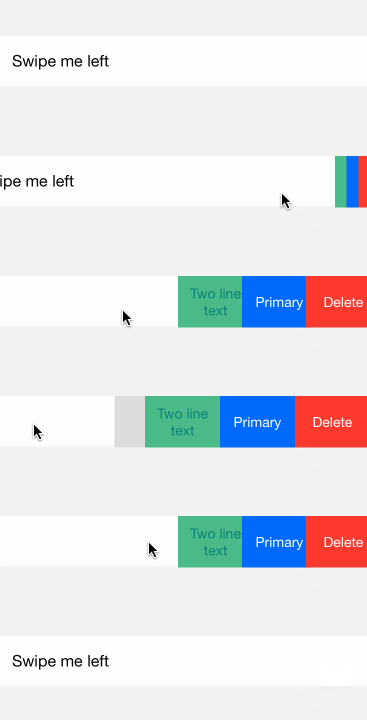
npm install --save react-native-swipeout
See example/index.ios.js for a more detailed example.
See the Wiki usage tips.
To use swipeout behind a iOS-style listitem, try react-native-listitem.
import Swipeout from 'react-native-swipeout';

// Buttons
var swipeoutBtns = [
  {
    text: 'Button'
  }
]

// Swipeout component
<Swipeout right={swipeoutBtns}>
  <View>
    <Text>Swipe me left</Text>
  </View>
</Swipeout>
| Prop |
Type |
Optional |
Default |
Description |
| autoClose |
bool |
Yes |
false |
auto close on button press |
| backgroundColor |
string |
Yes |
'#dbddde' |
|
| close |
bool |
Yes |
|
close swipeout |
| disabled |
bool |
Yes |
false |
whether to disable the swipeout |
| left |
array |
Yes |
[] |
swipeout buttons on left |
| onOpen |
func |
Yes |
|
(sectionID, rowId, direction: string) => void |
| onClose |
func |
Yes |
|
(sectionID, rowId, direction: string) => void |
| right |
array |
Yes |
[] |
swipeout buttons on right |
| scroll |
func |
Yes |
|
prevent parent scroll |
| style |
style |
Yes |
|
style of the container |
| sensitivity |
number |
Yes |
50 |
change the sensitivity of gesture |
| buttonWidth |
number |
Yes |
|
each button width |
| Prop |
Type |
Optional |
Default |
Description |
| backgroundColor |
string |
Yes |
'#b6bec0' |
background color |
| color |
string |
Yes |
'#ffffff' |
text color |
| component |
ReactNode |
Yes |
null |
pass custom component to button |
| onPress |
func |
Yes |
null |
function executed onPress |
| text |
string |
Yes |
'Click Me' |
text |
| type |
string |
Yes |
'default' |
default, delete, primary, secondary |
| underlayColor |
string |
Yes |
null |
button underlay color on press |
| disabled |
bool |
Yes |
false |
disable button |
https://github.com/dancormier/react-native-swipeout/issues

