Create-react-app with AWS Amplify Auth (Archived)
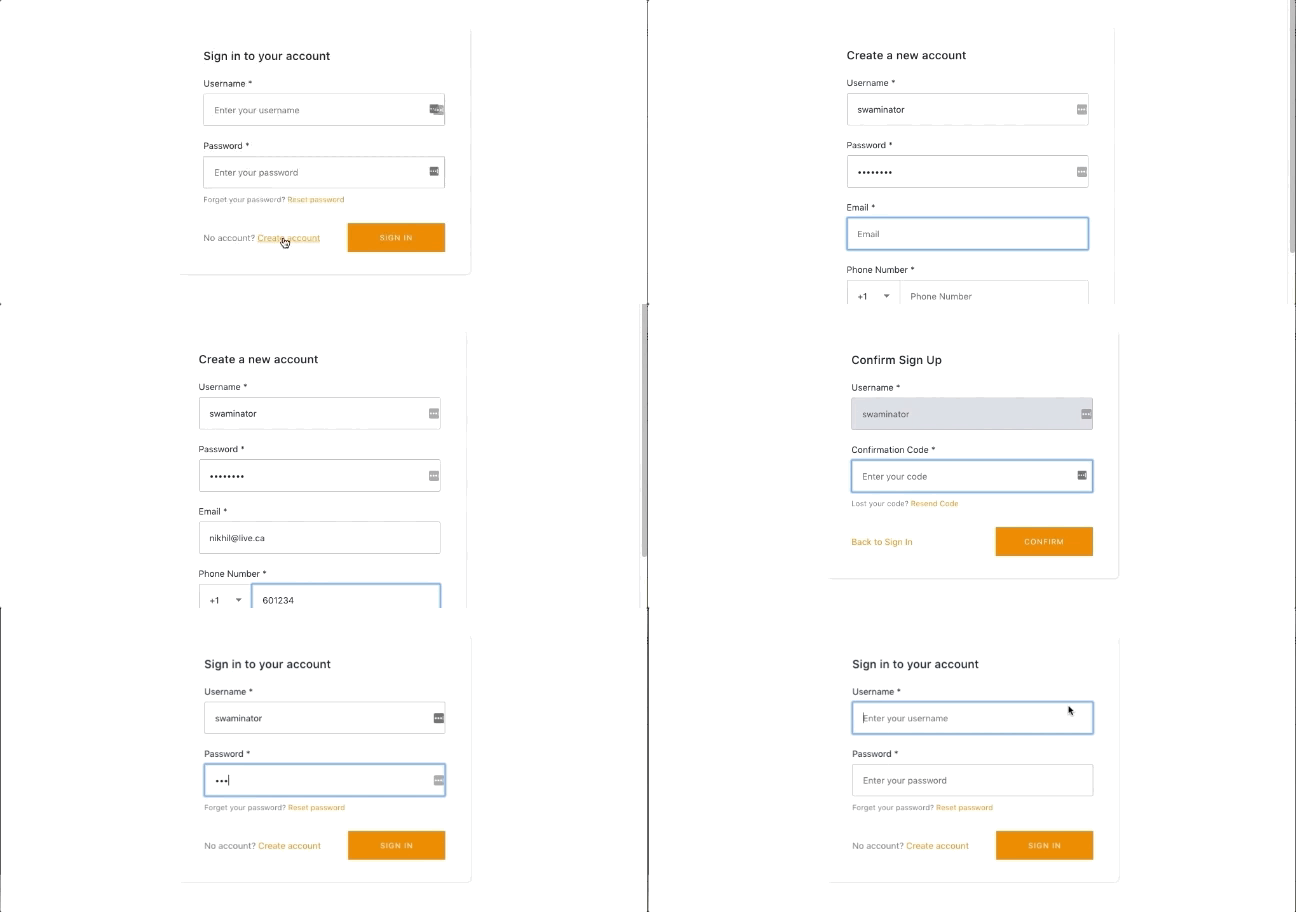
This auth starter implements withAuthenticator HOC to provide a basic authentication flow for signing up signing in users as well as protected client side routing using AWS Amplify. Auth features: User sign up, User sign in, Multi-factor Authentication, User sign-out.
View Demo
Deploy with the AWS Amplify Console
The AWS Amplify Console provides hosting for fullstack serverless web apps. Learn more. Deploy this app to your AWS account with a single click:

The Amplify Console will fork this repo in your GitHub account, and then build and deploy your backend and frontend in a single workflow. Your app will be available at https://master.appid.amplifyapp.com.
Run locally with the Amplify CLI
- Clone the repo that was just forked in your account
git clone git@github.com:<username>/create-react-app-auth-amplify.git

cd create-react-app-auth-amplify && npm install
- Import the backend environment deployed by the Amplify Console to your repo (the
amplify/team-provider.json file contains information on all backend environments in your AWS account). The GIF below shows how you to copy the amplify env import command from the Amplify Console.

- Paste this command into your terminal at the root of your repo. You should see the
amplify/team-provider.json updated with a backend named amplify.

- Run locally
Checkout Nader Dabit's Complete Guide to User Authentication.


