PUDUcherry CANcer Patient Management Dashboard
A modern healthcare platform built for ASHA workers, nurses, and doctors to manage cancer patient data efficiently — part of a national study led by JIPMER and sponsored by ICMR.
🔗 View Live Demo →




PuduCan is a healthcare management system designed to streamline cancer patient tracking and care coordination across hospitals in Puducherry. It enables ASHA workers, nurses, and doctors to:
- ✅ Manage patient records securely
- ✅ Track disease progression and treatment
- ✅ Generate detailed patient reports
- ✅ Collaborate across roles with role-based access
- ✅ Import/export patient data efficiently
This platform is part of a national research initiative to improve cancer care delivery and patient outcomes.
1. Role-Based Access Control (RBAC)
Different user roles have tailored dashboards and permissions:
- Admin: Full system access, manage users and hospitals
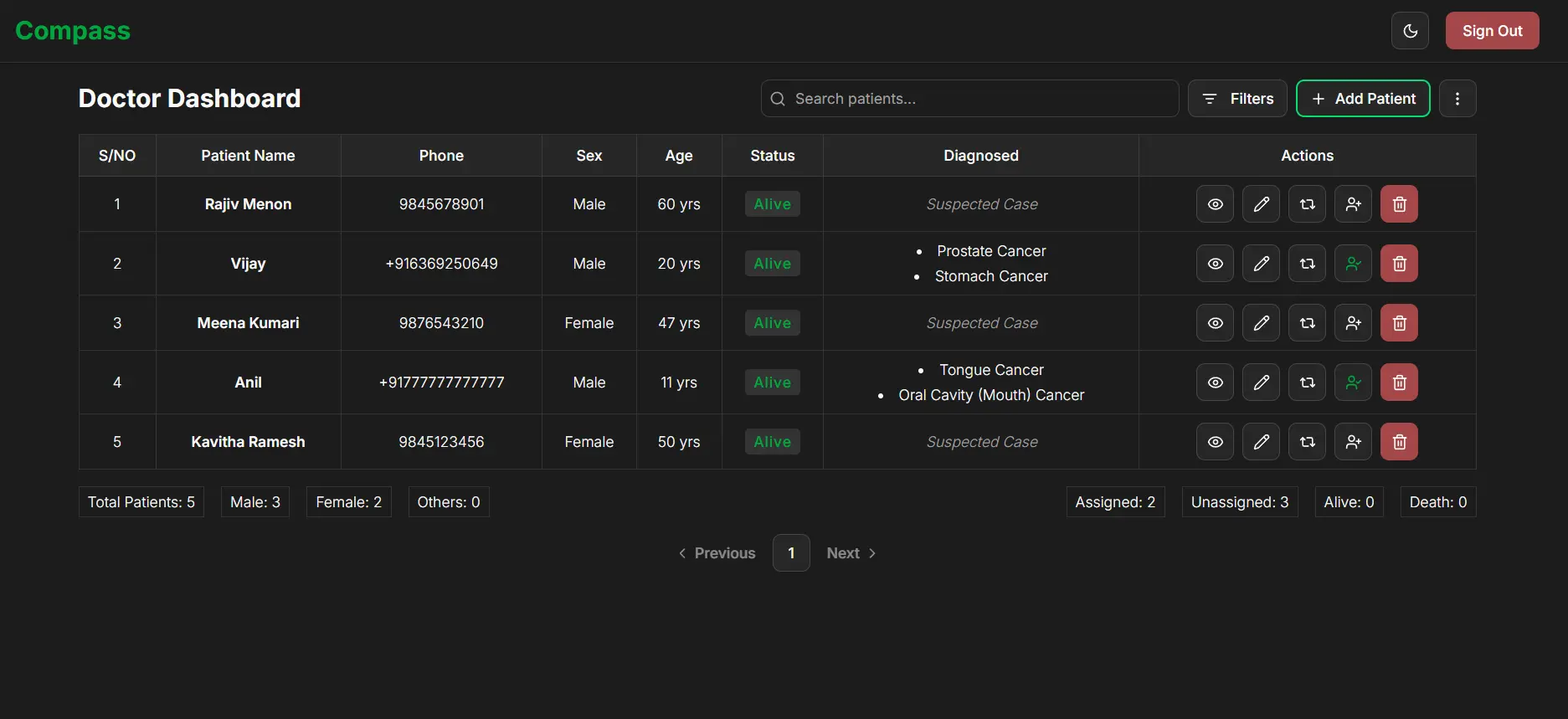
- Doctor: View and update patient treatment plans
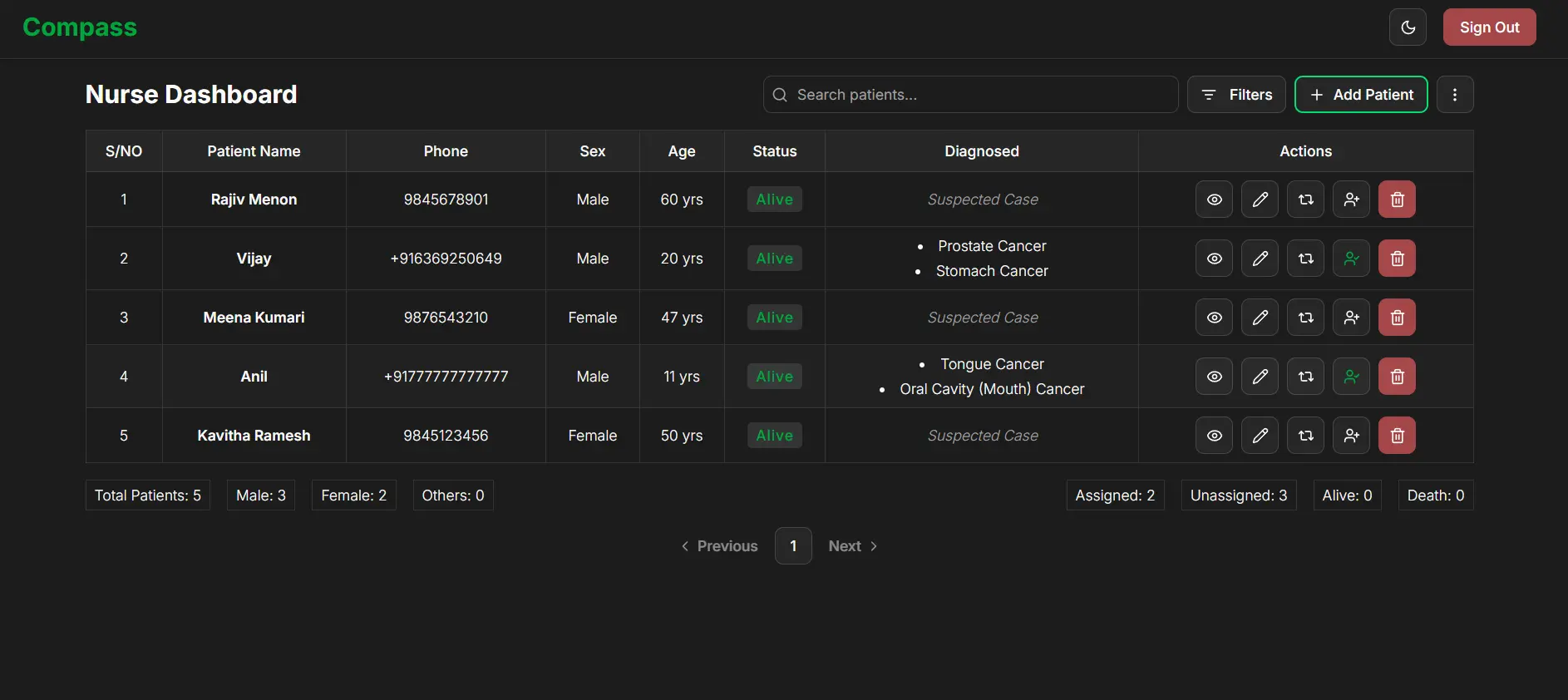
- Nurse: Track patient vitals and progress
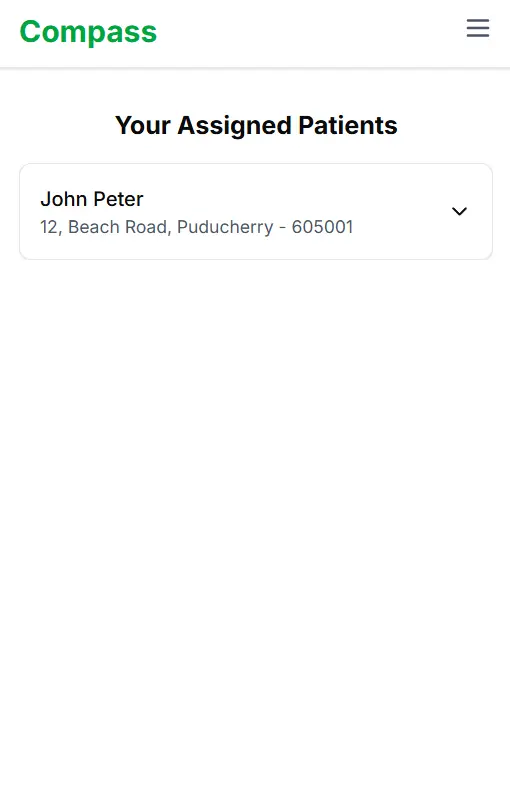
- ASHA Worker: Community-level patient monitoring
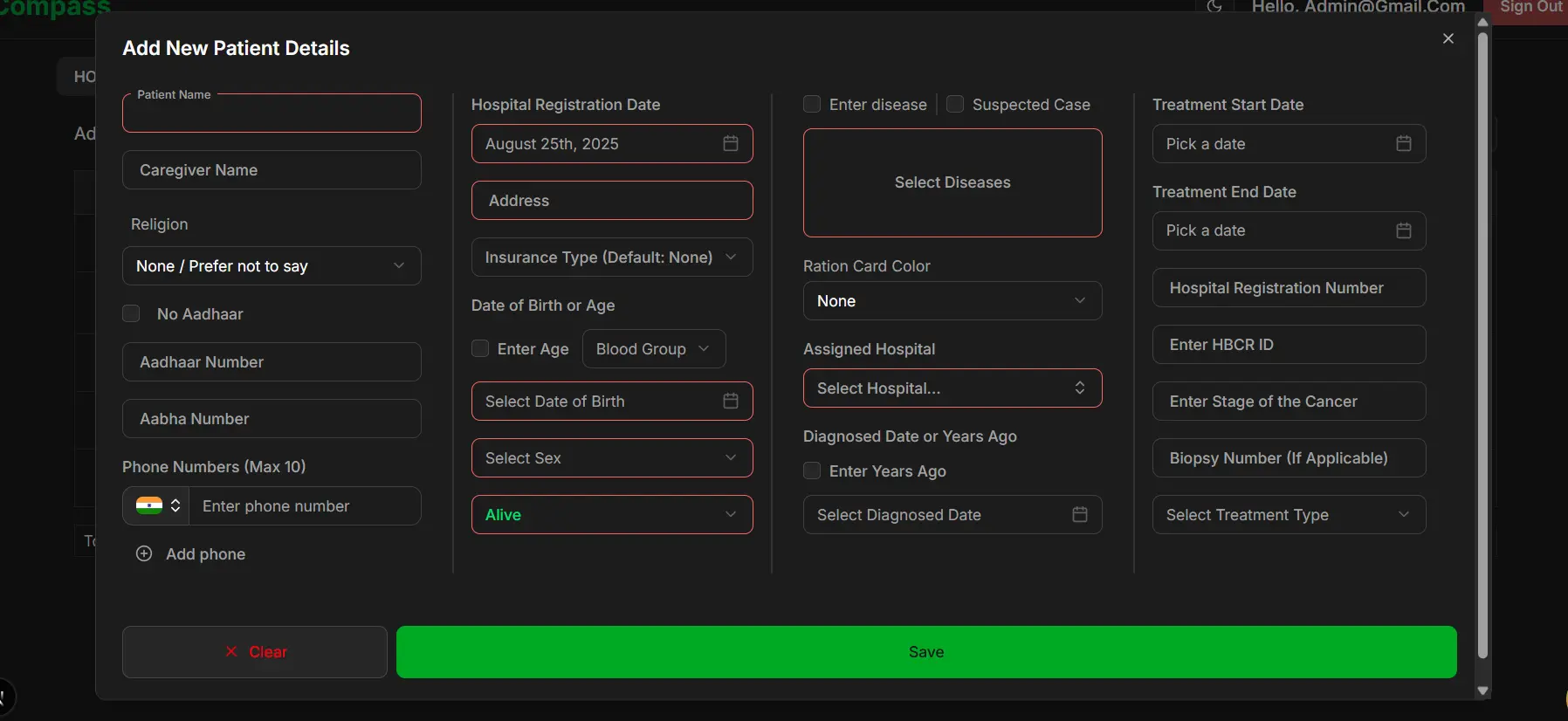
- Add, view, update, and delete patient records
- Detailed patient forms with data validation
- Real-time updates across all users via Firebase
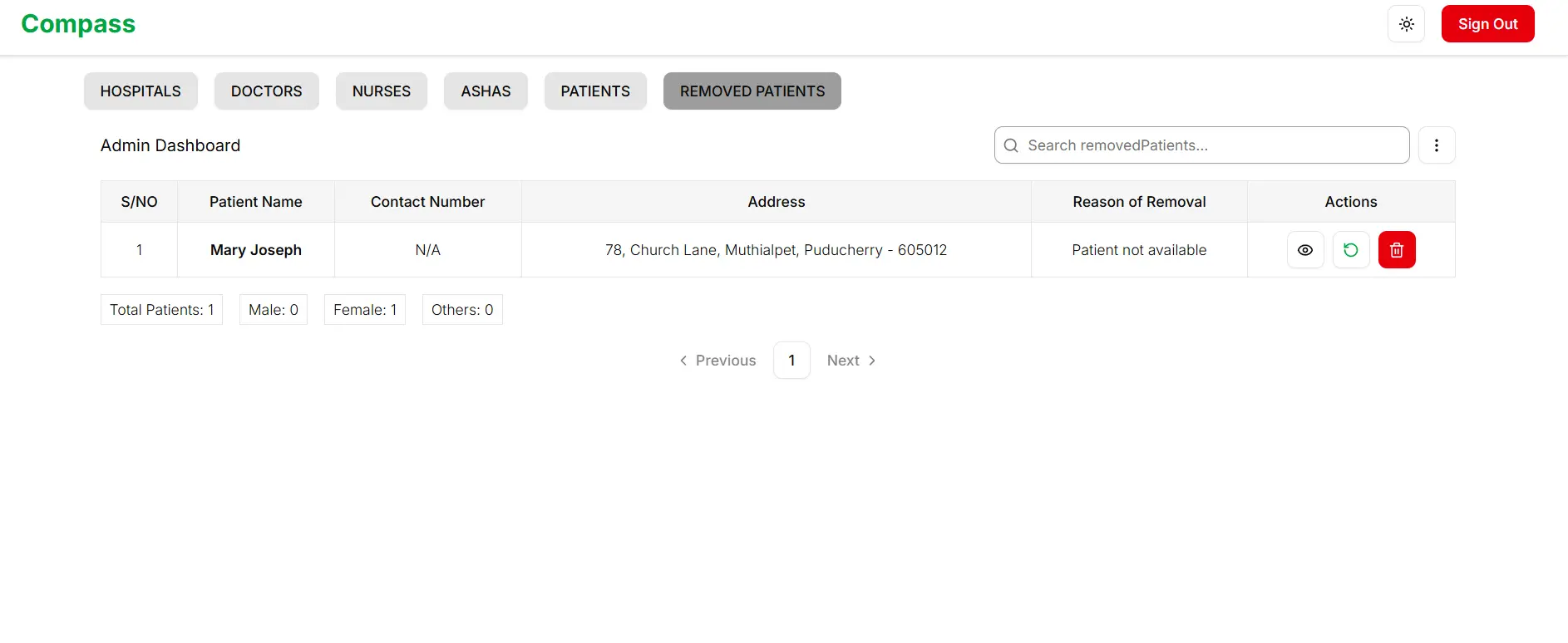
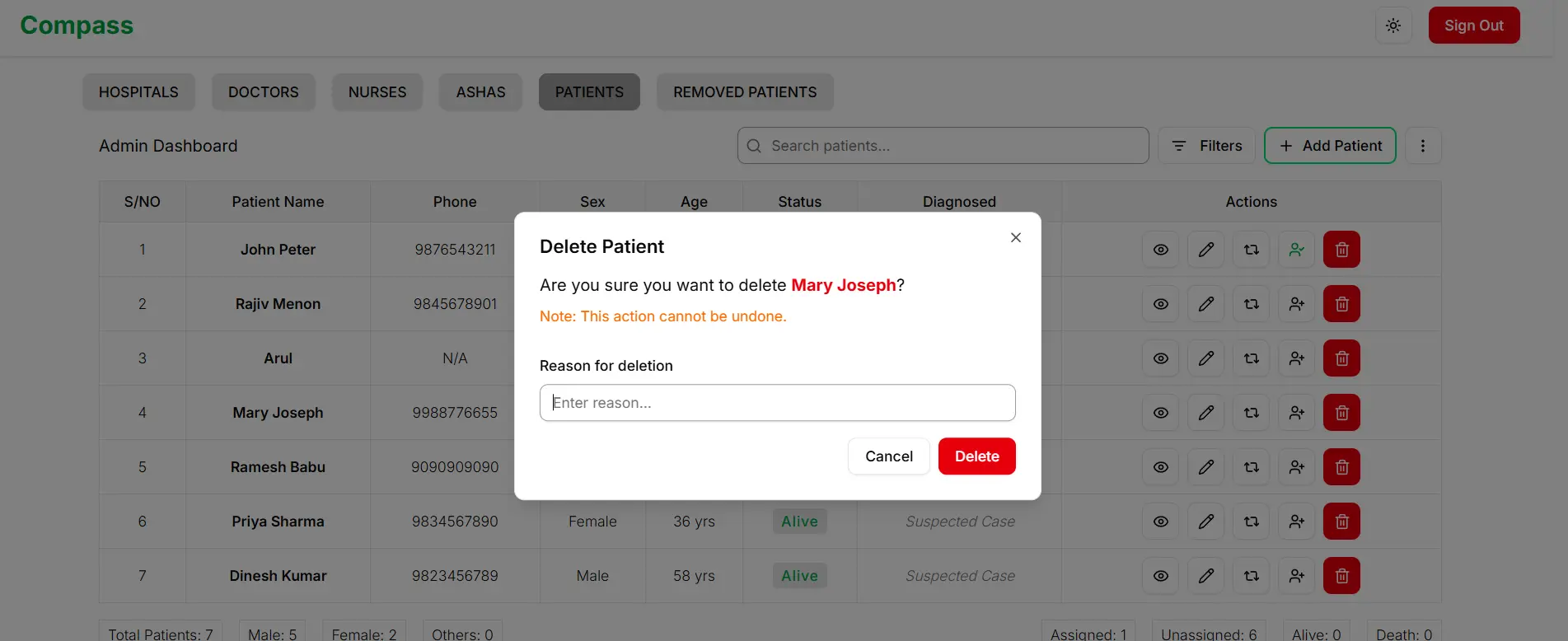
- Soft delete with recovery option
- 🔍 Search & Filter: Find patients by name, ID, status, etc.
- 📄 Pagination: Navigate large datasets efficiently
- 📊 Data Export: Export to CSV or Excel for reports
- 📤 Data Import: Bulk upload patient data with validation
4. Real-Time Collaboration
- Instant updates when patient data changes
- Live notification of user actions
- Multi-user safe operations
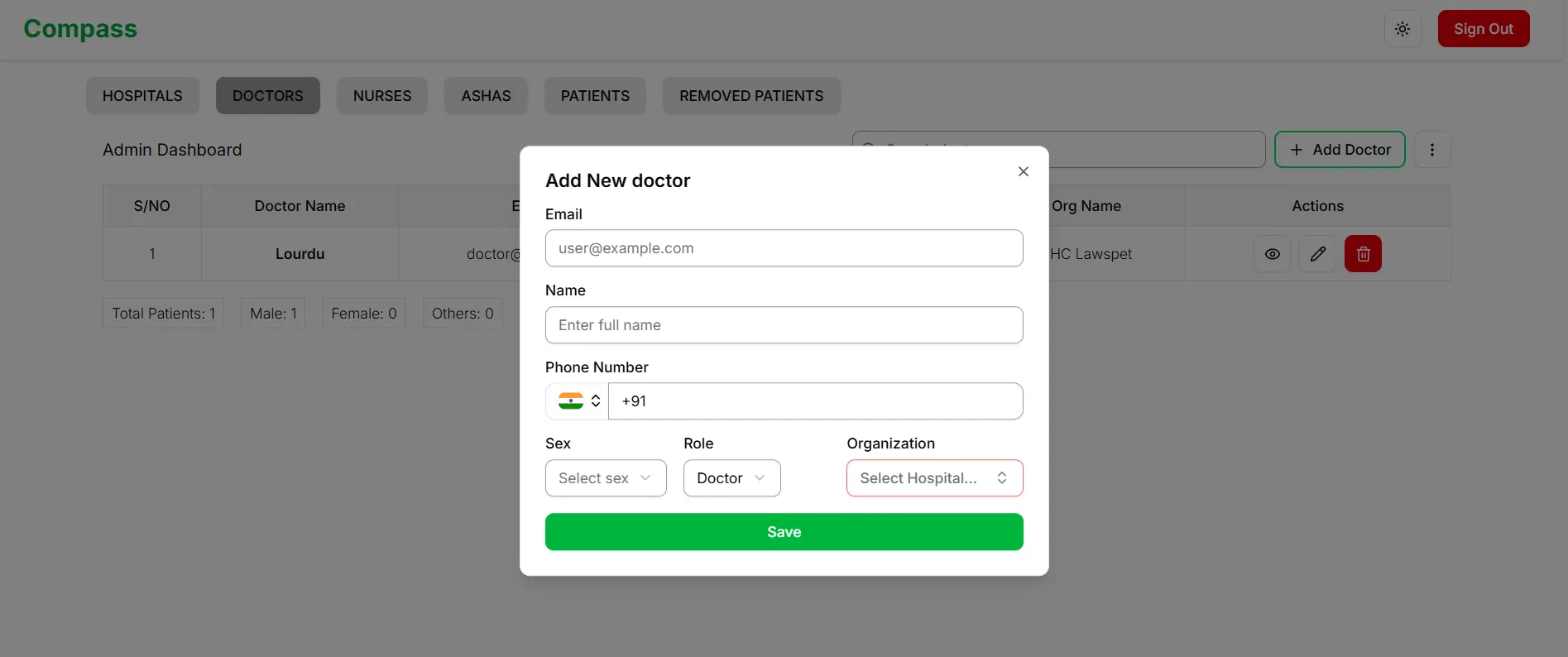
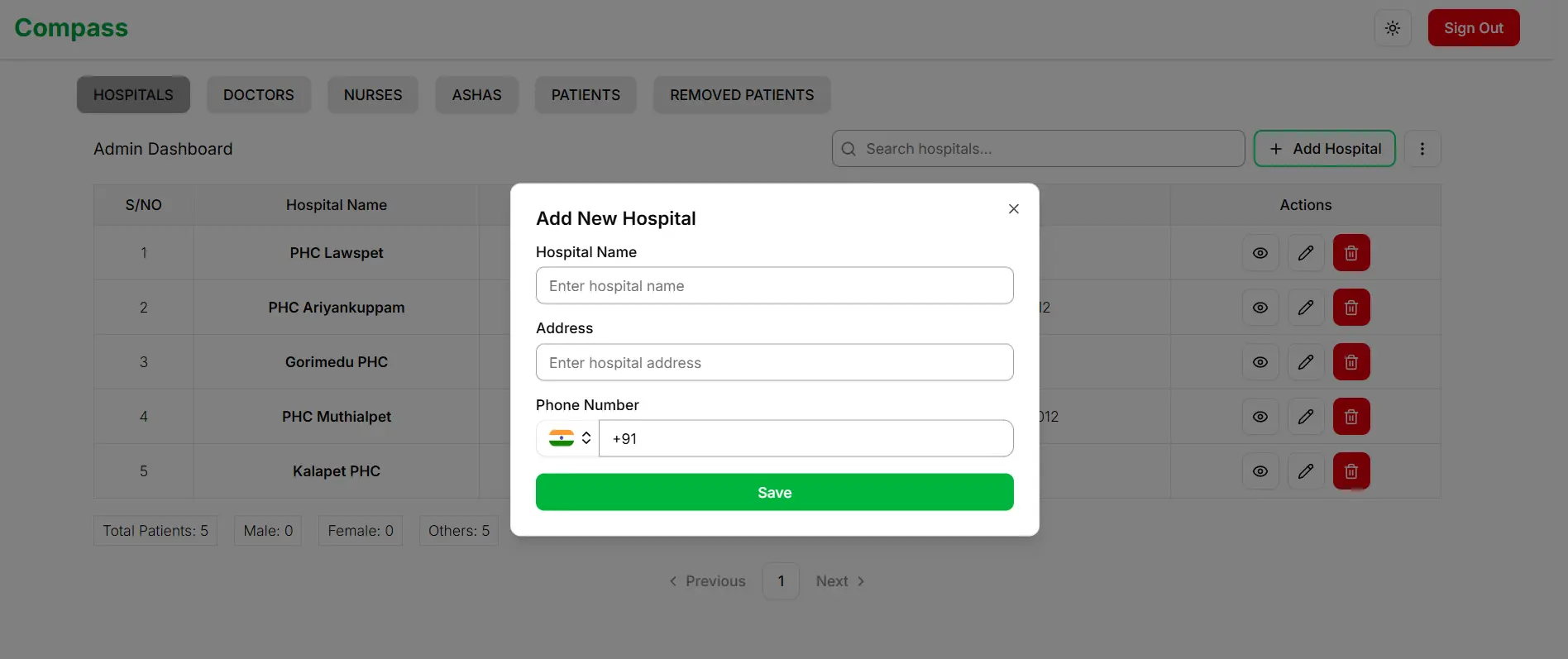
5. Hospital & User Management (Admin Only)
- Add and manage hospitals
- Create accounts for doctors, nurses, and ASHA workers
- Assign roles and permissions
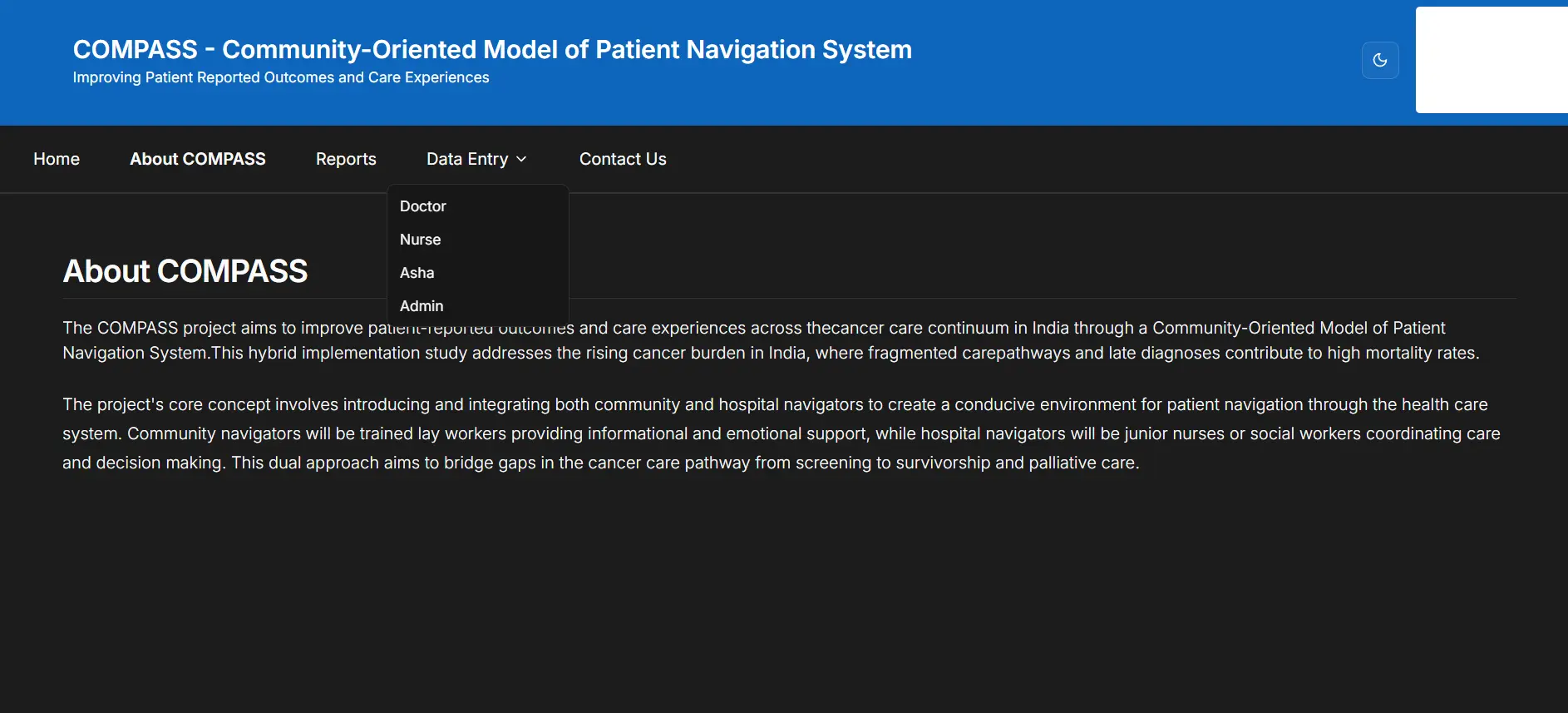
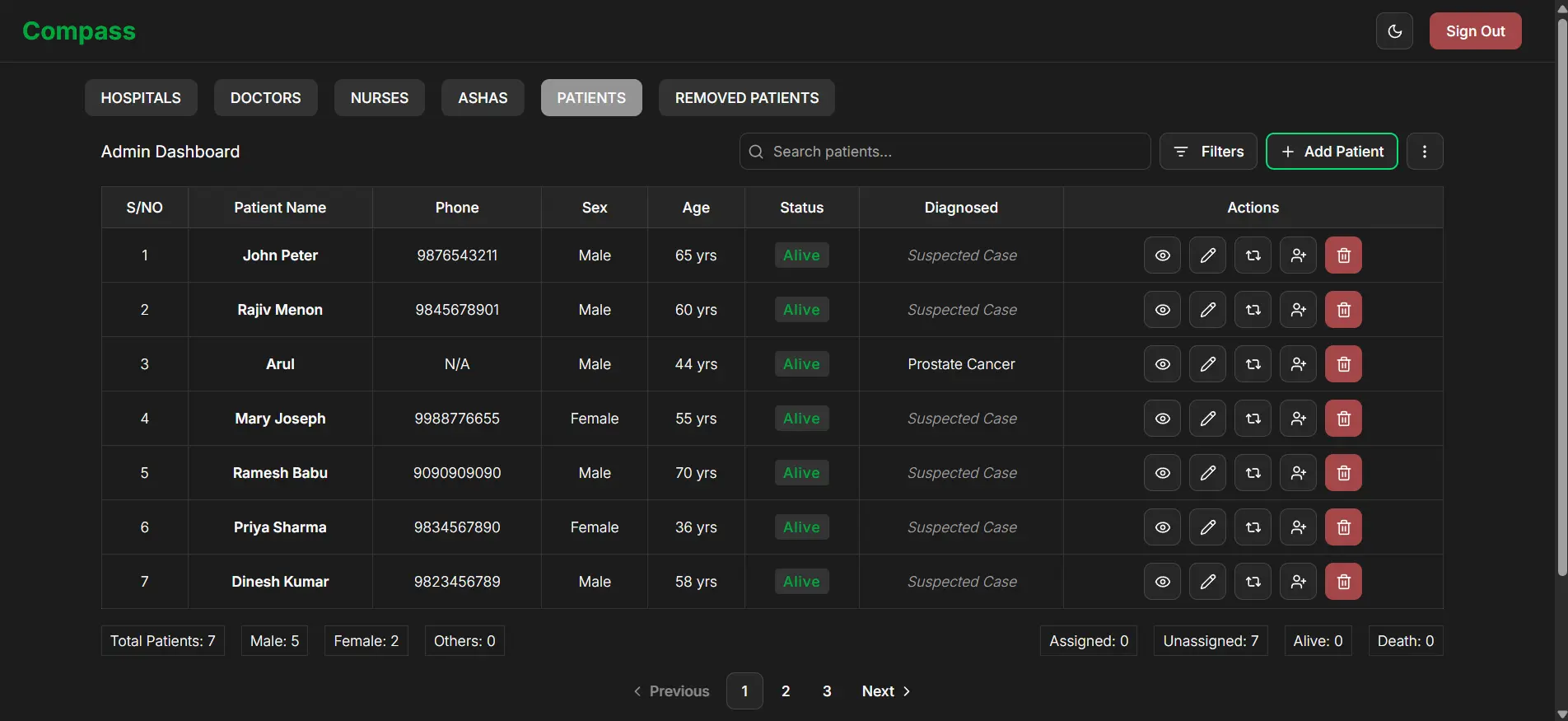
Admin Dashboard - Patients View
| Dark Theme |
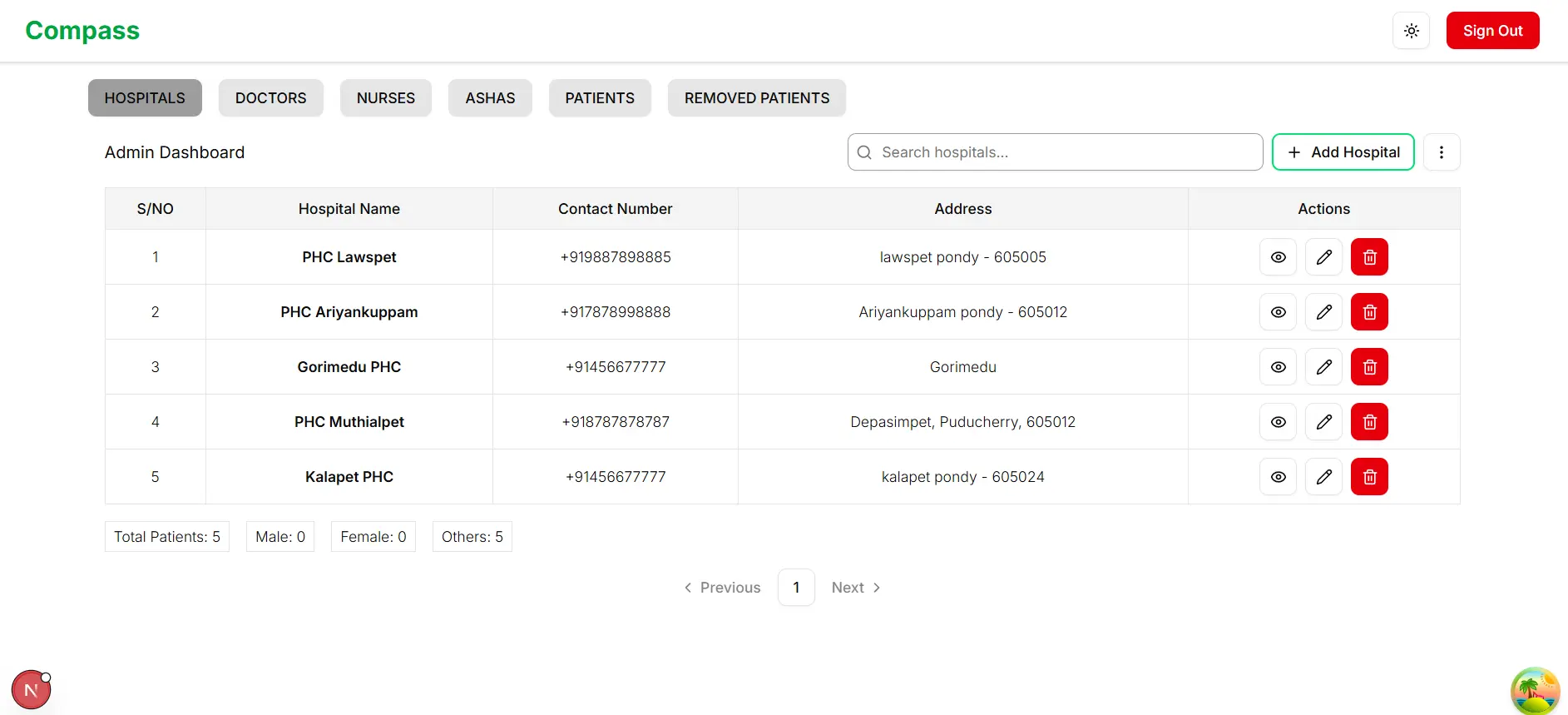
Light Theme |
 |
 |
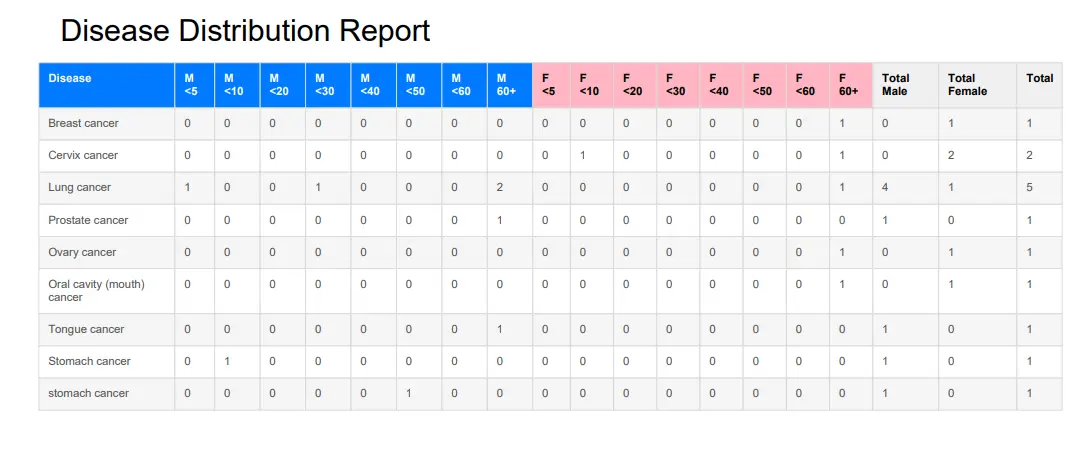
| Disease Report |
Add Doctor/Nurse/ASHA |
 |
 |
| Add Hospital |
Recover Patient |
 |
 |
| Doctor View |
Nurse View |
ASHA Mobile View |
 |
 |
 |
| Add Patient |
Delete Patient |
 |
 |
- Form Management: React Hook Form - Performance-focused
- Schema Validation: Zod - Type-safe validation
Ensure you have the following installed:
- Node.js (v18 or higher)
- pnpm or yarn
- Git account for version control
-
Clone the repository
git clone https://github.com/lourduradjou/puducan-jipmer.git
cd puducan-jipmer
-
Install dependencies
-
Set up environment variables
Create a .env.local file in the root directory:
NEXT_PUBLIC_FIREBASE_API_KEY=your_api_key
NEXT_PUBLIC_FIREBASE_AUTH_DOMAIN=your_auth_domain
NEXT_PUBLIC_FIREBASE_PROJECT_ID=your_project_id
NEXT_PUBLIC_FIREBASE_STORAGE_BUCKET=your_storage_bucket
NEXT_PUBLIC_FIREBASE_MESSAGING_SENDER_ID=your_sender_id
NEXT_PUBLIC_FIREBASE_APP_ID=your_app_id
-
Run the development server
Open http://localhost:3000 in your browser
-
Build for production
pnpm run build
pnpm start
The assets/ folder contains a sample Excel file showing the correct format for importing patient data.
puducan-jipmer/
├── app/                    # Next.js app directory
│   ├── api/               # API routes
│   ├── (auth)/            # Authentication pages
│   ├── (dashboard)/       # Dashboard pages
│   └── layout.tsx         # Root layout
├── components/            # Reusable React components
│   ├── table/             # Table components
│   ├── forms/             # Form components
│   ├── dialogs/           # Modal dialogs
│   └── shared/            # Common components
├── lib/                   # Utility functions & configs
│   ├── firebase.ts        # Firebase initialization
│   ├── hooks/             # Custom React hooks
│   └── utils/             # Helper functions
├── styles/                # Global CSS & Tailwind
├── public/                # Static assets
├── assets/                # Sample data files
└── tests/                 # Test files
- User signs up/logs in via Firebase Authentication
- Role assigned by admin determines dashboard access
- User navigated to role-specific dashboard
- ASHA Worker → Identifies patients in community
- Nurse → Records vitals and clinical observations
- Doctor → Reviews and prescribes treatment
- Admin → Oversees all activities and generates reports
- All data changes instantly sync via Firebase Firestore
- TanStack Query caches results and invalidates when needed
- Components automatically re-render with latest data
Code Quality and Refactoring
The codebase is designed to be modular, maintainable, and scalable following modern software engineering principles.
Component-Based Architecture
- Reusable Components: UI broken into small, single-responsibility components, making code easier to understand, test, and maintain.
- Generic Components: Created reusable components like
GenericTable and GenericDialog, reducing code duplication across the application.
- Encapsulated Logic: Custom hooks encapsulate and reuse logic for common tasks:
useAuth: Manages user authentication state and provides user information to componentsuseTableData: Fetches and manages data table operations including pagination, searching, and filtering- More hooks available for specific domain logic
- ESLint and Prettier: Enforce consistent code style and catch potential errors early, ensuring clean and readable code.
- Husky Pre-commit Hooks: Automatically run linting and tests before each commit, preventing errors from entering the codebase.
# Run all tests
pnpm run test

# Watch mode
pnpm run test:watch

# Coverage report
pnpm run test:coverage
🚄 Performance Optimizations and Caching
The application is built with performance as a top priority, utilizing modern web technologies and best practices for a fast, responsive user experience.
- Automatic Code Splitting: JavaScript bundles are split into smaller chunks — users only download code needed for their page, reducing initial load time.
- Image Optimization: The
next/image component automatically optimizes images, serving modern formats like WebP and resizing for different devices.
- Static Site Generation (SSG): Pages without real-time data (About, Contact) are pre-rendered at build time for instant loading.
- Incremental Static Regeneration (ISR): Hybrid approach allowing static pages to update without full rebuilds.
Data Fetching and Caching with TanStack Query
- Server-Side State Management: TanStack Query (React Query) manages asynchronous data from Firestore with robust caching that reduces redundant API calls.
staleTime & cacheTime: Queries serve cached data while re-fetching in the background, keeping UI responsive. cacheTime keeps data cached even when unused.- Query Invalidation: When data updates (e.g., patient record edited), relevant queries are invalidated to trigger re-fetch and update UI with latest information.
Client-Side Caching and State Management
- Zustand for Global State: Lightweight global state management without the complexity of larger libraries, sharing state across components seamlessly.
localStorage for Form Data: Form state is cached to prevent data loss during entry — reload the page and restore progress.
Summary: Key Caching Mechanisms
| Level |
Technology |
Purpose |
| Bundle |
Next.js Code Splitting |
Reduce initial JS download |
| Assets |
Image Optimization |
Serve optimal image formats |
| API Calls |
TanStack Query |
Cache Firestore responses |
| State |
Zustand |
Share state across components |
| Local Data |
localStorage |
Persist form progress |
We welcome contributions from developers of all experience levels! Your work directly impacts cancer patient care across India.
Getting Started with Contributing
For First-Time Contributors
Look for issues labeled good first issue — these are:
- ✅ Well-scoped and clearly documented
- ✅ Beginner-friendly
- ✅ Don't require deep codebase knowledge

Check out v1.1 related issues here:

-
Fork the repository and create your feature branch
git checkout -b feature/your-feature-name
-
Make your changes with descriptive commits
git commit -m "feat: add new patient filter"
-
Push to your fork and create a Pull Request
git push origin feature/your-feature-name
-
Describe your changes clearly in the PR description
For detailed guidelines, see CONTRIBUTING.md and ARCHITECTURE.md.
This project is licensed under the Apache License 2.0 — see the LICENSE file for details.
You are free to use, modify, and distribute this project, provided you include the original license and copyright notice.
Made with ❤️ for cancer patients and healthcare workers across India
⭐ If this project helped you, please consider giving it a star!


